


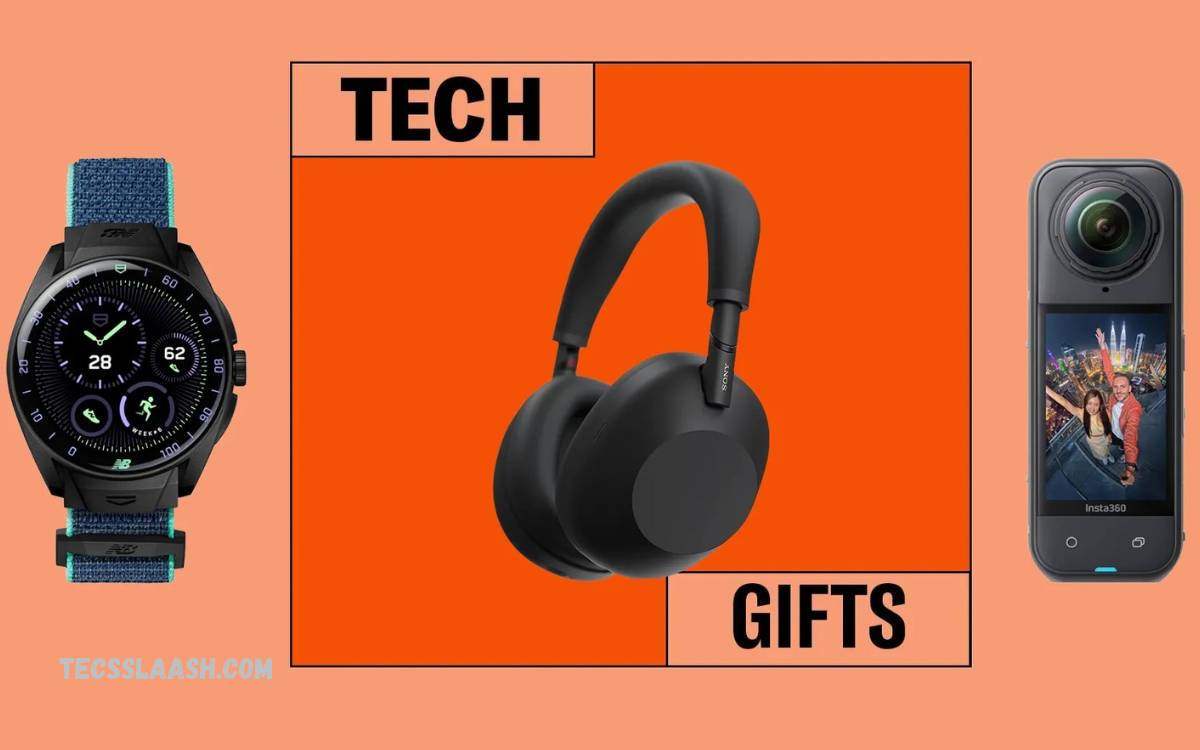
Technology is an essential part of everyday life, helping people work efficiently, stay connected, manage their schedules, and enjoy entertainment anywhere. While smartphones, laptops, and tablets remain important, the right accessories can make them much more useful. From wireless charging solutions to portable power banks, small gadgets can improve convenience without requiring an expensive technology upgrade.
The best tech accessories to buy in 2026 solve everyday problems, save time, and deliver dependable performance. Whether you are a student, office worker, remote professional, traveler, or technology enthusiast, choosing practical accessories can make your daily routine smoother. This guide explores essential gadgets worth considering, their benefits, and the features to look for before you buy.
Why Tech Accessories Matter in 2026?
Modern technology is increasingly focused on convenience, portability, and connectivity. People regularly switch between smartphones, laptops, wireless headphones, and other connected devices, making compatible accessories more valuable than ever. A reliable charger, comfortable headset, or compact laptop stand can improve productivity and make everyday activities more comfortable.
However, buying every new gadget is rarely necessary. The smartest approach is to identify your daily needs and invest in accessories that provide genuine value. Consider durability, compatibility, warranty coverage, and ease of use instead of choosing products simply because they are popular or advertised as the latest innovations.
Wireless Chargers for Convenient Power
Wireless chargers are among the most practical tech accessories for people who use their smartphones throughout the day. Instead of repeatedly connecting and disconnecting a cable, you can place a compatible phone on a charging pad or stand. A stand-style charger is particularly useful on a desk because it keeps the screen visible while the phone charges.
When choosing a wireless charger in 2026, check its supported charging standards, power output, and compatibility with your device. Some phones support faster wireless charging than others, while certain magnetic charging systems require specific hardware or compatible cases. A reputable charger with appropriate safety protections is generally a better investment than an inexpensive, unverified alternative.
Wireless Earbuds for Work and Entertainment
Wireless earbuds offer a convenient way to listen to music, attend online meetings, take calls, and enjoy videos without dealing with tangled cables. Compact designs make them easy to carry in a pocket or bag, while modern models may include active noise cancellation, transparency modes, and multiple microphones for clearer conversations.
Comfort and battery life should be major considerations when shopping for earbuds. Look for a secure fit, easy-to-use controls, and a charging case that fits your daily routine. If you travel often or work in busy environments, noise cancellation can be especially useful, but it shouldn’t replace awareness of traffic and other hazards.
Power Banks for Reliable Charging Anywhere
A power bank is an essential accessory for anyone who spends long hours away from a wall outlet. It can recharge a smartphone during a commute, keep wireless earbuds powered during a trip, or provide emergency power when you are away from home. A compact model is ideal for everyday carry, while a higher-capacity option may be better for longer journeys.
Use capacity, charging speed, size, and safety features to guide your decision. Look for clearly stated capacity, reputable battery cells, and output that matches your devices. USB-C Power Delivery support can be particularly useful for compatible phones, tablets, and some laptops. Remember that actual usable energy is lower than the battery’s advertised capacity because charging involves energy losses.
Smartwatches and Fitness Bands
Smartwatches and fitness bands combine everyday convenience with health and activity tracking. Depending on the model, they can display notifications, monitor workouts, estimate daily activity, track sleep, and provide reminders without requiring you to check your phone constantly. Some also offer navigation, contactless payments, and emergency features.
Before buying a wearable, consider battery life, comfort, screen readability, and smartphone compatibility. Fitness measurements are estimates and should not be treated as medical diagnoses. If you mainly want step counts and basic activity tracking, an affordable fitness band may be enough, while a smartwatch offers more advanced communication and app features.
USB-C Hubs and Multiport Adapters
A USB-C hub is especially useful for laptop users who need more connections than their device provides. Many slim laptops have limited ports, making it hard to connect external displays, USB accessories, memory cards, wired networks, and charging cables at the same time. A multiport adapter can bring these connections together in one compact device.
The right hub depends on how you work. Check whether it supports the display resolution and refresh rate you need, the data transfer speeds your storage devices require, and enough power delivery for your laptop. Not every USB-C port supports every feature, so verify your computer’s specifications before purchasing an adapter.
Laptop Stands for Better Desk Comfort
A laptop stand can make a home office, study area, or shared workspace more comfortable. Raising the screen closer to eye level can help you maintain a more natural viewing position, while an adjustable stand lets you change the height and angle to suit your setup. Some designs also improve airflow around the laptop.
For everyday use, prioritize stability, adjustable positioning, and a design that supports your laptop’s size and weight. If you type for long periods with the laptop elevated, pair the stand with an external keyboard and mouse for a more comfortable workstation. Foldable stands are useful for people who regularly move between home, office, and campus.
Bluetooth Keyboards and Wireless Mice
A Bluetooth keyboard and wireless mouse can transform a tablet or laptop into a more practical productivity setup. They help with writing documents, managing spreadsheets, responding to emails, and working on presentations. Compact models are particularly helpful for students and professionals who need a portable workspace.
When comparing options, consider typing comfort, key layout, mouse shape, connection stability, and battery life. Some keyboards can connect to multiple devices, making it easier to switch between a computer, tablet, and phone. If you travel frequently, choose accessories that are lightweight, durable, and easy to pack.
Fast USB-C Chargers and Charging Cables
A dependable charger is one of the most valuable accessories you can own because it supports the devices you use every day. A quality USB-C charger may power a compatible smartphone, tablet, wireless accessory, or laptop, reducing the number of separate adapters you need to carry. Multiport chargers can make this even more convenient.
Check the charger’s total power output, individual port limits, and supported charging protocols before buying. A cable must also support the required power and data speeds; not every USB-C cable offers the same capabilities. Choose reputable products with appropriate electrical protections, and avoid damaged cables or adapters that become unusually hot during normal use.
External SSDs for Portable Storage
An external solid-state drive is an excellent accessory for people who work with large files, photographs, videos, or important documents. SSDs generally offer faster file transfers and better resistance to everyday movement than traditional portable hard drives. Their compact size also makes them easy to carry between different workspaces.
Storage capacity and transfer speed are important, but compatibility matters just as much. Check your computer’s ports and supported interface to ensure you can use the drive at its advertised speed. For sensitive information, consider encryption and keep a separate backup instead of relying on a single external drive as your only copy of important files.
Read Also: Best AI Apps for Content Creators: Top Tools to Boost Creativity and Productivity
Smart Plugs for Simple Home Automation
Smart plugs offer an easy entry point to home automation. Depending on the model, they let you turn compatible appliances on or off through an app, a schedule, or a supported voice assistant. They can help control lamps, manage household routines, and reduce the need to operate individual switches manually.
Before buying a smart plug, confirm it’s compatible with your home network and preferred smart-home platform. Check the electrical rating and use it only with suitable appliances. Do not connect high-power devices such as heaters unless the manufacturer explicitly permits the intended use and the plug is properly rated for the load.
Portable Bluetooth Speakers
A portable Bluetooth speaker is a useful accessory for people who enjoy music, podcasts, and audio entertainment at home or outdoors. It can provide fuller sound than many smartphone speakers while remaining easy to carry. Some models also offer water resistance, hands-free calling, and the ability to connect multiple speakers.
Your choice should depend on sound quality, battery life, durability, and portability. If you plan to use the speaker outdoors, check its water- and dust-resistance rating instead of assuming that every portable model is waterproof. A compact speaker may suit personal listening, while a larger design can provide more powerful sound for group gatherings.
Screen Protectors and Protective Phone Cases
Protective cases and screen protectors remain essential accessories because smartphones are expensive devices that people carry almost everywhere. A well-designed case can help reduce damage from everyday bumps and accidental drops, while a suitable screen protector can guard against scratches. Neither guarantees complete protection, but both can reduce certain risks.
Choose a case that fits your exact phone model and provides a comfortable grip without blocking essential buttons or ports. Screen protectors should match the display’s shape and work with your preferred case. If you use wireless charging or magnetic accessories, verify compatibility before buying a particularly thick case or one containing metal components.
Noise-Cancelling Headphones for Focus
Over-ear noise-canceling headphones can make a significant difference for people working in busy offices, studying in shared spaces, or traveling on public transport. Active noise cancellation uses electronic processing to reduce certain surrounding sounds, helping users concentrate on music, calls, or other audio. Many models also offer transparency modes that let you hear nearby conversations.
Comfort matters, especially if you wear headphones for several hours at a time. Compare ear-cup padding, headband pressure, microphone quality, battery performance, and how easy the headphones are to carry. Keep listening volumes at reasonable levels and take regular breaks, especially during long work sessions.
How to Choose the Best Tech Accessories in 2026
The best purchasing decisions begin with a clear understanding of your routine. A student might benefit most from a power bank, wireless earbuds, and a laptop stand, while a remote professional may prioritize a USB-C hub, external SSD, ergonomic accessories, and a quality headset. Travelers may prefer compact chargers, protective cases, and accessories with long battery life.
Also consider long-term value instead of focusing only on the initial price. Check warranty terms, independent reviews, replacement availability, and compatibility with your existing devices. Avoid paying extra for features you will rarely use, and remember that a well-built accessory from a reliable manufacturer can be more useful than several inexpensive gadgets that fail quickly.
Common Mistakes to Avoid When Buying Tech Gadgets
One common mistake is assuming accessories that look similar offer identical performance. Charging speeds, USB data capabilities, wireless standards, and compatibility can vary significantly between products. Reading the specifications carefully can prevent disappointment and help you avoid buying something that doesn’t work properly with your devices.
Another mistake is prioritizing trends over everyday usefulness. You do not necessarily need the newest smartwatch, the most expensive earbuds, or a charger with more power than your devices can accept. Focus on solving a real problem, choose products from trusted sellers, and check return policies before you buy.
Frequently Asked Questions
What Are the Best Tech Accessories to Buy in 2026?
Some of the most useful options include wireless earbuds, USB-C chargers, power banks, wireless charging stands, laptop stands, and protective phone cases. The best choices depend on your devices, daily habits, and budget.
Which Tech Accessories Are Most Useful for Students?
Students can benefit from wireless earbuds, a portable power bank, a laptop stand, a wireless mouse, and an external storage drive. These accessories support studying, online classes, note-taking, and working between different locations.
Is a Wireless Charger Better Than a Wired Charger?
Wireless charging offers convenience, while wired charging is often faster and more energy-efficient. The better option depends on your phone’s supported charging standards and whether you prioritize speed or ease of use.
How Much Power Bank Capacity Do I Need?
A power bank with around 10,000 mAh is often enough for everyday smartphone charging. A 20,000 mAh model may be better for longer trips or charging multiple devices, though real-world results depend on conversion losses and device battery size.
Are USB-C Chargers Compatible With Every Device?
No. USB-C describes a connector type, not a guarantee of universal charging speed or functionality. Compatibility depends on the device, charging protocol, cable capabilities, and the charger’s available power output.
Are Wireless Earbuds Worth Buying in 2026?
Wireless earbuds are worth considering if you regularly listen to music, make calls, or attend online meetings. Battery life, comfort, microphone quality, and connection reliability are more important than choosing a model based on popularity alone.
Do Laptop Stands Really Improve Comfort?
A laptop stand can improve screen positioning and help encourage a more comfortable posture. For extended typing sessions, an external keyboard and mouse can make the setup more practical.
Which Accessories Are Best for Remote Workers?
Remote workers may find a USB-C hub, external SSD, wireless headset, laptop stand, keyboard, and mouse particularly useful. Together, these accessories can create a more organized, productive workstation.
How Can I Tell Whether a Tech Accessory Is Reliable?
Check product specifications, warranty coverage, seller reputation, safety certifications where applicable, and reviews that discuss long-term use. Avoid products with unclear specifications or suspiciously exaggerated performance claims.
Should I Buy Expensive Tech Accessories or Budget Options?
Choose accessories based on your needs, not price alone. Budget products suit basic tasks, while higher-quality models may justify their cost with better durability, performance, comfort, or warranty support.
Conclusion
The best tech accessories to buy in 2026 are the ones that make everyday technology easier, more comfortable, and more reliable. Wireless earbuds, power banks, USB-C chargers, laptop stands, external SSDs, and protective cases are practical choices for a wide range of users. Each accessory serves a different purpose, so the right combination depends on how you study, work, travel, and relax.
Before purchasing a new gadget, compare its features, compatibility, build quality, and long-term value. You don’t need to buy every trending product to build a useful tech setup.

