


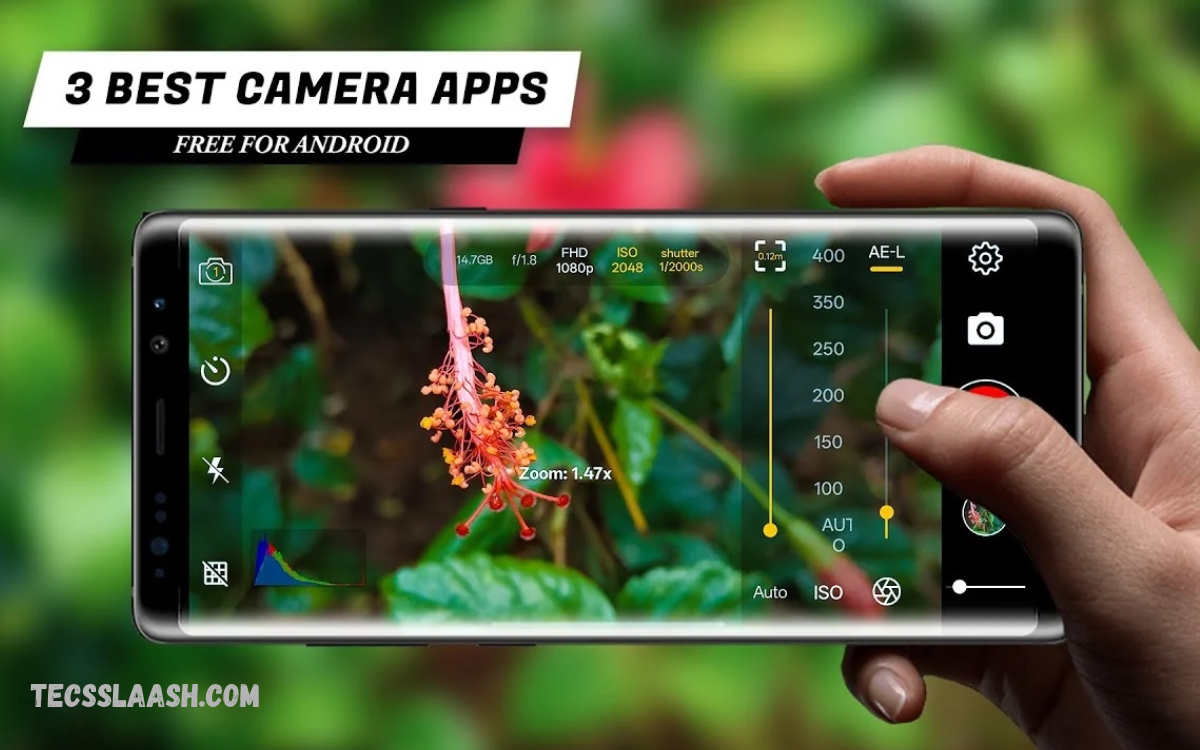
Smartphone photography has become an important part of everyday life. Android phones offer impressive cameras, but the right camera app can provide additional controls, creative features, and a better photography experience.
The Best Camera Apps for Android help users capture beautiful pictures, record high-quality videos, adjust camera settings, and explore creative photography. Whether capturing landscapes, portraits, food, or everyday moments, a suitable camera app can make photography more enjoyable.
Why Choose Third-Party Camera Apps for Android?
The default camera app offers convenient features, but some users want more control over their camera settings. Third-party applications add options like manual focus, shutter speed, ISO adjustment, exposure control, and advanced shooting modes.
These applications also provide creative filters, grid lines, timers, and specialized photography tools. Choosing an application with useful features can improve the overall photography experience without requiring an expensive camera.
Best Camera Apps for Android
Several Android camera applications offer different photography experiences. Some focus on professional manual controls, while others provide automatic enhancements, creative filters, and simple interfaces for everyday photography.
Understanding their features helps users select an application that matches their photography interests. The following camera apps offer different tools for capturing pictures and recording videos.
Google Camera
Google Camera is a popular photography application known for computational photography features. Depending on device compatibility, it offers features such as HDR+, Night Sight, Portrait Mode, and enhanced image processing.
Its interface focuses on simplicity, making photography convenient for everyday users. However, availability and supported features depend on the Android device, and some versions are limited to compatible Google Pixel phones.
Open Camera
Open Camera is a useful Android photography application offering several manual controls. Users can adjust exposure, white balance, ISO, focus, and other settings depending on hardware support.
The application also includes grid overlays, timers, burst mode, and video recording options. Its flexible settings suit photography enthusiasts who want greater control without complicated menus.
Adobe Lightroom
Adobe Lightroom combines camera functionality with powerful photo editing tools. Its camera features can provide manual controls on supported devices, while its editing section offers exposure adjustments, color correction, and professional editing options.
Users can create consistent photography styles through presets and personalized adjustments. Lightroom is particularly useful for people who capture pictures regularly and want to organize their editing workflow.
ProCam X
ProCam X focuses on manual photography controls and advanced camera settings. Depending on device compatibility, users can adjust ISO, shutter speed, focus, exposure, and white balance to achieve different photography results.
Its interface provides access to several photography tools in one application. It can be a suitable choice for users interested in experimenting with camera settings and learning more about manual photography.
Camera FV-5
Camera FV-5 is designed for photography enthusiasts who prefer DSLR-style manual controls. Its available features include exposure adjustment, manual focus, shutter speed, and ISO settings on supported Android devices.
The application provides more control over photography than many basic camera interfaces. It is especially interesting for users who want to understand how different camera settings influence image results.
Footej Camera 2
Footej Camera 2 provides a straightforward photography experience with additional camera controls. Its features include burst photography, slow-motion recording on supported devices, panorama options, and manual settings.
The interface is designed to make camera functions accessible without unnecessary complexity. Users looking for a combination of simple operation and advanced photography options may find this application useful.
HedgeCam 2
HedgeCam 2 is an open-source camera application based on Open Camera. It offers various photography settings, including manual controls, exposure adjustments, focus options, and customizable camera functions.
Its extensive configuration options make it interesting for Android users who enjoy experimenting with photography. The application also provides features such as timers, burst photography, and image stabilization where supported.
VSCO
VSCO combines photography tools with creative filters and editing features. Users can capture photos, adjust colors, experiment with different visual styles, and create a consistent look across their photography collections.
Its editing experience makes it popular among people interested in social media photography. Some advanced presets and features require a paid membership, while basic tools provide a starting point for creative editing.
Camera MX
Camera MX offers photography and video features through an accessible interface. Available tools may include filters, effects, timers, and different shooting options, depending on the app version and device.
The application focuses on making everyday photography simple and creative. Users who enjoy experimenting with visual effects can explore its available tools to create different photography styles.
Cymera
Cymera is known for its photography and creative editing features. It provides tools to adjust pictures, apply filters, add effects, and create visually appealing images.
Its features are particularly useful for users interested in portrait photography and creative photo adjustments. The application combines camera-related functionality with editing options that help users personalize their pictures.
Manual Camera
Manual Camera applications provide greater control over photography settings than standard automatic camera interfaces. Depending on the specific application and hardware support, users can adjust shutter speed, ISO, focus, and white balance.
These controls help photographers understand how lighting and camera settings influence the final picture. Before choosing an application, check Android compatibility and camera hardware support.
Best Camera Apps for Android Photography Features
Camera applications offer different tools designed to improve photography experiences. Understanding these features makes it easier to identify apps that meet specific photography needs.
Some features focus on image quality, while others improve creative control and recording flexibility. Selecting the right combination can make smartphone photography more convenient.
Manual Camera Controls
Manual controls let users adjust key photography settings instead of relying entirely on automatic camera processing. ISO controls sensitivity, shutter speed affects exposure time, and manual focus provides greater control over sharpness.
These settings are especially useful when capturing pictures in different lighting conditions. However, available controls depend on the device’s Android hardware and Camera2 API support.
HDR Photography
High Dynamic Range photography helps balance bright and dark areas within a picture. It combines multiple exposures or uses computational processing to preserve additional details in challenging lighting conditions.
HDR can be useful when photographing landscapes, buildings, and outdoor scenes. A camera application with reliable HDR processing can produce more balanced pictures in suitable conditions.
Night Photography
Night photography features help capture pictures in low-light environments. Some applications use multiple frames, exposure adjustments, and image processing to improve brightness and preserve visible details.
Night modes work best when the phone remains steady during capture. Results depend on camera hardware, available lighting, and the processing technology the app uses.
Portrait Photography
Portrait photography focuses on capturing people while creating a visually appealing background effect. Many Android camera applications include background blur, face detection, and portrait enhancement features.
These tools help users create attractive portraits without requiring dedicated photography equipment. However, natural lighting and proper camera positioning remain important for achieving balanced results.
RAW Photography Support
RAW photography stores more image information than standard compressed formats. This provides greater flexibility when adjusting exposure, highlights, shadows, and colors during editing.
Photographers who prefer detailed post-processing may benefit from RAW support. Not every Android device supports RAW capture, so check hardware compatibility before selecting an application.
Best Camera Apps for Android Video Recording
Photography is not the only reason to explore third-party camera applications. Many Android camera apps also provide video recording features with additional controls for resolution, frame rates, exposure, and focus.
These options can help users create videos for personal projects, educational content, and social media. The available recording quality depends on device capabilities and application support.
Read Also: Best Free Online Tools: Top Websites and Resources to Boost Productivity
High-Resolution Video Recording
High-resolution video recording captures more visual detail than lower-resolution formats when the device supports it. Some camera applications provide options for Full HD and 4K recording.
Users should consider available storage and device performance before selecting higher resolutions. A stable recording environment and sufficient lighting also contribute to better video results.
Slow-Motion Recording
Slow-motion recording captures video at a higher frame rate and plays it back at a slower speed. This feature can make sports activities, moving objects, and everyday moments more visually interesting.
Some Android applications provide slow-motion recording when supported by the phone’s camera hardware. Recording quality and available frame rates vary between devices.
Time-Lapse Photography
Time-lapse recording combines images captured over a period into a shorter video. It can show changing clouds, moving traffic, growing plants, and other gradual activities.
Camera applications with time-lapse functionality make this creative technique easier to explore. Users can experiment with recording intervals and camera positioning to create interesting visual results.
How to Choose the Best Camera Apps for Android
Choosing a suitable camera application depends on photography interests, device compatibility, and personal preferences. An app with many advanced features isn’t necessarily the best option for every user.
Some people prefer automatic photography, while others enjoy adjusting every camera setting. Comparing important features can help users make a more informed decision.
Check Device Compatibility
Not every camera application supports every Android smartphone. Certain features depend on the camera sensor, processor, Android version, and Camera2 API compatibility.
Before installing an application, review its supported devices and required permissions. This helps avoid compatibility problems and ensures the application provides the features expected.
Compare Available Features
Different applications focus on different photography experiences. Some offer manual controls, while others specialize in filters, portrait effects, video recording, or professional editing tools.
Make a decision based on the features that matter most for everyday photography. Choosing an application with useful tools can provide a better experience than installing several applications with similar functions.
Consider User Interface
A simple interface makes camera controls easier to access during photography. Clear menus, accessible settings, and responsive camera previews can improve the overall experience.
Complicated layouts may become frustrating when capturing spontaneous moments. Look for an application that balances advanced functionality with convenient navigation.
Review Privacy and Permissions
Camera applications may request access to the camera, microphone, storage, or selected media files. These permissions should match the application’s actual functionality.
Review the developer information and privacy policy before installation. Download applications through trusted sources and avoid granting unnecessary permissions.
Free Camera Apps vs Paid Camera Apps
Free camera applications provide useful photography features without requiring an initial payment. Many include manual controls, filters, timers, and video recording options that are suitable for everyday users.
Paid applications may offer additional features, specialized controls, or fewer limitations. However, payment does not automatically guarantee better image quality because hardware and software processing also influence results.
Tips for Taking Better Pictures with Android Camera Apps
Using a good camera application is only one part of smartphone photography. Lighting, composition, focus, and camera stability also influence the final image.
Simple photography techniques can help users make better use of the camera’s available features. Practicing different settings provides opportunities to understand how each adjustment affects pictures.
Use Natural Lighting
Natural lighting can make photographs appear balanced and detailed. Positioning the subject near a window or shooting outdoors in suitable lighting can improve results.
Avoid placing the main subject directly against extremely bright light unless creating a silhouette is intentional. Experimenting with different lighting directions can produce more interesting photographs.
Keep the Camera Lens Clean
A clean camera lens helps prevent unwanted smudges and reduces visual haze. Dust, fingerprints, and marks on the lens can affect picture clarity, especially when photographing bright light sources.
Gently clean the camera lens using a suitable microfiber cloth before taking pictures. This small habit can improve consistency without changing any camera settings.
Experiment with Composition
Composition determines how subjects and background elements appear within a photograph. Grid lines, symmetry, leading lines, and the rule of thirds can help create more balanced images.
Try different camera angles instead of always capturing pictures from the same position. Small changes in framing can make ordinary subjects look more visually interesting.
Adjust Focus and Exposure
Focus determines which part of a photograph appears sharp, while exposure controls overall brightness. Many Android camera apps let users adjust these settings by tapping the screen or using manual controls.
Check the subject before capturing an image, especially when photographing people or moving objects. Balanced focus and exposure can improve picture clarity and preserve important details.
Common Problems with Android Camera Apps
Camera applications sometimes experience technical problems caused by outdated software, device limitations, or permission settings. Understanding common issues can help users identify simple solutions.
Some problems may also result from limited storage, background restrictions, or incompatible camera features. Checking application settings and device requirements is a useful starting point.
Camera App Crashing
An application may crash because of software bugs, insufficient resources, or compatibility problems. Restarting the application and checking for available updates may resolve certain issues.
If the problem continues, review the application’s permissions and device compatibility. Reinstalling the application from a trusted source may also help when its installation files are damaged.
Blurry Pictures
Blurry pictures can result from camera movement, incorrect focus, poor lighting, or lens marks. Checking the lens and allowing the camera to focus before capturing an image can improve results.
Some applications also provide stabilization and focus controls. Experimenting with these features may help produce clearer photographs in different situations.
Camera App Not Supporting Manual Controls
Manual photography features depend on both application functionality and smartphone hardware. Some devices do not support every control, even when the application includes those options.
Check whether the smartphone supports the Camera2 API and the required camera capabilities. Selecting a compatible application is important for accessing advanced photography settings.
Frequently Asked Questions
Which Is the Best Camera App for Android?
Google Camera, Open Camera, and ProCam X are popular options for different photography requirements. The best choice depends on device compatibility, available features, and personal preferences.
Which Android Camera App Is Best for Professional Photography?
Open Camera and Camera FV-5 offer manual controls that appeal to photography enthusiasts. Adobe Lightroom also provides camera functionality and advanced editing tools on supported devices.
Are Free Camera Apps Good for Android?
Yes, several free camera applications provide useful photography features. Open Camera is one example, offering manual settings, timers, and additional camera controls without requiring an initial purchase.
Which Camera App Is Best for Night Photography?
Google Camera is known for Night Sight on compatible devices. Other applications may provide exposure controls that help users experiment with low-light photography.
Can Camera Apps Improve Photo Quality?
Camera applications can improve photography through image processing, exposure adjustments, HDR, and additional camera controls. However, the final result also depends on the smartphone’s camera hardware and lighting conditions.
Do Camera Apps Support 4K Video Recording?
Some Android camera applications support 4K recording when the smartphone hardware allows it. Resolution options depend on the device, camera sensor, Android version, and application compatibility.
Is Open Camera Free?
Open Camera is an open-source Android camera application available at no initial cost. It includes several photography features, although certain functions depend on smartphone hardware.
Can I Use Multiple Camera Apps on One Android Phone?
Yes, users can install multiple compatible camera applications on the same Android smartphone. Each application can provide different photography tools, editing options, and recording features.
Conclusion
Finding the Best Camera Apps for Android depends on your photography needs, smartphone compatibility, and preferred features. Google Camera, Open Camera, Adobe Lightroom, ProCam X, and Camera FV-5 offer different options for capturing and editing pictures.
Explore apps that offer useful controls, reliable performance, and user-friendly interfaces. With the right camera software and basic photography techniques, Android users can enjoy a more creative, flexible smartphone photography experience.

