


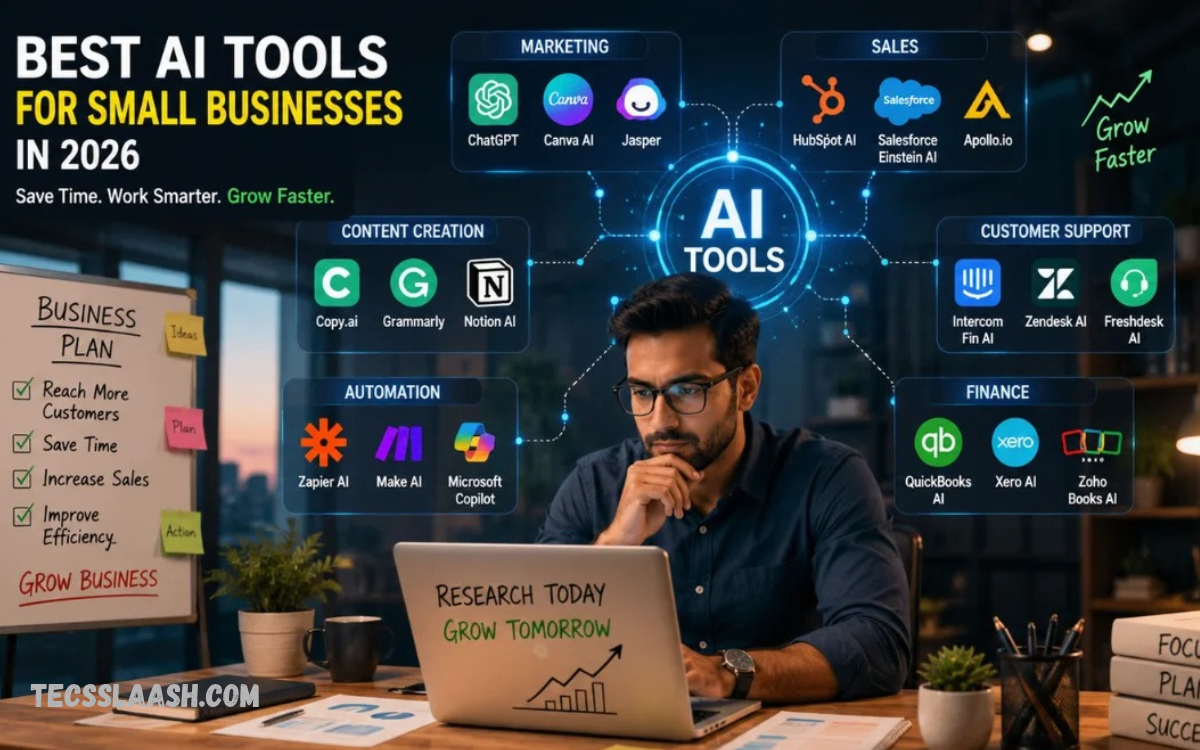
Artificial intelligence has become an important part of modern business and everyday productivity. From creating professional content to analyzing complex information, AI-powered platforms help individuals and organizations complete tasks more efficiently.
Best AI Tools in 2026: Top Artificial Intelligence Tools for Productivity and Business explores leading artificial intelligence platforms for writing, Research, marketing, design, automation, communication, and business management. Choosing the right tools can save time, improve productivity, and support business growth.
What Are AI Tools?
AI tools are software applications that use artificial intelligence technologies to perform tasks that traditionally require human input. These applications can generate text, analyze data, recognize images, summarize documents, answer questions, and automate repetitive activities. Many platforms use machine learning and large language models to understand instructions and produce useful results.
Businesses and individuals use AI tools for different purposes. Students may use them to organize Research, marketers can develop campaign ideas, and business owners may automate customer communication. Their usefulness depends on selecting an appropriate platform and checking its output before relying on it.
Why AI Tools Matter in 2026
AI technology continues to influence how organizations manage daily operations. Companies use intelligent software to reduce manual workloads, improve communication, and identify useful information from large datasets. These capabilities allow employees to spend more time on planning, creativity, and important business decisions.
AI tools also make advanced digital capabilities accessible to smaller organizations. Freelancers, startups, and independent professionals can use affordable platforms to create content, manage projects, and support customers. Although AI cannot replace human judgment, it can become a valuable assistant across many professional activities.
Best AI Tools for Productivity
Productivity tools help users organize information, manage tasks, write documents, and complete everyday work. AI-powered productivity platforms can summarize meetings, generate reports, prepare schedules, and simplify communication. These features are especially useful for professionals managing several responsibilities.
The best productivity platform depends on individual requirements. Some users need an intelligent writing assistant, while others require meeting summaries, task management, or document organization. Comparing available features helps users avoid paying for unnecessary subscriptions.
ChatGPT: An All-Purpose AI Assistant
ChatGPT is a versatile AI assistant developed by OpenAI. It can help users write emails, summarize information, generate ideas, explain complicated subjects, create outlines, and assist with coding. Its conversational interface makes it useful for individuals, students, freelancers, and business teams.
Businesses can use ChatGPT for brainstorming, drafting customer communications, Research assistance, and internal documentation. However, users should verify important facts, review generated content, and avoid sharing confidential information unless they understand the platform’s privacy settings.
Google Gemini: AI Assistance for Everyday Work
Google Gemini is an artificial intelligence assistant designed to support Research, writing, planning, and other digital activities. It can help users understand information, generate content, summarize material, and work with supported Google services. Its usefulness depends on the available features and account configuration.
Professionals who already use Google’s productivity ecosystem may find Gemini helpful for everyday tasks. It can support document preparation, idea generation, and information organization. Users should review generated answers carefully, especially when making business decisions or handling sensitive information.
Microsoft Copilot: AI for Business Productivity
Microsoft Copilot brings AI assistance into Microsoft’s productivity environment. Depending on the subscription and configuration, it can help users draft documents, summarize information, analyze spreadsheets, prepare presentations, and manage communication. Its integration with Microsoft applications can reduce the effort required to move between different tasks.
Organizations can use Copilot to support employees who regularly work with Word, Excel, PowerPoint, Outlook, and other Microsoft services. Businesses should review licensing, data protection, and administrative settings before introducing it across their teams.
Best AI Writing and Content Creation Tools
Writing tools help users create articles, marketing materials, product descriptions, social media posts, and professional communication. AI-powered writing applications can suggest ideas, improve grammar, adjust tone, and organize information into readable sections. These capabilities can make content production more efficient.
However, strong content still requires human experience, originality, and fact-checking. Writers should use AI as a support system rather than publishing unreviewed material. Adding useful examples, accurate information, and a distinctive perspective improves content quality.
Grammarly: Writing and Grammar Assistance
Grammarly helps users improve written communication through grammar suggestions, spelling corrections, clarity improvements, and tone recommendations. It can support professional emails, reports, academic writing, and business communication. Its suggestions help users identify common writing problems before sharing documents.
The platform is useful for professionals who regularly produce written material. However, users should not accept every suggestion automatically. Maintaining the intended meaning and personal writing style is important when editing important documents.
Jasper: AI Marketing Content
Jasper is an AI-powered content platform designed for marketing teams and businesses. It supports content creation for advertising, websites, product descriptions, email campaigns, and other promotional activities. Its features can help teams develop consistent messaging across different marketing channels.
Jasper may be useful for organizations producing large amounts of marketing content. Teams should provide clear brand guidelines and review every generated draft before publication. Accurate product information and genuine customer benefits should remain central to all marketing materials.
Copy.ai: Content and Sales Workflows
Copy.ai provides AI-supported tools for marketing, sales communication, and business content creation. It can help users generate campaign ideas, draft promotional messages, and organize repetitive content workflows. These features may reduce the time required for routine writing tasks.
Businesses can explore the platform for sales outreach, marketing operations, and content planning. Before adopting it, teams should compare available plans, workflow limits, integrations, and data policies. The best results come from combining AI-generated drafts with human review.
Best AI Tools for Research and Information
Research tools help users find information, summarize sources, compare topics, and organize findings. AI-powered Research platforms can reduce the time required to review large amounts of material. They can also help users identify important questions and develop structured Research plans.
Accuracy remains essential when using AI for Research. Users should check sources, confirm publication dates, and distinguish verified information from generated summaries. This is particularly important for academic work, financial decisions, and professional reports.
Perplexity AI: AI-Powered Research Assistant
Perplexity AI is designed to help users explore questions and discover information from online sources. It can provide conversational answers with source references, making it useful for initial Research and topic exploration. Users can ask follow-up questions to examine specific details.
The platform can support market Research, general learning, and business planning. However, citations should always be opened and checked because a referenced page may not fully support every statement. Using sources helps maintain Research accuracy.
NotebookLM: Organizing Documents and Research
NotebookLM is Google’s AI-powered Research and note-taking assistant. It helps users work with supported source materials, including documents and other uploaded references. Its features include summarizing information, answering questions about provided sources, and organizing Research findings.
Students, researchers, and professionals can use NotebookLM to understand lengthy materials more efficiently. It is particularly useful when working with a defined collection of documents. Users should still verify important interpretations against the source material.
Best AI Design and Image Generation Tools
Visual content plays an important role in branding, advertising, websites, and social media. AI design tools can help users generate images, create layouts, edit visuals, and develop creative concepts. These platforms make certain design activities more accessible to people without advanced graphic design experience.
Businesses can use AI-generated visuals for brainstorming and early creative development. However, professional projects require attention to brand consistency, image quality, licensing conditions, and accuracy. Human designers remain important for refining concepts and ensuring that final visuals meet business requirements.
Canva AI: Easy Graphic Design
Canva offers accessible design tools alongside AI-supported features for creating presentations, social media graphics, posters, and marketing materials. Users can use templates, edit images, and create visual content without needing advanced design skills. Its collaborative features can also support teams.
Small businesses may find Canva useful for creating consistent promotional materials. Teams should use suitable brand colors, fonts, and visual guidelines to maintain a recognizable identity. Before publishing, they should also check image licensing and the accuracy of generated text.
Midjourney: Creative AI Image Generation
Midjourney is an AI image-generation platform known for producing detailed visual concepts from written prompts. Users can describe subjects, artistic styles, environments, and compositions to explore creative possibilities. It can support concept development for marketing, entertainment, and visual storytelling.
Designers and businesses can use Midjourney to experiment with different creative directions. However, generated images may require editing before commercial use. Users should review the platform’s current usage terms and ensure that their projects meet applicable copyright and licensing requirements.
Read Also: Actress Profile: Biography, Career, Movies, Personal Life & Achievements
Adobe Firefly: AI for Creative Professionals
Adobe Firefly provides generative AI features for image creation and editing. It supports creative workflows such as generating visual elements, modifying images, and exploring design concepts. Its connection with Adobe’s creative ecosystem makes it relevant to designers and marketing professionals.
Firefly can help creative teams speed up selected production tasks. Nevertheless, professional users should review output quality, commercial-use conditions, and licensing information. Human editing remains important for producing polished designs that meet specific brand requirements.
Best AI Tools for Business Automation
Business automation tools reduce repetitive work by connecting applications and organizing workflows. They can help teams manage customer information, send notifications, update records, and coordinate routine processes. Automation can improve consistency and reduce manual errors when workflows are designed correctly.
Companies should identify repetitive tasks before choosing an automation platform. They should also test workflows carefully, establish access controls, and monitor results. Poorly configured automation can create mistakes faster than manual processes, so regular review is essential.
Zapier: Connecting Business Applications
Zapier helps users connect supported applications and automate workflows without requiring extensive programming knowledge. Businesses can create automated actions between tools used for communication, marketing, project management, and customer relationship management.
For example, a company may create a workflow that saves new form submissions to a spreadsheet and notifies the responsible team. Before activating automation, users should check permissions, data handling, and error notifications to ensure reliable operation.
Make: Visual Workflow Automation
Make provides a visual platform for building automated workflows between supported applications. Its interface allows users to connect different services, define conditions, and organize multi-step processes. This flexibility can help businesses automate more complex operations.
Small companies can use Make for lead management, notifications, data organization, and repetitive administrative activities. Teams should begin with simple workflows and test each step before expanding automation. Monitoring performance helps identify errors and improve reliability.
Best AI Tools for Customer Support
Customer support tools help organizations respond to questions, manage requests, and improve communication. AI-powered assistants can answer common questions, suggest responses, summarize customer conversations, and direct requests to the appropriate department. These capabilities can reduce waiting times and support customer service teams.
Businesses should ensure that automated responses are accurate and helpful. Customers should have access to human support when their problems require judgment, personal attention, or sensitive information. Clear escalation procedures improve customer trust and service quality.
Intercom: AI Customer Communication
Intercom offers customer communication and support solutions that include AI-powered assistance. Businesses can use its tools to manage conversations, answer common questions, and support service teams. Its capabilities can help organizations organize customer interactions across supported channels.
The platform may suit businesses that handle frequent customer inquiries. Companies should prepare accurate knowledge resources and regularly review automated answers. Human agents should remain available for complicated requests and situations requiring individual attention.
Zendesk: Customer Service Management
Zendesk provides customer service software for managing support requests, communication channels, and service operations. Its AI-related features can assist with ticket classification, response suggestions, and workflow management, depending on the selected plan and configuration.
Organizations can use Zendesk to centralize customer support activities and monitor service performance. Businesses should evaluate integration requirements, subscription costs, security settings, and reporting features before adopting the platform.
How to Choose the Best AI Tools for Your Business
Choosing the right AI tool starts with identifying a specific business problem. A company that needs faster content production may benefit from writing software, while a customer service department may require an AI support platform. Selecting tools based on real requirements prevents unnecessary subscriptions.
Businesses should also compare ease of use, integration options, pricing, security, customer support, and scalability. Testing free plans or demonstrations can help teams understand whether a platform delivers practical value. A successful tool should improve an existing workflow rather than create additional complexity.
Benefits of Using AI Tools in 2026
AI tools can improve productivity by reducing time spent on repetitive activities. They help employees prepare drafts, organize information, analyze data, and manage routine communication. This can create more opportunities for creative work, planning, and customer engagement.
Another important benefit is accessibility. Smaller businesses can use AI-powered platforms to access capabilities that previously required larger teams or specialized resources. When implemented responsibly, these tools can support efficiency and help organizations compete in changing markets.
Challenges and Risks of Artificial Intelligence
Despite their advantages, AI tools can produce inaccurate information, biased results, or content that lacks important context. Users may also encounter privacy concerns when uploading confidential documents or customer information. These risks make human supervision essential.
Businesses should establish clear AI-use policies, review generated outputs, and protect sensitive information. Employees should understand which tasks can be automated and which require human approval. Responsible implementation helps organizations benefit from AI without ignoring potential problems.
Future of AI Tools for Productivity and Business
AI development is likely to bring more capable assistants, improved automation, and stronger integration across digital platforms. Businesses may increasingly use AI agents to coordinate tasks, retrieve information, and support complex workflows. These developments could change how teams organize everyday operations.
However, successful adoption will depend on more than technological improvements. Organizations will need skilled employees, reliable data, clear policies, and effective management. Businesses that combine human expertise with suitable AI systems will be better prepared to adapt to future changes.
Frequently Asked Questions
What Are the Best AI Tools in 2026?
Popular AI tools include ChatGPT, Google Gemini, Microsoft Copilot, Grammarly, Perplexity AI, Canva, Midjourney, and Zapier. Each platform supports different tasks, including writing, Research, design, and automation.
Which AI Tool Is Best for Business Productivity?
Microsoft Copilot, ChatGPT, and Google Gemini are useful options for general business productivity. They can assist with writing, Research, planning, and information management.
Are There Free AI Tools Available?
Yes, several AI platforms offer free plans or limited free access. ChatGPT, Google Gemini, Canva, and other services may provide selected features without requiring an immediate paid subscription.
Which AI Tool Is Best for Content Writing?
ChatGPT, Grammarly, Jasper, and Copy.ai can support different content-writing activities. They help users generate ideas, prepare drafts, improve grammar, and develop marketing materials.
Can AI Tools Help Small Businesses?
Yes, small businesses can use AI tools for marketing, customer communication, content creation, Research, and workflow automation. These applications can reduce repetitive work and help teams manage limited resources.
Which AI Tool Is Best for Research?
Perplexity AI and NotebookLM are useful options for Research and information organization. Perplexity helps explore online information, while NotebookLM supports work with selected source materials.
Are AI Image Generators Useful for Marketing?
Yes, tools such as Midjourney, Adobe Firefly, and Canva can support marketing design and visual concept development. They help users explore creative ideas and produce visual material more efficiently.
Can AI Automate Everyday Business Tasks?
AI-powered platforms and automation services can help manage notifications, update records, organize information, and connect supported applications. Zapier and Make are examples of workflow automation tools.
Are AI Tools Safe for Business Data?
AI tool safety depends on the provider, account settings, data policies, and information being shared. Businesses should review privacy terms and security controls before uploading sensitive material.
Will AI Tools Replace Human Employees?
AI tools can automate selected tasks, but they do not replace every human skill or responsibility. Creativity, critical thinking, communication, leadership, and professional judgment remain important across many industries.
Conclusion
The best AI tools in 2026 offer practical ways to improve productivity, simplify business operations, and support creative work. Platforms such as ChatGPT, Google Gemini, Microsoft Copilot, Grammarly, Perplexity AI, Canva, Midjourney, and Zapier serve different purposes across writing, Research, design, and automation.
Best AI Tools in 2026: Top Artificial Intelligence Tools for Productivity and Business highlights the importance of choosing technology according to real needs.

