


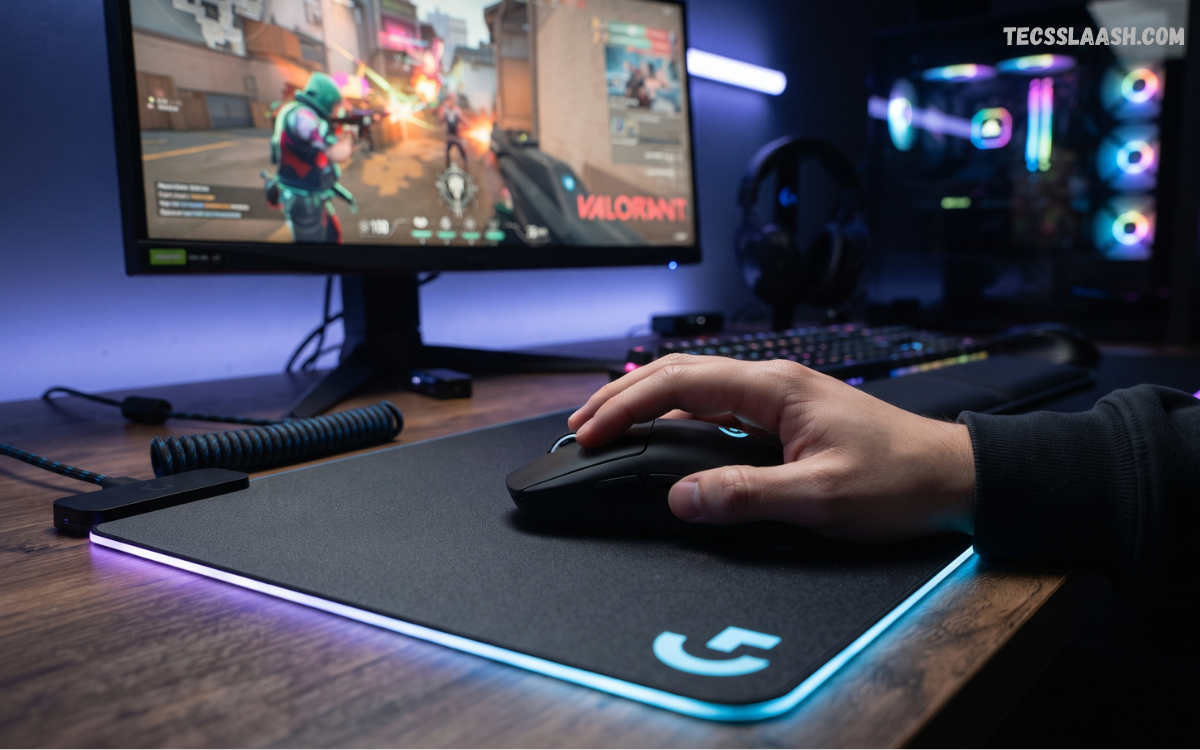
Finding the best gaming mouse can significantly improve gaming performance, accuracy, comfort, and overall control. A gaming mouse is more than a standard pointing device because modern models include precision sensors, customizable buttons, adjustable DPI, ergonomic shapes, lightweight designs, and advanced software.
The right gaming mouse depends on your gaming genre, grip style, hand size, sensitivity preferences, and budget. Competitive FPS players may prioritize lightweight construction and precise tracking, while MMO players often prefer additional programmable buttons. Understanding these differences makes it easier to choose a mouse that matches your gaming requirements.
What Makes the Best Gaming Mouse?
The Best Gaming Mouse combines accurate tracking, responsive clicks, comfortable ergonomics, reliable connectivity, and useful customization. A high-quality sensor should provide consistent movement without unwanted acceleration, while responsive switches should register commands quickly during intense gameplay.
Build quality also matters because gaming mice can receive thousands of clicks during regular use. A durable shell, dependable switches, flexible cable, smooth feet, and reliable scroll wheel can provide better long-term value. The ideal mouse should feel comfortable during short gaming sessions and extended play.
Gaming Mouse Sensor Performance
The sensor represents one of the most important components of a gaming mouse. Modern optical sensors can deliver excellent tracking accuracy across different surfaces, making them suitable for competitive shooters, strategy games, racing titles, and general computer use.
High DPI specifications often receive significant attention, but extremely high DPI does not automatically mean better performance. Most gamers use moderate sensitivity settings, and sensor consistency is usually more important than maximum DPI. Look for accurate tracking, low latency, stable movement, and dependable performance.
DPI and Sensitivity Explained
DPI, or dots per inch, determines how far the cursor moves when the mouse travels across a surface. Higher DPI moves the cursor farther with less physical movement, while lower DPI requires larger mouse movements for the same on-screen distance.
Competitive FPS players commonly use lower sensitivity because it allows precise aiming and controlled movements. Higher sensitivity can benefit players who prefer rapid camera movement or have limited desk space. The Best Gaming Mouse should provide adjustable DPI so users can experiment with different sensitivity levels.
Polling Rate and Gaming Performance
Polling rate describes how frequently a mouse reports its position to the computer. Common gaming mice offer polling rates such as 1000Hz, while newer premium models can provide substantially higher rates.
A higher polling rate can reduce the time between mouse reports, potentially producing smoother cursor movement and lower input delay. However, extremely high polling rates can increase system resource usage. For many gamers, a reliable 1000Hz connection already provides excellent responsiveness.
Wired vs Wireless Gaming Mouse
Wired gaming mice remain popular because they offer consistent connectivity without battery management. Modern gaming cables can be lightweight and flexible, reducing cable drag during fast movements. Wired models also tend to provide excellent value across different price ranges.
Wireless technology has improved considerably, making premium wireless gaming mice highly responsive. A quality wireless mouse can provide performance comparable to wired alternatives while offering greater freedom of movement. Battery life, charging options, wireless stability, and connection technology should be considered before choosing a wireless model.
Lightweight Gaming Mouse
Lightweight gaming mice have become especially popular among competitive players. Lower weight makes rapid movements easier and can reduce fatigue during long sessions. This design is particularly useful for FPS games where large mouse movements are frequently required.
A lightweight design should still maintain structural durability. Extremely low weight can sometimes involve design compromises, although modern gaming mice increasingly combine low weight with strong construction. The best choice depends on personal preference because some gamers prefer a heavier mouse with greater stability.
Ergonomic Design and Comfort
Comfort should never be overlooked when selecting the Best Gaming Mouse. A mouse that feels excellent in the first few minutes may become uncomfortable after several hours if its shape does not match your hand size or grip style.
Ergonomic designs can provide additional palm support, while symmetrical shapes may accommodate different grip preferences. The ideal shape allows natural finger positioning without excessive pressure. Hand size should also influence your decision because a mouse designed for large hands may feel awkward for smaller hands.
Understanding Mouse Grip Styles
Gaming mouse grips generally fall into three categories: palm grip, claw grip, and fingertip grip. A palm grip keeps most of the hand against the mouse, providing stability and comfort during longer sessions.
A claw grip raises part of the palm while keeping the fingers curved over the buttons. Fingertip grip uses the fingertips primarily for control and allows fast movements. Different mouse shapes support different grips, so understanding your natural grip can make choosing the right model much easier.
Best Gaming Mouse for FPS Games
First-person shooter games demand accurate aiming, fast reactions, and consistent tracking. A suitable FPS mouse should have a reliable sensor, low click latency, lightweight construction, and a shape that supports precise movements.
Many competitive FPS players prefer simple designs with two primary buttons, a scroll wheel, and a couple of side buttons. Excessive buttons are not always useful for shooters and can add unnecessary weight. A lightweight mouse with dependable tracking can provide a strong competitive advantage when paired with proper sensitivity settings.
Best Gaming Mouse for MMO Games
MMO games often require numerous commands, abilities, inventory actions, and shortcuts. An MMO gaming mouse can improve accessibility by placing multiple programmable buttons within easy reach of the thumb.
Additional buttons allow players to assign abilities, macros, inventory commands, or other functions without constantly reaching for the keyboard. MMO mice are generally larger than lightweight FPS models, but the added functionality can make them extremely useful for complex games.
Best Gaming Mouse for MOBA Games
MOBA games require fast reactions, precise cursor control, and frequent activation of abilities. A balanced mouse with responsive buttons and accurate tracking can improve command execution during intense battles.
Several programmable side buttons can also help players access important abilities or commands. However, too many buttons may become distracting. A comfortable shape, dependable switches, and an accurate sensor are usually more valuable than simply maximizing the number of buttons.
Best Gaming Mouse for Strategy Games
Strategy games rely heavily on precise cursor positioning and efficient command execution. A comfortable mouse with reliable tracking can make selecting units, managing resources, and navigating large maps easier.
Strategy gamers may not require an extremely lightweight mouse or a massive button layout. Instead, consistent movement, comfortable ergonomics, a reliable scroll wheel, and customizable shortcuts can provide practical benefits during long gaming sessions.
Gaming Mouse Switches and Click Quality
Mouse switches determine how the primary buttons feel and respond. Different switches can provide different levels of tactile feedback, actuation force, sound, and durability.
Optical switches are increasingly common in premium gaming mice because they can reduce certain mechanical reliability concerns and offer fast actuation. Mechanical switches remain widely used and can provide a familiar click sensation. The ideal switch depends on personal preference, durability expectations, and the type of games played.
Programmable Buttons
Programmable buttons allow users to customize mouse functions through manufacturer software. These buttons can launch commands, shortcuts, abilities, media controls, or application-specific functions.
For competitive gaming, programmable buttons should be positioned where they can be reached naturally without accidental activation. MMO and productivity users may benefit from more buttons, while FPS players often prefer a minimal layout.
Gaming Mouse Software
Gaming mouse software allows users to adjust DPI levels, button assignments, lighting, polling rate, profiles, and other settings. Good software should be easy to navigate and provide clear customization options.
Onboard memory is another useful feature because it allows configurations to remain stored on the mouse. This can be convenient for gamers who move between computers or gaming setups. Cloud profiles can also provide useful synchronization across supported devices.
RGB Lighting
RGB lighting has become a common feature across gaming peripherals. Although lighting does not directly improve gaming performance, it can enhance the appearance of a gaming setup.
Gamers who prioritize performance should treat RGB as an optional feature rather than a deciding factor. A mouse with excellent tracking and comfortable ergonomics is generally a better investment than one selected primarily for lighting effects.
Gaming Mouse Cable Quality
Cable design matters for wired gaming mice because cable resistance can affect movement. Traditional stiff cables may create noticeable drag, particularly when using low sensitivity.
Modern lightweight cables are designed to remain flexible during movement. Using a mouse bungee can also keep the cable elevated and reduce friction against the desk. These small improvements can make a wired mouse feel significantly more responsive.
Wireless Battery Life
Battery life is a major consideration when selecting a wireless gaming mouse. Longer battery life reduces the need to charge and makes the mouse more convenient for daily use.
Some wireless models support quick charging or can operate while connected through a cable. A practical wireless gaming mouse should provide reliable connectivity, clear battery indicators, and convenient charging. Battery performance becomes especially important for users who spend many hours gaming each day.
Mouse Feet and Glide Performance
Mouse feet allow the device to move smoothly across the mousepad. High-quality feet can provide consistent gliding with minimal friction.
Glide preference varies between gamers. Some prefer fast movement for competitive shooters, while others want greater resistance for controlled aiming. The mousepad also influences glide performance, so both components should be considered together rather than evaluated separately.
Mousepad Compatibility
The Best Gaming Mouse performs differently depending on the surface underneath it. Cloth mousepads generally provide controlled movement and comfortable stopping, while hard surfaces can offer faster gliding.
Large mousepads are particularly useful for low-sensitivity FPS players because they provide more space for sweeping movements. A quality mousepad can complement an accurate sensor and improve the overall consistency of mouse control.
Gaming Mouse Weight
Mouse weight influences acceleration, stopping, and overall handling. Heavier mice can feel stable, while lightweight mice generally require less effort during rapid movements.
There is no universally perfect weight. Competitive gamers often prefer lightweight designs, whereas some users enjoy heavier mice for general gaming and productivity. Testing different weights can help determine which option feels most natural.
Build Quality and Durability
A gaming mouse should withstand frequent clicking, repeated movement, and daily transportation. Strong construction helps prevent premature wear and improves long-term reliability.
Important components include the shell, switches, scroll wheel, cable, mouse feet, and internal electronics. A premium price does not automatically guarantee superior durability, so buyers should consider the complete design rather than focusing on one specification.
Best Gaming Mouse for Small Hands
Gamers with smaller hands should look for compact designs that allow easy access to every button. An oversized mouse can cause unnecessary stretching and reduce control.
Shorter bodies and narrower profiles may provide better comfort for smaller hands. Grip style also matters because claw and fingertip grips can work well with compact shapes. The objective is to keep fingers naturally positioned without excessive tension.
Best Gaming Mouse for Large Hands
Large-handed gamers often benefit from longer and wider mice with sufficient palm support. A mouse that is too small can force the hand into an uncomfortable position.
Ergonomic designs can provide additional support for palm users, while larger symmetrical shapes may suit claw or fingertip grips. Checking manufacturer dimensions before buying can prevent many comfort problems.
Gaming Mouse for Competitive Players
Competitive gaming requires consistency more than excessive features. The ideal mouse should deliver dependable sensor tracking, low input latency, comfortable handling, and predictable button response.
Extra features can be useful, but they should not interfere with core performance. Competitive players should prioritize sensor quality, shape, weight, click response, and connection stability before considering RGB lighting or decorative features.
Gaming Mouse for Casual Players
Casual gamers do not necessarily need an expensive flagship mouse. A mid-range model with accurate tracking, comfortable ergonomics, reliable switches, and several programmable controls can deliver an excellent experience.
Casual users should focus on versatility. A mouse that performs well for gaming, browsing, creative applications, and everyday computing can provide greater overall value than a highly specialized competitive model.
Read Also: Best Wireless Mouse: Complete Buying Guide for Comfort, Precision, and Productivity
Gaming Mouse Price and Value
Gaming mice are available across a wide range of prices. Entry-level models can provide accurate sensors and basic gaming functionality, while premium models typically add advanced wireless technology, lightweight construction, sophisticated switches, and extensive customization.
The most expensive mouse is not always the best gaming mouse for every user. Value depends on which features actually improve your experience. Spending more makes sense when premium features match your gaming requirements, rather than simply increasing the list of specifications.
Common Mistakes When Buying a Gaming Mouse
One common mistake is choosing a mouse solely because it has a very high DPI rating. DPI is only one aspect of performance, and higher DPI does not automatically improve accuracy.
Another mistake is ignoring shape and hand size. A technically excellent mouse can become frustrating if it causes discomfort during long sessions. Buyers should also consider weight, grip style, button placement, connectivity, software, and warranty support.
How to Choose the Best Gaming Mouse
Start by identifying your primary gaming genre. FPS players may prioritize low weight and precise tracking, while MMO players may prefer additional programmable buttons.
Next, consider hand size and grip style. Compare mouse dimensions and weight before purchasing. Finally, evaluate sensor performance, switches, connectivity, software, battery life, and build quality. This approach makes it easier to select a mouse based on actual requirements rather than marketing specifications.
Wired or Wireless: Which Is Better?
A wired mouse remains an excellent choice for gamers who want simple connectivity, uninterrupted operation, and no battery concerns. It can also offer strong performance at a lower cost.
Wireless gaming mice provide freedom from cable drag and can create a cleaner gaming setup. Modern wireless technology can deliver highly responsive performance, making wireless a practical choice for competitive gaming. The decision ultimately depends on whether convenience and mobility are worth the additional cost.
Does a Gaming Mouse Improve Gaming Performance?
A gaming mouse can improve consistency and control, particularly when replacing a basic office mouse. Accurate tracking, better ergonomics, responsive buttons, and adjustable sensitivity can make precise actions easier.
However, hardware alone cannot replace practice. Aim, reaction time, movement control, and game knowledge remain important factors. The right mouse should support your skills rather than be viewed as a substitute for developing them.
How to Maintain a Gaming Mouse
Regular cleaning can help maintain reliable performance. Dust and debris can accumulate around buttons, the scroll wheel, and the sensor area, potentially affecting operation.
Use appropriate cleaning methods and avoid excessive moisture around electronic components. Keep the mousepad clean as well because dirt can affect glide and sensor tracking. Proper storage and careful cable management can further extend the lifespan of a gaming mouse.
Gaming Mouse Features Worth Paying For
Some features provide meaningful benefits, including a reliable optical sensor, low-latency wireless connectivity, durable switches, lightweight construction, adjustable DPI, onboard memory, and a comfortable ergonomic shape.
Other features may have limited practical value for some users. Excessive RGB lighting, extremely high DPI ratings, and unnecessary buttons should not influence a purchase unless they genuinely match your preferences. Performance-focused buyers should prioritize the fundamentals.
Frequently Asked Questions
What Is the Best Gaming Mouse for FPS Games?
The best gaming mouse for FPS gaming should provide accurate sensor tracking, low latency, comfortable handling, and a lightweight design. A simple button layout can also reduce unnecessary weight.
Is a Wireless Gaming Mouse Good for Competitive Gaming?
Modern wireless gaming mice can offer excellent responsiveness and stable connectivity, making them suitable for competitive gaming. Premium wireless technology has significantly reduced the performance gap between wired and wireless devices.
How Much DPI Do Gamers Need?
Most gamers do not need extremely high DPI settings. A moderate DPI range provides enough flexibility for gaming, browsing, and productivity.
Is a Lightweight Gaming Mouse Better?
A lightweight gaming mouse can make rapid movements easier and may reduce fatigue during long gaming sessions. This can be especially useful for competitive FPS players.
Should I Buy a Wired or Wireless Gaming Mouse?
Choose wired if you want continuous operation, simple connectivity, and strong value. Choose wireless if you prefer freedom of movement and a cleaner desk setup.
Does Mouse Shape Matter?
Mouse shape is one of the most important factors affecting comfort and control. A mouse should support your natural hand position without causing excessive pressure or stretching.
Are More Mouse Buttons Better?
More buttons can be useful for MMO, RPG, productivity, and simulation games where many commands are required. They are not necessarily better for every gaming style.
What Is a Good Polling Rate for Gaming?
A 1000Hz polling rate has traditionally been a strong standard for gaming and provides frequent position updates. Higher polling rates are available on newer gaming mice.
How Long Does a Gaming Mouse Last?
The lifespan of a gaming mouse depends on switches, construction quality, usage frequency, maintenance, and handling. A well-built model can remain useful for years under normal conditions.
What Should I Look for in the Best Gaming Mouse?
Focus on sensor accuracy, comfortable shape, appropriate weight, responsive switches, reliable connectivity, suitable button placement, and strong build quality.
Conclusion
Choosing the best gaming mouse requires more than comparing DPI numbers or counting programmable buttons. The best model should match your hand size, grip style, gaming genre, sensitivity preference, and preferred connection method.
A competitive FPS gamer may need a lightweight mouse with an accurate sensor and minimal button layout, while an MMO player may benefit from extensive programmable controls. By evaluating sensor performance, weight, ergonomics, switches, connectivity, software, battery life, and build quality, you can choose a gaming mouse that delivers reliable performance and long-term value.

