


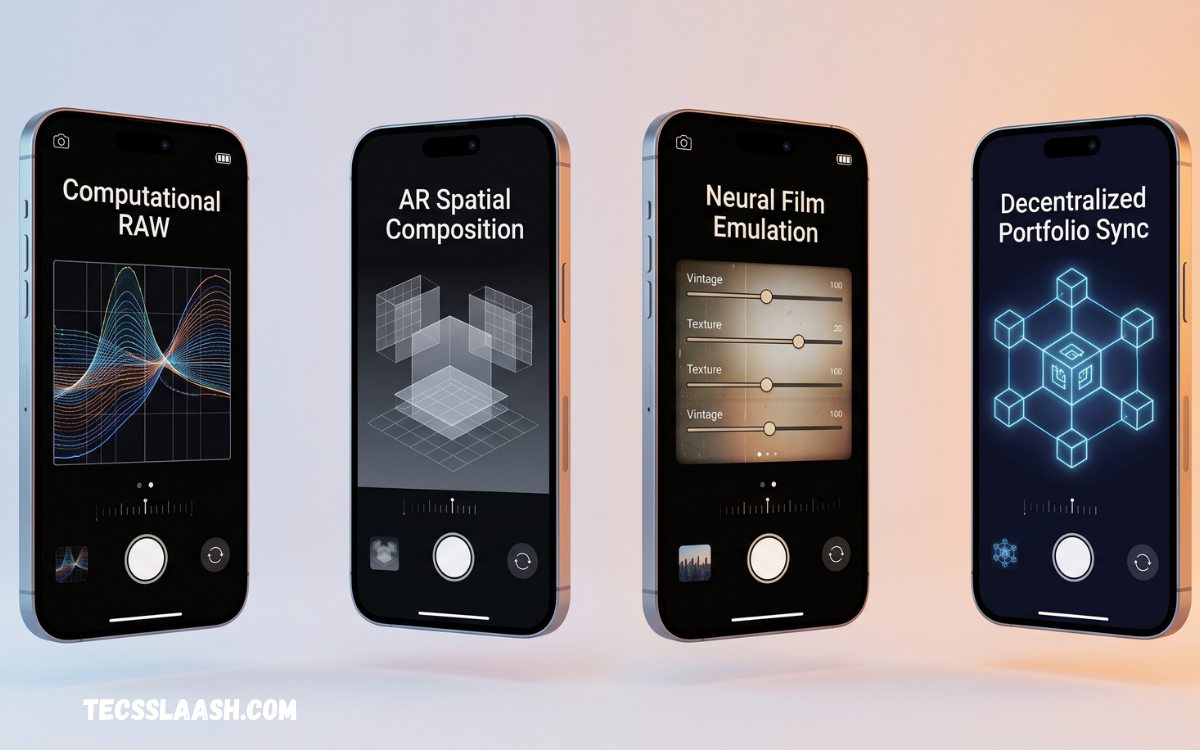
Smartphone photography has become a serious part of modern visual content creation. With advanced sensors, multiple lenses, RAW capture, and powerful manual controls, a smartphone can produce impressive photographs when paired with the right camera application.
Choosing the Best Camera Apps for Professional Photography 2026 depends on your photography style, device, editing workflow, and level of control. The right app can provide manual exposure, focus adjustment, white balance, RAW or DNG capture, histograms, grids, and other features normally associated with dedicated cameras.
Why Professional Camera Apps Matter?
The default camera application on a smartphone is designed mainly for convenience. It automatically manages exposure, focus, color, sharpening, and other settings, which is useful for everyday photography but can limit creative control when you want a specific result.
Professional camera applications give photographers more control over how an image is captured. Manual settings allow you to make deliberate decisions about shutter speed, ISO, focus, and exposure instead of allowing the phone to make every decision automatically.
Manual Camera Controls
Manual controls are one of the most important features to consider when selecting a professional photography application. Adjusting ISO and shutter speed can help photographers manage brightness, motion, and image quality according to the shooting environment.
Manual focus is equally useful for portraits, close-up photography, products, and creative compositions. Instead of relying entirely on autofocus, photographers can decide exactly where the sharpest part of the image should appear.
RAW and DNG Photography
RAW photography provides greater flexibility during editing because the file contains substantially more image information than a typical compressed JPEG. Many professional camera applications support RAW or DNG capture, making them useful for photographers who want extensive control during post-production.
RAW is particularly valuable when photographs contain difficult lighting conditions. Bright skies, deep shadows, and unusual colors can often be adjusted more effectively when the original image contains greater editing information.
Best Camera Apps for iPhone
iPhone users have access to several advanced camera applications designed for photographers who want more control than the standard camera provides. Apps such as Halide and ProCamera are popular choices for manual photography, RAW capture, and advanced shooting controls.
The best option depends on your workflow. Some photographers prefer a simple interface that provides essential controls quickly, while others want detailed exposure information, focus assistance, RAW options, and additional professional tools.
Halide for Professional Photography
Halide is a strong choice for iPhone photographers who want a dedicated manual camera experience. It focuses heavily on photography controls and provides tools designed to help users understand exposure, focus, and composition rather than simply pressing the shutter button.
For photographers who regularly capture RAW images and want more control over the final result, Halide can become an important part of a mobile photography workflow. Its professional approach makes it particularly appealing to experienced smartphone photographers.
ProCamera for Advanced Shooting
ProCamera is another well-known option for iPhone photographers who want extensive manual control. It is designed to provide more flexibility over exposure, focus, image formats, and other photographic settings than a basic camera application.
The application can be useful for photographers who move between different shooting situations. Landscapes, portraits, low-light scenes, architecture, and everyday professional assignments can all benefit from having more control over the capture process.
Best Camera Apps for Android
Android photographers have a wide range of camera applications because Android devices vary significantly in hardware and camera capabilities. Camera FV-5 is one example that provides DSLR-style manual controls, RAW capture, exposure compensation, composition guides, and support for multiple cameras on compatible devices.
However, compatibility can differ between smartphones. Before choosing an application, photographers should check whether their specific phone supports features such as RAW capture, manual ISO, manual shutter speed, and manual focus.
Camera FV-5 for Manual Photography
Camera FV-5 is designed for Android users who want a more traditional camera experience. It provides manual controls and supports RAW capture on compatible devices, allowing photographers to take greater control over the technical side of photography.
Its composition tools can also help photographers create better-balanced images. Grid overlays and crop guides are useful when working with architecture, landscapes, products, and other subjects where alignment and framing are especially important.
Lightroom for Photography Editing
Capturing a professional photograph is only one part of the workflow. Editing is often necessary to correct exposure, refine colors, improve contrast, and prepare an image for publication. Lightroom is widely used for organizing and editing photographs across professional workflows.
A camera application and an editing application can work together effectively. A photographer might capture a RAW image with manual controls and then refine the file during post-production to achieve a more precise and consistent visual style.
Snapseed for Quick Photo Editing
Photographers who want a simple editing solution can consider Snapseed. It provides a range of adjustment tools that can be useful for improving photographs without requiring an especially complicated workflow.
Snapseed can be particularly useful when working directly from a smartphone. Basic corrections such as brightness, contrast, color, cropping, sharpening, and selective adjustments can help turn an ordinary capture into a cleaner finished image.
Camera Apps for Low-Light Photography
Low-light photography is one of the most demanding areas of smartphone photography. Small smartphone sensors can struggle when there is limited light, which can result in noise, motion blur, or loss of detail.
A professional camera application can help photographers manage exposure more deliberately. Slower shutter speeds may brighten a scene, while controlled ISO settings can help balance brightness and image noise. However, the phone must remain stable when using longer exposures.
Camera Apps for Portrait Photography
Portrait photography requires careful control over focus, exposure, and composition. A professional camera application can help photographers place attention on the subject and avoid unwanted exposure changes during the shot.
Manual focus can be especially useful for close portraits. By carefully controlling the focus point, photographers can emphasize important facial details and create a more intentional image rather than depending completely on automatic focusing.
Read Also: Best Wireless Chargers: Top Picks for Fast, Reliable, and Convenient Charging
Camera Apps for Landscape Photography
Landscape photographers often need accurate exposure and careful composition. A camera application with manual controls, grid overlays, exposure information, and RAW capture can provide greater flexibility when photographing dramatic skies and detailed foregrounds.
RAW capture can also be helpful when landscapes contain a large difference between bright and dark areas. Photographers can later make controlled adjustments to highlights, shadows, contrast, and color during editing.
Camera Apps for Product Photography
Product photography requires consistency, sharpness, and accurate exposure. A professional camera application can help photographers maintain similar settings across multiple photographs, which is important when creating catalogs, online stores, advertisements, or business content.
Manual focus can also improve product photography when the subject contains small details. Combined with stable lighting and a tripod, a professional camera app can turn a smartphone into a practical tool for many commercial photography tasks.
Features to Look For in 2026
When choosing the Best Camera Apps for Professional Photography 2026, look for features that actually support your photography style. RAW or DNG support, manual exposure, manual focus, ISO control, shutter speed, white balance, exposure compensation, and useful composition tools are valuable features.
It is also important to consider interface design and reliability. A camera app may have dozens of features, but complicated controls aren’t helpful if they slow you down while photographing an important moment.
How to Choose the Right Camera App
Start by identifying what you photograph most often. A portrait photographer may prioritize manual focus and exposure control, while a landscape photographer may care more about RAW capture, exposure information, and composition guides.
Device compatibility should also influence your decision. Not every smartphone provides identical camera hardware or software access, so a feature advertised by an application may not work on every device.
Free vs Paid Camera Apps
Free camera applications can provide useful controls and are a good starting point for photographers who are learning manual photography. They allow users to understand concepts such as ISO, shutter speed, exposure, and focus without immediately investing in premium software.
Paid applications can be worthwhile when they provide a smoother workflow or specialized professional features. Instead of choosing an app simply because it is expensive or popular, compare its actual tools with the requirements of your photography.
Tips for Professional Smartphone Photography
A great camera application cannot replace good photography technique. Pay attention to lighting, composition, subject placement, background distractions, and camera stability before pressing the shutter.
Shoot several variations when possible and review your images carefully. Small changes in exposure, focus, and composition can make a significant difference. Over time, learning how your selected camera application behaves will become more valuable than constantly changing applications.
Frequently Asked Questions
What is the Best Camera App for Professional Photography 2026?
The best application depends on your device and photography requirements. iPhone users can consider advanced options such as Halide and ProCamera, while Android users have choices such as Camera FV-5 on compatible devices.
Are Professional Camera Apps Better Than the Default Camera?
Professional camera applications are not automatically better for every photograph. The default camera can produce excellent results because smartphone manufacturers use sophisticated computational photography.
Which Camera App Is Best for RAW Photography?
The best RAW application depends on the smartphone you use and the type of RAW workflow you prefer. Several professional applications support RAW or DNG capture on compatible devices.
Can a Smartphone Take Professional Photos?
Yes, smartphones can produce professional-quality photographs under suitable conditions. Modern devices combine capable sensors, multiple lenses, stabilization, and sophisticated photography software.
Is RAW Better Than JPEG?
RAW provides more flexibility for editing, while JPEG is smaller and generally ready to share immediately. Neither format is universally better for every situation.
What Camera App Is Best for Manual Controls?
Halide and ProCamera are strong choices for iPhone users seeking manual photography controls, while Camera FV-5 is an option for Android users with compatible hardware.
Are Free Camera Apps Good for Photography?
Yes, free applications can be very useful for learning and everyday photography. Some provide manual controls or editing features without requiring a premium subscription.
Which Camera App Is Best for Low Light?
There is no single best application for every low-light situation. A good option should give you appropriate control over shutter speed, ISO, focus, and exposure.
Do Professional Photographers Use Phone Camera Apps?
Many photographers use smartphones alongside dedicated cameras for travel, behind-the-scenes work, quick commercial content, social media, and personal photography.
How Can I Take Better Photos With a Camera App?
Learn the fundamental settings first. Understand how ISO affects brightness and noise, how shutter speed affects motion, and how focus determines the sharpest part of an image.
Conclusion
Choosing the Best Camera Apps for Professional Photography 2026 is ultimately about finding the right balance between control, image quality, convenience, and editing flexibility. Applications such as Halide, ProCamera, Camera FV-5, Lightroom, and Snapseed can serve different parts of a modern smartphone photography workflow.
The most important step is to choose an application that matches your device and photography goals.

