


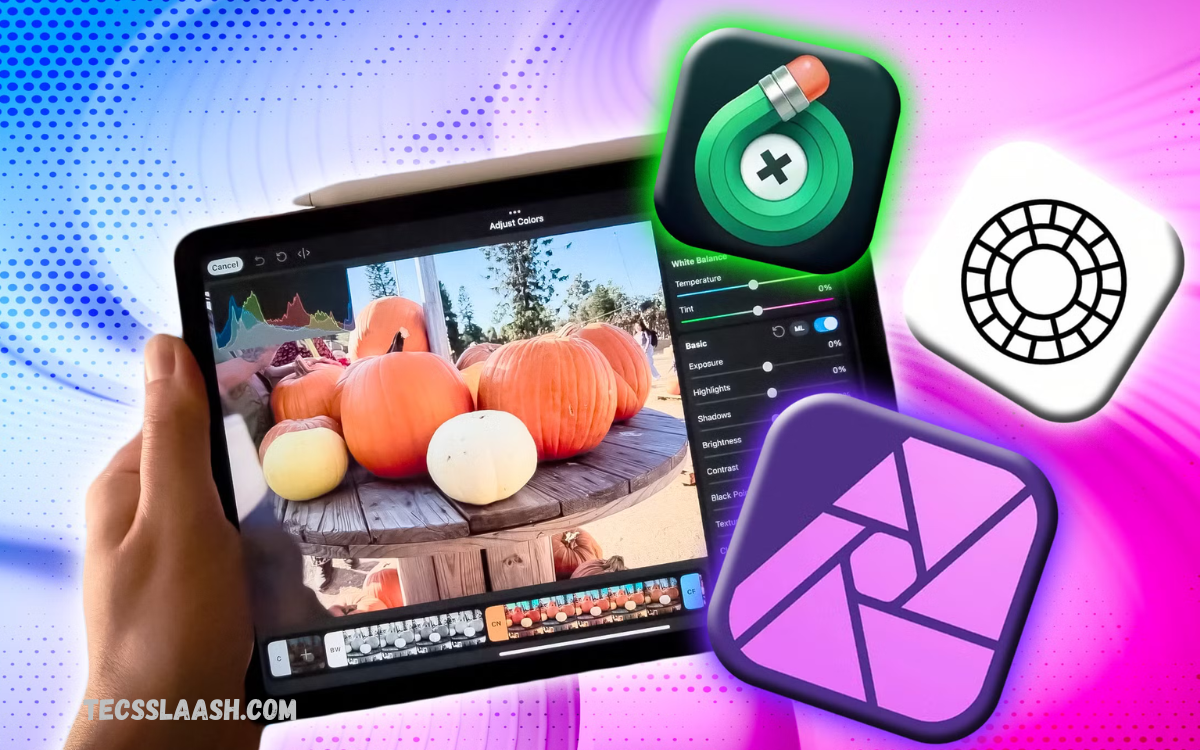
Photography does not end when you press the shutter button. Professional editing can transform an ordinary image into a polished photograph by improving exposure, color, sharpness, composition, and overall visual balance.
The Best Photo Editing Apps for Professional-Quality Results offer advanced tools that enable professional editing on smartphones, tablets, and computers. Modern applications offer everything from RAW processing and selective adjustments to AI-powered enhancement and detailed retouching.
Adobe Lightroom for Professional Photo Editing
Adobe Lightroom remains one of the strongest choices for photographers who want precise control over exposure, color, contrast, highlights, shadows, and other important image properties. Its RAW workflow and masking capabilities make it suitable for detailed photography projects.
Lightroom is especially useful for photographers who edit large collections because it combines photo organization with advanced editing. Presets, color grading, healing tools, and synchronized workflows can help maintain a consistent professional appearance across multiple photographs.
Adobe Photoshop for Advanced Photo Retouching
Adobe Photoshop is designed for photographers and creators who require detailed, pixel-level control. It is particularly powerful for portrait retouching, object removal, compositing, background changes, and creative image manipulation.
Recent Photoshop updates have expanded AI-assisted editing with features such as Generative Fill, background removal, image expansion, and other intelligent editing capabilities. Newer lighting controls also provide more detailed adjustments while maintaining a non-destructive workflow.
Snapseed for Powerful Free Editing
Snapseed is one of the most useful options for photographers who want professional editing tools without paying for a subscription. The application provides detailed controls for exposure, color, curves, selective adjustments, healing, sharpening, and creative effects.
Its RAW support and selective editing features make it more capable than many basic mobile editors. Current photography guides continue to highlight Snapseed as a strong free choice for both Android and iOS users who want advanced editing without complicated software.
VSCO for Creative Photography and Presets
VSCO is a popular option for photographers who prefer artistic styles, film-inspired colors, and professionally designed presets. Instead of focusing only on technical corrections, it helps users develop a recognizable visual identity.
The application can be particularly useful for lifestyle photography, travel images, portraits, and social media content. Its preset-based workflow allows photographers to create consistent results while still providing room for manual adjustments and creative customization.
Picsart for Creative Photo Editing
Picsart combines traditional photo editing with creative design features, making it useful for users who want to produce more than standard photographs. Its tools can be used for cutouts, collages, effects, backgrounds, text, and visually engaging social media content.
The platform is particularly suitable for creators who mix photography with graphic design. Rather than concentrating exclusively on professional RAW processing, Picsart focuses on creative flexibility and fast visual production, making it a useful addition to a broader editing workflow.
Luminar Neo for AI-Powered Editing
Luminar Neo is designed around an accessible editing experience with strong AI-powered capabilities. It can help simplify tasks such as enhancing photographs, improving skies, removing unwanted elements, and applying creative adjustments without requiring extensive technical knowledge.
Its interface is appealing to photographers who want advanced results while keeping the editing process relatively straightforward. AI features can save time on repetitive tasks, though professional users should still review automated changes carefully to maintain realistic, natural-looking photographs.
Read Also: Mobile Phone Accessories: Essential Gadgets to Improve Your Smartphone Experience
Capture One for Professional Color Control
Capture One is a strong option for photographers who prioritize RAW processing, color accuracy, and studio-oriented workflows. Its color tools and professional controls make it particularly attractive for commercial, portrait, fashion, and product photography.
The application is also recognized for studio tethering and detailed color grading capabilities. Photographers who require precise color management may find it valuable, especially when images need to maintain consistency across a professional production workflow.
Affinity Photo for a Professional Alternative
Affinity Photo offers a powerful alternative for photographers who want advanced editing without relying on the traditional Adobe workflow. It provides professional features for retouching, layers, selections, masking, and detailed image manipulation.
Its appeal has increased because the current version is available without the traditional subscription model associated with many professional creative applications. It can be a practical choice for users who want sophisticated editing capabilities while keeping long-term software costs under control.
Darkroom for Apple Photography Workflows
Darkroom is designed primarily for Apple users who want a streamlined editing experience across supported Apple devices. It provides tools for RAW editing, color adjustments, batch processing, and other photography-focused tasks.
Its workflow is particularly convenient for photographers who organize their images through Apple’s photo ecosystem. For users who prefer a native-feeling interface and efficient mobile or tablet editing, Darkroom can provide a strong balance between simplicity and professional control.
What Makes a Photo Editing App Professional?
A professional photo editing application should provide more than basic filters and automatic enhancements. Important features include RAW support, exposure controls, curves, color grading, selective adjustments, masking, healing, sharpening, noise reduction, and high-quality export options.
Workflow is equally important. Professional photographers need applications that preserve image quality, support non-destructive editing, efficiently handle large collections, and make it easy to achieve consistent results across an entire project.
How to Choose the Right Photo Editing App
The right application depends on your photography style, experience, device, and editing requirements. A mobile photographer may prefer Snapseed or Lightroom, while a professional retoucher may need Photoshop for detailed pixel-level adjustments.
Budget should also be considered before choosing an editor. Some applications are completely free, while others require a subscription or paid upgrades. Comparing the features you actually need is more important than choosing an application simply because it has the most tools.
Tips for Getting Professional-Quality Results
Start with exposure and white balance before applying creative effects. Correcting the basic lighting and color balance creates a strong foundation and prevents excessive editing later in the workflow.
Avoid making every adjustment too strong. Excessive saturation, sharpening, skin smoothing, or clarity can make photographs look artificial. Professional editing is usually about improving an image while preserving believable textures, natural colors, and the scene’s original character.
RAW Editing and Color Grading
RAW editing provides photographers with greater flexibility when recovering shadows, controlling highlights, and adjusting color. Applications such as Lightroom and Capture One are particularly useful for photographers who regularly work with RAW files.
Color grading should be approached carefully because color significantly influences an image’s mood. Creating consistent tones across a collection can make a portfolio appear more professional and visually connected.
AI Features in Modern Photo Editing Apps
Artificial intelligence has become an important part of modern photo editing. AI tools can assist with masking, object removal, noise reduction, background adjustments, image expansion, and other time-consuming processes.
However, AI should be treated as an editing assistant rather than a complete replacement for creative judgment. Professional results still require photographers to review automated adjustments and refine them according to the subject, lighting, composition, and intended visual style.
Best Photo Editing Apps for Different Users
For photographers looking for a powerful free mobile editor, Snapseed is an excellent starting point. For photographers who need a complete professional workflow, Lightroom offers a broader combination of RAW editing, organization, and advanced adjustments.
Photoshop is better suited to detailed retouching and complex image manipulation, while VSCO focuses more strongly on creative presets and visual style. Capture One is attractive for professional color work, while Luminar Neo can appeal to users seeking an accessible, AI-assisted workflow.
Frequently Asked Questions
What is the best photo editing app for professional results?
Adobe Lightroom is one of the strongest all-around choices for professional photography because it combines RAW editing, color correction, masking, organization, and advanced workflow features. The best option ultimately depends on the type of photography and editing required.
Is Snapseed good enough for professional photo editing?
Yes, Snapseed can produce impressive results and offers advanced tools such as RAW editing, selective adjustments, curves, healing, and detailed image corrections. It is especially useful for mobile photographers who want a capable free editor.
Which photo editing app is best for RAW photos?
Adobe Lightroom and Capture One are among the strongest choices for photographers working extensively with RAW files. They provide detailed control over exposure, color, highlights, shadows, and other important RAW adjustments.
Is Photoshop better than Lightroom for photo editing?
Photoshop and Lightroom serve different purposes. Lightroom is excellent for organizing and processing large numbers of photographs, while Photoshop is better for detailed retouching, compositing, and pixel-level image manipulation.
Which free photo editing app is best?
Snapseed is one of the strongest free choices for mobile photo editing. It provides a broad collection of professional-style adjustment tools without requiring users to purchase a subscription.
Are AI photo editing apps good for professional photographers?
AI editing tools can be extremely useful for professional photographers by reducing the time required for repetitive tasks. However, professional users should review AI-generated changes carefully to ensure the final image remains realistic and consistent with their intended style.
Can mobile apps produce professional-quality photos?
Yes, modern mobile editing applications can produce highly polished results. Applications such as Lightroom and Snapseed provide advanced adjustment tools that allow photographers to perform detailed corrections directly from a smartphone.
What should I adjust first when editing a photo?
Begin with exposure, white balance, contrast, and overall tonal balance. After correcting these fundamentals, move to color grading, selective adjustments, sharpening, noise reduction, and creative effects.
How can I make photo edits look natural?
Use adjustments gradually and compare the edited image with the original regularly. Avoid excessive saturation, sharpening, clarity, and skin smoothing, because subtle corrections generally produce a more realistic professional appearance.
Which photo editing app should beginners choose?
Beginners can start with Snapseed because it provides powerful tools while remaining accessible. Lightroom is another excellent choice for users who want to gradually learn professional RAW editing and develop a more advanced photography workflow.
Conclusion
Choosing among the Best Photo Editing Apps for Professional-Quality Results depends on your creative goals, editing experience, device, and preferred workflow. There is no single application that is perfect for every photographer, but several tools stand out for different professional requirements.
Lightroom is an excellent all-round solution, Photoshop excels at advanced retouching, Snapseed provides impressive free mobile editing, and Capture One offers powerful color-focused workflows.

