


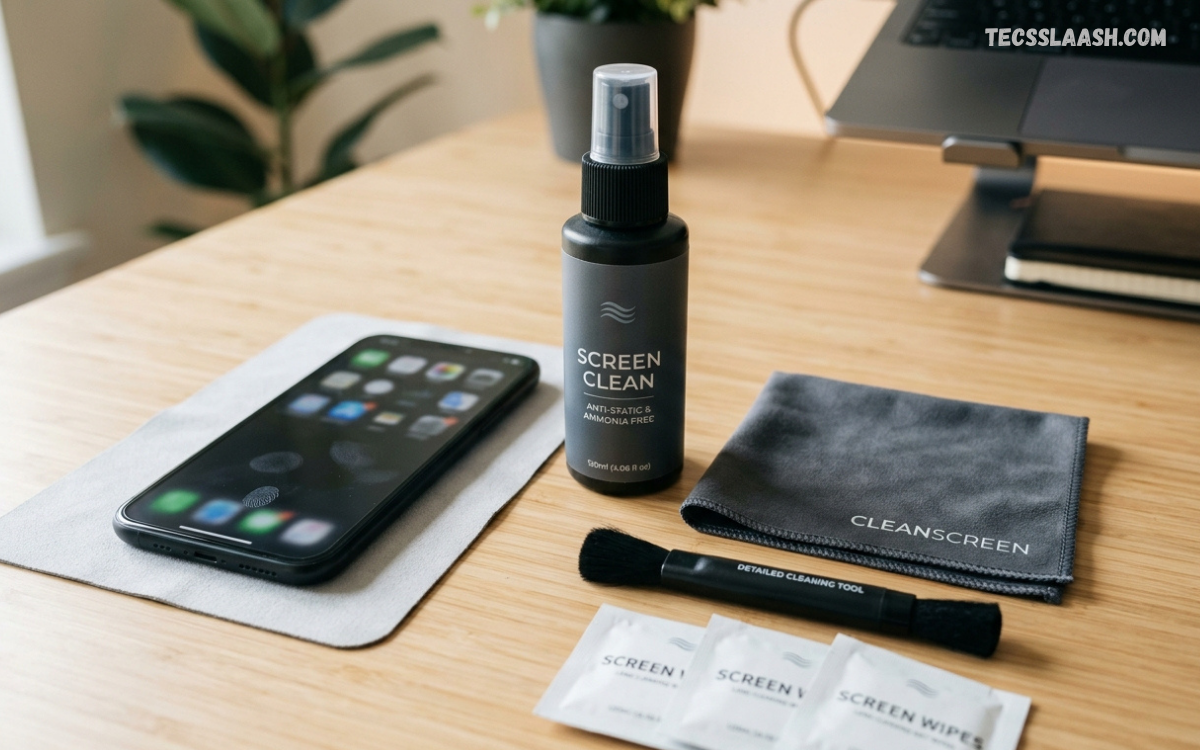
A phone screen cleaning kit provides a practical way to remove fingerprints, dust, oil, smudges, and everyday marks from a smartphone display. Regular cleaning helps maintain a clear viewing experience while keeping the screen looking fresh and well maintained.
Modern smartphones feature delicate display surfaces with protective coatings designed to improve touch response and reduce fingerprints. Using suitable cleaning tools instead of household cleaners can help protect these surfaces and reduce the risk of scratches, streaks, or coating damage.
What Is a Phone Screen Cleaning Kit?
A phone screen cleaning kit is a collection of cleaning tools designed specifically for smartphones, tablets, and other electronic displays. A typical kit may include a microfiber cloth, screen-safe cleaning solution, spray bottle, cleaning brush, and sometimes specialized wipes or dust-removal accessories.
The main purpose of a phone screen cleaning kit is to make display maintenance easier and safer. Each component serves a specific purpose, allowing users to remove surface debris without applying excessive pressure or using unsuitable materials that could damage the screen.
Why Is Screen Cleaning Important?
A smartphone screen collects fingerprints, skin oils, dust, and other particles throughout daily use. These contaminants can make the display appear dull and can interfere with visibility, especially under bright lighting or direct sunlight.
Regular screen cleaning also improves the overall appearance of a device. A clean display feels more comfortable to use, makes text easier to view, and helps maintain a neat appearance without requiring complicated maintenance routines.
What Does a Phone Screen Cleaning Kit Include?
The exact contents of a phone screen cleaning kit vary by manufacturer and product type. Most quality kits include a soft microfiber cloth because microfiber material can lift dust and oils while minimizing the risk of scratching the display surface.
Some kits include a screen-safe cleaning liquid, pre-moistened wipes, cleaning brushes, or small dust-removal tools. Premium kits may contain separate cloths for cleaning and polishing, along with compact storage cases that make the accessories convenient to carry.
Microfiber Cloth for Smartphone Screens
A microfiber cloth is one of the most useful accessories in a phone screen cleaning kit. Its fine fibers can collect fingerprints, dust, and oils from the surface without requiring aggressive rubbing or abrasive materials.
For best results, use gentle movements across the display instead of applying strong pressure. A clean microfiber cloth should be used whenever possible because particles trapped inside a dirty cloth can create unnecessary friction against the screen.
Screen Cleaning Solution
A screen cleaning solution can help remove oily fingerprints and stubborn marks that do not disappear with a dry microfiber cloth. However, the solution should be designed for electronic displays and used according to its manufacturer instructions.
Avoid applying excessive liquid directly onto a smartphone. A safer approach is generally to apply a small amount to an appropriate cloth when the product instructions allow it, keeping moisture away from openings, ports, speakers, and buttons.
Cleaning Wipes for Phones
Pre-moistened cleaning wipes offer a convenient option for people who want a quick screen-cleaning routine. These wipes are designed to provide controlled moisture while helping remove fingerprints and surface residue.
When choosing wipes, check their intended use and compatibility with electronic displays. Avoid products containing harsh chemicals or abrasive ingredients that may affect protective coatings or other delicate surfaces.
Phone Screen Cleaning Brush
A small cleaning brush can help remove loose dust from areas around the display, speaker openings, buttons, and device edges. Soft bristles are generally more suitable for electronics because they reduce unnecessary friction.
Brushes should be used carefully and kept clean between uses. A brush containing hard particles or accumulated dirt can transfer debris onto the screen rather than removing it.
How to Use a Phone Screen Cleaning Kit
Before cleaning, disconnect the phone from charging accessories and remove any case that may block access to the display edges. Turn the screen off so fingerprints, dust, and streaks are easier to identify during the cleaning process.
Start by removing loose dust with a clean microfiber cloth or suitable soft brush. If additional cleaning is required, follow the instructions provided with the cleaning solution or wipes and use gentle, controlled movements across the display.
Step-by-Step Phone Screen Cleaning Method
Begin by washing and drying your hands to prevent additional oils from transferring onto the phone. Turn off the device and inspect the display under good lighting so you can identify dust, fingerprints, and other visible marks.
Use a dry microfiber cloth to gently wipe the screen. Move across the display using light pressure, then inspect the surface again. If marks remain, use an appropriate screen-safe cleaning product according to its instructions.
Removing Fingerprints From a Phone Screen
Fingerprints are among the most common forms of screen residue because natural skin oils transfer easily during everyday smartphone use. A clean microfiber cloth can often remove light fingerprints without requiring any liquid cleaner.
For heavier oily marks, a suitable display-cleaning solution may provide better results. Use only a small amount and avoid soaking the cloth or allowing moisture to collect around the edges of the device.
Removing Dust From a Smartphone Display
Dust should be removed before aggressive wiping because rubbing particles across a display can create unnecessary friction. A soft microfiber cloth or appropriate brush can help lift loose particles from the surface.
Hold the device securely and use gentle movements when cleaning. Pay attention to the edges of the display, where dust can accumulate around a screen protector, case, or frame.
Cleaning a Screen Protector
A screen protector can collect fingerprints, dust, and oils in the same way as the phone display beneath it. Cleaning it regularly can improve visibility and maintain a smoother touch experience.
Use cleaning materials compatible with the protector’s surface. Avoid abrasive cloths, excessive moisture, or harsh chemicals that may affect the protector’s coating or adhesive around its edges.
Cleaning Phone Screens Without Scratching
Preventing scratches starts with removing loose particles before applying pressure. Dust and small debris should not be dragged repeatedly across the screen because they may increase surface friction.
A high-quality microfiber cloth provides a suitable option for routine maintenance. Keeping separate clean cloths for electronic displays can also reduce the chance of transferring grit, dirt, or other contaminants.
Can You Use Water on a Phone Screen?
Using a small amount of appropriate moisture may be acceptable for some cleaning situations, but smartphones should never be saturated or exposed to unnecessary liquid. Water can enter openings and potentially cause problems even on devices with some level of water resistance.
Follow the smartphone manufacturer’s care guidance whenever possible. A phone screen cleaning kit designed for electronic displays can provide a more controlled approach than using household cleaning methods.
Why Household Cleaners Should Be Avoided
Household glass cleaners, strong disinfectants, abrasive products, and other general-purpose chemicals may contain ingredients unsuitable for smartphone displays. Certain chemicals can affect protective coatings or leave unwanted residue.
A product designed specifically for screens is generally easier to control because its intended application is electronic surfaces. Always read product instructions before using any cleaner on a smartphone.
Phone Screen Cleaning Kit for Daily Use
Daily smartphone users may benefit from keeping a microfiber cloth available for quick maintenance. Light cleaning can remove fingerprints and dust before residue builds up and becomes harder to remove.
A full phone screen cleaning kit does not necessarily need to be used every day. A simple dry wipe can handle routine marks, while a screen-safe cleaner can be reserved for situations involving heavier residue.
Phone Screen Cleaning Kit for Travel
A compact phone screen cleaning kit can be useful when traveling because smartphones are frequently handled in different environments. Dust, fingerprints, and surface residue can accumulate quickly during commuting, trips, and outdoor activities.
Choose a portable kit with a small microfiber cloth and appropriately packaged cleaning accessories. A compact storage pouch can keep the cleaning materials together and prevent the cloth from collecting dirt inside a bag or pocket.
Phone Screen Cleaning Kit for Multiple Devices
A cleaning kit can also be useful for households containing multiple smartphones, tablets, laptops, smartwatches, and other displays. Using appropriate cleaning tools across compatible devices can simplify regular maintenance.
Before applying any liquid or specialized wipe, check whether the product is suitable for the specific display. Different devices can use different coatings and materials, so one cleaning method should not automatically be applied to every electronic surface.
How Often Should You Clean Your Phone Screen?
Cleaning frequency depends on how frequently the phone is handled and the environment in which it is used. People who use their smartphones throughout the day may notice fingerprints and oils more quickly than occasional users.
A light microfiber wipe can be performed whenever visible marks appear. Deeper cleaning can be performed periodically when the screen develops noticeable residue, while avoiding unnecessary cleaning with excessive pressure or liquid.
Common Mistakes When Cleaning a Phone
One common mistake is using too much liquid. Excess moisture can move toward openings and edges, creating unnecessary risk. Another mistake is wiping the display with clothing or rough paper products that may contain fibers or particles.
Using a dirty microfiber cloth is another avoidable problem. A cloth that has collected dust or grit can spread residue across the display. Keeping cleaning materials clean and stored properly makes screen maintenance safer.
How to Choose a Phone Screen Cleaning Kit
When selecting a phone screen cleaning kit, examine the quality of the microfiber cloth, the type of cleaning solution, and the intended compatibility of the included accessories. A simple kit with reliable components can be more useful than a large kit containing unnecessary tools.
Look for clear instructions and products specifically intended for electronic displays. The kit should make cleaning controlled and convenient rather than encouraging excessive liquid, pressure, or repeated rubbing.
Features of a Good Phone Screen Cleaning Kit
A useful kit should include a soft, lint-free microfiber cloth capable of cleaning fingerprints and dust without leaving significant residue. If liquid cleaner is included, its intended use and application instructions should be clearly explained.
Portability can also be valuable, especially for people who carry their smartphones throughout the day. A compact design, protective packaging, and reusable cleaning accessories can make routine screen care more convenient.
Reusable vs. Disposable Cleaning Products
Reusable microfiber cloths can reduce waste and provide an economical solution for regular phone maintenance. They can be cleaned according to their care instructions and reused when they remain in good condition.
Disposable wipes offer convenience because they require little preparation and can be discarded after use. However, users who clean screens frequently may prefer reusable materials for routine cleaning and reserve disposable products for specific situations.
Cleaning Phone Screens With Oleophobic Coatings
Many smartphone displays use surface coatings designed to reduce fingerprints and make the screen easier to wipe. Aggressive cleaning methods or unsuitable chemicals may affect these coatings over time.
Gentle cleaning helps reduce unnecessary wear. Using a suitable microfiber cloth and a compatible screen-cleaning product can provide a more controlled approach while preserving the intended feel of the display.
Phone Screen Cleaning and Touch Sensitivity
A screen covered with oil, dust, or residue can feel less pleasant during touch interactions. Cleaning the surface removes these contaminants and can make gestures feel smoother.
However, cleaning should not involve excessive pressure. If a phone continues experiencing touch problems after the display has been cleaned, the issue may have another cause and should not automatically be attributed to surface dirt.
Cleaning Around Phone Speakers and Ports
Dust can accumulate around speaker grilles, charging ports, and other openings. These areas require extra care because pushing debris deeper into an opening can create additional problems.
Use only tools designed for delicate electronics and follow the device manufacturer’s care recommendations. Avoid forcing objects into ports or using excessive liquid near openings.
Phone Screen Cleaning Kit for Gaming Phones
Gaming smartphones can collect fingerprints quickly because users often hold the device for extended sessions. Regular surface cleaning can help maintain a clearer display during gameplay and everyday use.
A microfiber cloth is particularly useful for quick maintenance between gaming sessions. For heavier residue, a suitable display cleaner can be used according to its instructions without excessive rubbing.
Phone Screen Cleaning Kit for Work and Study
Smartphones used for work, school, or study can accumulate fingerprints throughout the day. Keeping a small microfiber cloth nearby makes it easier to maintain a clean display without interrupting normal activities.
A clean screen can also improve readability when viewing documents, messages, websites, and educational material. Regular light cleaning is usually more practical than waiting until the display becomes heavily covered with residue.
Read Also: Phone Holder for Bike: Complete Guide to Choosing the Right Bike Phone Mount
Benefits of Using a Dedicated Cleaning Kit
A dedicated phone screen cleaning kit provides the right type of accessories for routine display maintenance. Instead of relying on random household materials, users can keep suitable cleaning tools together in one place.
The biggest benefit is controlled cleaning. A microfiber cloth, appropriate solution, and soft accessories can help remove common contaminants while reducing unnecessary friction and exposure to unsuitable chemicals.
Phone Screen Cleaning Kit Maintenance
Cleaning accessories also require maintenance. A microfiber cloth should be kept free from dust, grit, and oily residue, while liquid products should be stored according to their instructions.
Do not continue using damaged or contaminated cleaning materials. Replacing a worn cloth or unsuitable accessory is a simple way to maintain better cleaning performance and reduce the chance of transferring debris onto the phone.
How to Store a Phone Screen Cleaning Kit
Store cleaning materials in a clean, dry location away from dust and excessive moisture. Keeping the microfiber cloth inside a protective pouch can prevent it from collecting particles between uses.
Cleaning solutions should remain properly closed when not in use. Good storage extends the useful life of the kit and helps ensure that the accessories are ready whenever the phone needs cleaning.
Phone Screen Cleaning Kit Buying Guide
A buying decision should focus on quality rather than the number of accessories included. A kit containing a high-quality microfiber cloth and a compatible screen-cleaning product may provide more practical value than a large kit filled with unnecessary tools.
Consider device compatibility, portability, reusable components, instructions, and cleaning material quality. These factors can help users choose a kit that fits their normal smartphone maintenance routine.
Is an Expensive Cleaning Kit Necessary?
A high price does not automatically mean better cleaning performance. For routine smartphone maintenance, basic quality accessories can often provide everything needed for removing fingerprints, dust, and light residue.
The important factors are material quality, compatibility, and correct usage. Users should focus on whether a phone screen cleaning kit provides safe and practical tools rather than selecting a product solely because it has a higher price.
Eco-Friendly Phone Screen Cleaning Options
Reusable microfiber cloths can reduce dependence on disposable wipes and may be suitable for long-term screen maintenance. Proper washing and storage can help extend the life of these cloths.
Users can also reduce unnecessary product consumption by cleaning lightly when needed rather than repeatedly using cleaning solutions. A simple maintenance routine can keep the display clean while minimizing wasted materials.
Professional Phone Screen Cleaning Routine
A professional-style cleaning routine begins with preparation. Turn off the phone, remove accessories that interfere with cleaning, wash your hands, and inspect the display before touching it with a cloth.
Remove loose dust first, then gently clean fingerprints and residue using suitable materials. Finish by inspecting the screen under good lighting and storing the cleaning accessories properly for the next use.
Safety Tips for Phone Screen Cleaning
Always follow the smartphone manufacturer’s care instructions and the cleaning product’s directions. Avoid excessive moisture, harsh chemicals, abrasive materials, and unnecessary pressure during the cleaning process.
Keep liquid away from ports, speakers, microphones, buttons, and other openings. If a cleaning product is not specifically intended or confirmed as suitable for a particular display, using a dry microfiber cloth is a safer routine option.
Frequently Asked Questions
Can I use a phone screen cleaning kit every day?
A dry microfiber cloth can generally be used for routine removal of fingerprints and dust, provided it is clean and suitable for the display. Liquid cleaning products do not necessarily need to be used every day.
What is the best cloth for cleaning a phone screen?
A clean, soft, lint-free microfiber cloth is commonly suitable for smartphone displays. Its fine fibers can help collect dust and oils while reducing the need for strong pressure.
Can I use glass cleaner on my phone?
General glass cleaners are not automatically suitable for smartphone displays. Some formulas may contain chemicals that can affect protective surface coatings or leave unwanted residue.
How do I remove fingerprints from my phone?
Start with a clean microfiber cloth and gently wipe the display using light pressure. For ordinary fingerprints, a dry cloth may be sufficient without requiring additional cleaning products.
Can a phone screen cleaning kit remove scratches?
A cleaning kit is designed to remove surface dirt, fingerprints, dust, and residue rather than repair physical scratches. Cleaning may make the display look clearer, but it does not restore damaged glass.
Is a screen cleaning kit safe for screen protectors?
Many screen-cleaning products can be suitable for compatible screen protectors, but the exact material and coating should be considered. Check the protector manufacturer’s cleaning recommendations before using a liquid product.
How often should I clean my smartphone screen?
There is no universal schedule because cleaning needs depend on daily usage, environment, and personal preference. A light wipe can be performed whenever fingerprints or dust become noticeable.
Can I clean my phone screen with water?
Water should be used cautiously because excessive moisture can enter ports and openings. Smartphone water resistance also does not mean a device should be deliberately exposed to liquids during cleaning.
Should I turn off my phone before cleaning?
Turning off the phone before cleaning is a sensible precaution and makes fingerprints and surface marks easier to see. It also prevents accidental touches while wiping the display.
Can I use disinfecting wipes on my phone?
Some disinfecting wipes may be compatible with certain devices, but not every disinfecting product is suitable for every smartphone display. Strong chemicals may affect surface coatings.
What should I avoid when cleaning my phone screen?
Avoid abrasive materials, excessive pressure, harsh chemicals, excessive liquid, and dirty cloths. These methods can increase the chance of surface damage or leave unwanted residue.
Is a phone screen cleaning kit worth buying?
A dedicated kit can be useful for people who want convenient, organized tools for regular display maintenance. It can eliminate the need to search for suitable cloths or cleaning accessories each time.
Conclusion
A phone screen cleaning kit offers a convenient approach to maintaining a smartphone display. With a clean microfiber cloth, suitable screen-safe products, and careful handling, users can remove common fingerprints, dust, oils, and surface residue without complicated procedures.
The most important part of screen care is using appropriate materials and gentle techniques. Avoid excessive moisture, harsh chemicals, abrasive surfaces, and unnecessary pressure, and follow the manufacturer’s recommendations for the specific device.

