


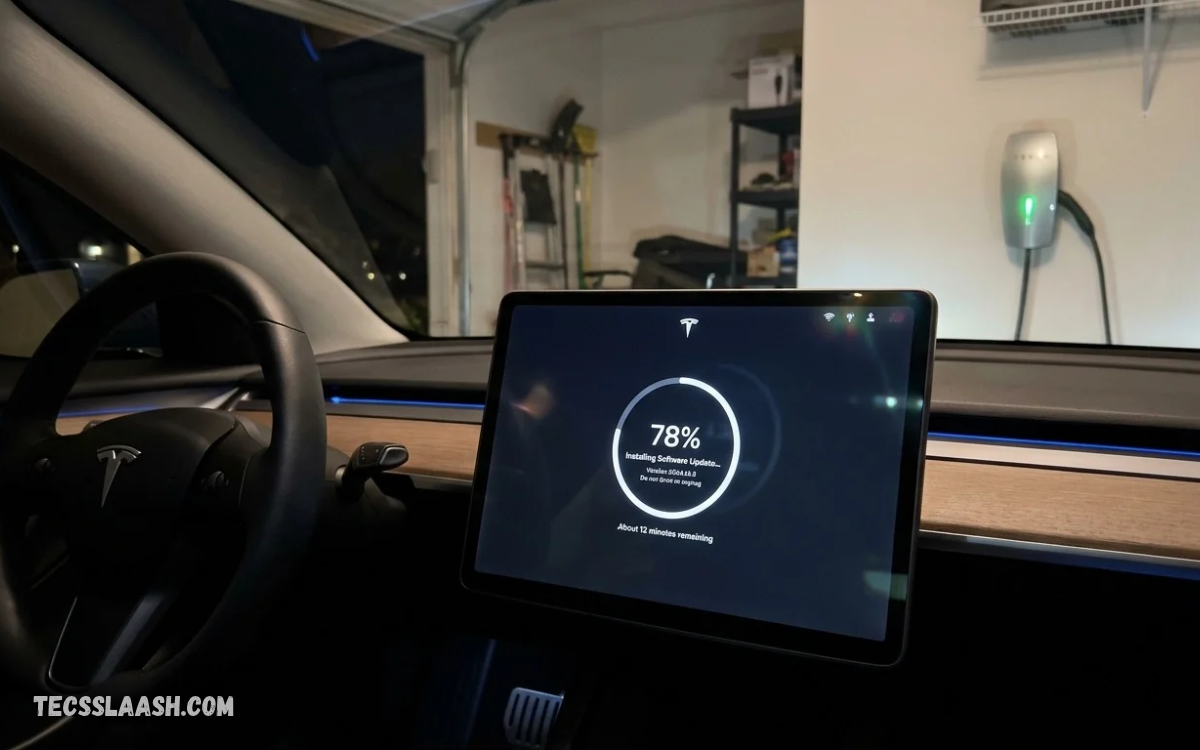
A Tesla software update improves the driving experience by adding new features, refining existing functions, and delivering key system improvements. These updates can change how drivers interact with the touchscreen, navigation system, climate controls, entertainment features, and vehicle settings.
Unlike traditional cars that may require a workshop visit for certain software changes, compatible Tesla vehicles can receive many updates wirelessly. The available features depend on the vehicle model, hardware, region, software version, and configuration.
What Is a Tesla Software Update?
A Tesla Software Update is a wireless software package designed to improve compatible Tesla vehicles. It can add new functions, improve existing systems, refine the touchscreen experience, and change vehicle settings without requiring a traditional dealership visit for every software improvement.
These updates vary in size and purpose. Some introduce noticeable features, while others focus on system reliability, small interface improvements, or technical refinements.
How Tesla Over-the-Air Updates Work
Tesla uses over-the-air technology to deliver software directly to compatible vehicles. When an update becomes available, the touchscreen or Tesla mobile app may display a notification. The vehicle can then download the software and prepare it for installation, usually through a stable Wi-Fi connection.
Downloading and installing are separate stages. Downloading may continue while driving if the connection remains available, but installation requires the vehicle to be parked. Drivers should plan ahead because vehicle functions can be unavailable during installation, and charging may pause until the process finishes.
Latest Tesla Software Update Features
New Tesla software features depend on the particular release and vehicle configuration. Updates may improve the touchscreen layout, navigation experience, entertainment options, climate controls, charging information, or vehicle settings.
To discover the changes available for a particular vehicle, open the Software section on the touchscreen and review the release notes. These notes explain the features and improvements included in the installed version.
Benefits of Installing Tesla Software Updates
One important benefit is access to supported improvements without replacing the vehicle. Software updates can refine existing functions, introduce new capabilities, and improve the overall user experience. Owners may also receive important operating instructions that explain changes to vehicle features.
Updates can help keep compatible vehicle systems aligned with Tesla’s evolving software environment. However, installing an update does not guarantee a longer driving range, faster acceleration, or better battery health.
How to Check for a Tesla Software Update
Checking for an available Tesla Software Update is straightforward. Open the vehicle’s touchscreen, navigate to Controls, and select Software. The screen displays the installed software version and indicates whether an update is available.
Owners can also check the Tesla mobile app for software notifications and update information. If no new update appears, the vehicle may already have the latest version currently offered to its configuration.
How to Download and Install Tesla Software
Before starting an update, park the vehicle in a safe location and connect it to a reliable Wi-Fi network. Review the on-screen instructions and make sure the timing works with your plans. You can generally choose to install an available update immediately or schedule installation for a more convenient time.
Once installation begins, leave the vehicle parked and don’t drive it until the process finishes. Some updates may take considerably longer than others. The touchscreen and mobile app show progress, and the vehicle indicates when installation is complete. Always follow the instructions shown for your particular model.
Tesla Software Update Wi-Fi Requirements
A stable Wi-Fi connection can make downloading updates faster and more reliable. Tesla recommends keeping the vehicle connected to Wi-Fi whenever possible so it can download available software packages without unnecessary interruptions.
If an update remains unavailable or won’t download, check the connection and, when practical, park closer to the router. You can also use a compatible mobile hotspot if your network setup supports it. Don’t assume a missing update indicates a vehicle fault, because rollout schedules and regional availability also affect delivery.
Understanding Tesla Software Update Preferences
Tesla provides software update preferences on supported vehicles. The Software Update Preference setting may offer Standard and Advanced options, letting owners choose how quickly they want to receive eligible releases.
Choosing Advanced does not guarantee immediate access to every release, nor does it enroll the vehicle in Tesla’s Early Access Program. Tesla determines rollout timing according to several factors.
Tesla Software Updates and Battery Performance
Battery performance matters for electric vehicle owners. Some software releases may refine energy displays, charging information, or other battery-related functions, depending on the vehicle and update.
Owners can review available energy and charging information through their vehicle’s touchscreen. For meaningful comparisons, consider driving conditions, outside temperature, tire pressure, speed, and climate control usage. These factors can affect driving range independently of software.
Tesla Software Update and Safety Features
Software can influence supported driver-assistance functions, vehicle alerts, cameras, and other safety-related systems. Depending on the release, updates may refine existing behavior or provide important instructions about using certain features.
Drivers should never assume that a software update makes every safety feature available or replaces attentive driving. Availability depends on the vehicle’s hardware, configuration, local regulations, and software version.
Common Tesla Software Update Problems
Sometimes a Tesla Software Update may take longer than expected, fail to download, or appear to stop progressing. A weak Wi-Fi connection, temporary network interruptions, or the update’s installation requirements may cause delays.
If the update doesn’t progress, confirm the vehicle has a reliable connection and follow the instructions in Tesla Support. If installation appears unsuccessful or the touchscreen becomes unresponsive, Tesla recommends checking the update status and using its documented troubleshooting procedure.
Read Also: Best Tech Accessories to Buy in 2026: Essential Gadgets for Everyday Use
How to Fix Tesla Software Update Issues
Start by reviewing the message displayed on the touchscreen and checking whether the vehicle is downloading or installing the update. Confirm that Wi-Fi is connected when required and allow sufficient time for the process.
If the vehicle remains unresponsive after the update, consult the official troubleshooting instructions for your model. Tesla documents a touchscreen restart procedure for certain situations and recommends scheduling service when an update remains unsuccessful.
Tesla Software Update Release Notes
Release notes explain the changes associated with a software version. They may describe new features, interface changes, system refinements, or instructions that affect how a supported function operates.
To access the available notes, open Controls, select Software, and choose Release Notes when that option is available. Read any relevant safety information carefully and follow the supplied guidance.
Tesla Software Update for Model S, Model Three, Model X, and Model Y
Tesla offers software updates across its vehicle range, but available features differ by model and production year. Hardware revisions, installed equipment, market region, and software version can determine which improvements a particular vehicle receives.
Owners should use the software information and owner’s manual specific to their vehicle. Tesla’s official support resources include guidance for Model S, Model 3, Model X, and Model Y. Cybertruck owners can also consult its dedicated manual.
Tesla Software Update Best Practices
Keeping Wi-Fi enabled when practical, reviewing update notifications, and reading release notes are useful habits for Tesla owners. Scheduling installation when the vehicle is not needed can also reduce inconvenience.
It is equally important to rely on official guidance instead of unofficial software modifications or unsupported installation methods. Updates are distributed according to Tesla’s rollout process, and requesting a particular version does not guarantee immediate delivery.
Frequently Asked Questions
How often does Tesla release software updates?
Tesla distributes software updates on a rolling basis rather than following one fixed schedule for every vehicle. Timing varies by release, vehicle configuration, region, and other rollout factors. Keeping the vehicle connected to Wi-Fi helps it receive eligible updates as they become available.
Can I drive while a Tesla Software Update installs?
No. The vehicle must remain parked during installation because some vehicle functions may be limited or unavailable. Downloading is different and may allow driving, although losing Wi-Fi connectivity can interrupt the download. Wait until the vehicle confirms installation is complete before driving.
Why has my Tesla not received the latest update?
Your vehicle may be waiting for its rollout group, or the software release may not support its hardware or configuration. Check the Software screen, confirm your Wi-Fi connection, and review official release information. Tesla does not guarantee immediate delivery of a specific update upon request.
Can I return to an older Tesla software version?
Tesla’s published software update guidance states that you can’t revert to a previous software version through the normal update process. Before installing a release, review its notes and any relevant instructions. If an update causes a persistent problem, contact Tesla Service for assistance.
Do Tesla software updates cost money?
Tesla provides many vehicle software updates over the air, but feature and service availability may depend on vehicle configuration, connectivity, region, or purchased options. Check the official details for your vehicle before assuming a particular feature or connected service is included.
Conclusion
A Tesla Software Update helps owners access supported improvements, discover new vehicle features, and keep their vehicle’s software current. Understanding update preferences, Wi-Fi requirements, installation stages, and release notes makes the process easier to manage while reducing avoidable interruptions.
For the best experience, check the touchscreen and Tesla app regularly, install updates as directed by the vehicle, and review official release notes after installation.

