


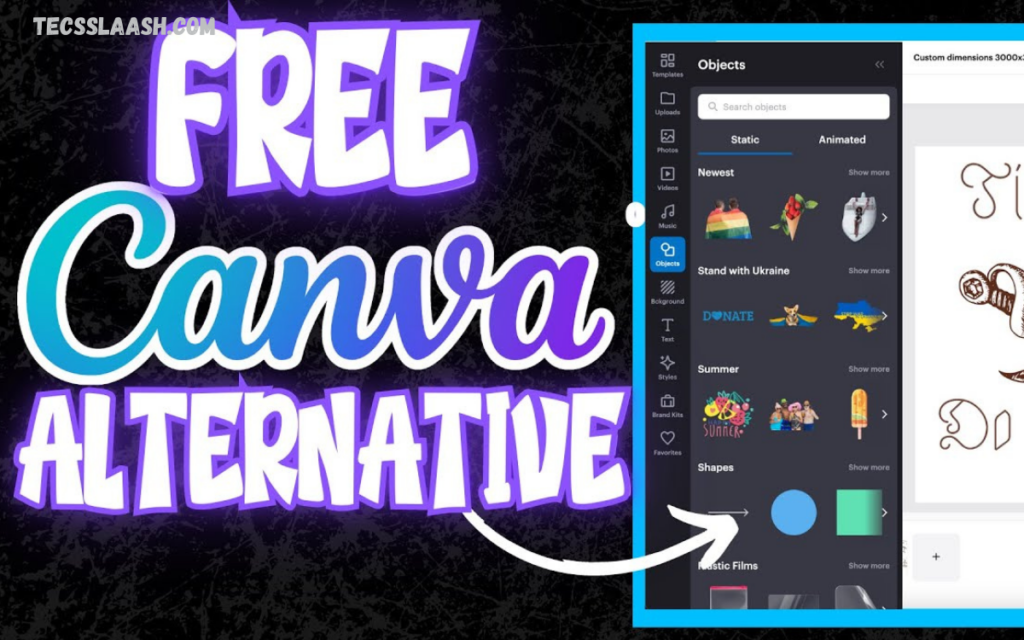
Canva has become one of the most popular graphic design platforms for creating social media posts, presentations, marketing materials, videos, and business branding. Its user-friendly interface and extensive template library make it a favorite among beginners and professionals alike.
There are many excellent Canva alternatives available for designers, content creators, marketers, students, and business owners. These tools offer a wide range of features, including professional photo editing, vector illustration, video editing, collaborative design, AI image generation, and customizable templates.
Why Look for Canva Alternatives?
While Canva is an excellent platform, users often search for alternatives because they need:
- More advanced design tools
- Professional photo editing
- Better vector illustration
- AI-powered design capabilities
- Offline software
- Affordable pricing
- More creative flexibility
- Better branding tools
- Professional publishing features
- Higher-quality exports
Choosing software that matches your workflow can improve productivity while giving you greater control over every project.
Adobe Express
Adobe Express combines simplicity with Adobe’s powerful creative technology. It offers an easy-to-use interface while integrating AI features, premium templates, stock images, and Adobe Fonts.
Best For
- Social media creators
- Small businesses
- Marketing teams
- Beginners
Key Features
- Thousands of templates
- AI image generation
- Background removal
- Brand kits
- Video editing
- PDF editing
- Adobe Stock integration
Pros
- Professional-quality templates
- Excellent AI tools
- Easy learning curve
- Cloud synchronization
Cons
- Premium features require a subscription
- Fewer advanced editing tools than Photoshop
VistaCreate
VistaCreate is one of the closest competitors to Canva. It focuses heavily on social media marketing and offers thousands of animated templates.
Best For
- Content creators
- Bloggers
- Small businesses
- Social media managers
Features
- 200,000+ templates
- Animated graphics
- Brand kit
- Video editing
- Team collaboration
- Stock photos and videos
Pros
- Large template library
- Easy to use
- Affordable premium plan
- Excellent animation tools
Cons
- Limited advanced editing
- Smaller ecosystem than Canva
Figma
Figma has become the industry standard for interface and collaborative design. Unlike Canva, it focuses on UI, UX, wireframing, and professional design collaboration.
Best For
- UI/UX designers
- Product teams
- Web designers
- Agencies
Features
- Real-time collaboration
- Interactive prototyping
- Design systems
- Components
- Developer handoff
- Cloud-based editing
Pros
- Industry-leading collaboration
- Powerful vector tools
- Professional workflow
- Excellent free plan
Cons
- Learning curve
- Not ideal for quick social media graphics
Adobe Photoshop
Photoshop remains the world’s most powerful image editing software. Professionals choose Photoshop when they require complete creative freedom.
Best For
- Professional designers
- Photographers
- Digital artists
- Agencies
Features
- AI editing
- Advanced photo retouching
- Smart Objects
- Layer effects
- Filters
- High-end image manipulation
Pros
- Industry standard
- Unlimited editing possibilities
- Outstanding image quality
- AI-powered editing
Cons
- Expensive subscription
- Steeper learning curve
Affinity Designer
Affinity Designer is a professional vector graphics editor available for a one-time purchase rather than a monthly subscription.
Best For
- Logo designers
- Illustrators
- Branding experts
Features
- Vector editing
- Pixel editing
- Unlimited artboards
- Professional typography
- Export options
Pros
- No monthly fees
- Excellent performance
- Professional features
- Affordable pricing
Cons
- Smaller template library
- Limited cloud collaboration
Read Also: Best Travel Tech Accessories 2026
Pixlr
Pixlr is a browser-based image editor designed for users who want Photoshop-like editing without having to download software.
Best For
- Bloggers
- Students
- Quick editing
- Online creators
Features
- AI tools
- Background remover
- Layers
- Filters
- Photo enhancement
- Templates
Pros
- Browser-based
- Fast editing
- Free version available
- Beginner-friendly
Cons
- Ads in free plan
- Limited professional features
Visme
Visme specializes in presentations, infographics, reports, and business communication.
Best For
- Businesses
- Educators
- Marketers
- Corporate teams
Features
- Charts
- Data visualization
- Presentation builder
- Templates
- Brand management
- Interactive content
Pros
- Professional presentations
- Interactive graphics
- Business-focused features
Cons
- Smaller template selection for social media
- Premium features cost more
Snappa
Snappa is built specifically for online marketers who need quick graphics without complicated editing.
Best For
- Bloggers
- Affiliate marketers
- Small businesses
Features
- Social media templates
- Blog graphics
- Stock photos
- One-click resizing
Pros
- Very easy interface
- Fast workflow
- Good free version
Cons
- Limited advanced editing
- Smaller template collection
Desygner
Desygner offers branding, document editing, and marketing tools for businesses and entrepreneurs.
Features
- Brand assets
- Team collaboration
- Marketing templates
- PDF editing
- Social media graphics
Pros
- Affordable
- Business-friendly
- Cross-platform support
Cons
- Less polished interface
- Limited professional editing
Photopea
Photopea is an impressive browser-based editor that closely resembles Adobe Photoshop.
Best For
- Freelancers
- Students
- Designers on a budget
Features
- PSD support
- Layer editing
- Smart Objects
- Vector shapes
- RAW editing
Pros
- Free to use
- No installation
- Photoshop compatibility
Cons
- Advertisements
- Slightly slower performance
Canva vs Canva Alternatives
| Feature | Canva | Alternatives |
|---|---|---|
| Templates | Excellent | Excellent |
| Photo Editing | Good | Better in Photoshop & Pixlr |
| Vector Design | Limited | Better in Figma & Affinity |
| Collaboration | Excellent | Figma leads |
| AI Features | Good | Adobe Express excels |
| Offline Support | Limited | Available in Photoshop & Affinity |
| One-Time Purchase | No | Affinity Designer |
| Professional Publishing | Basic | Better in Visme |
How to Choose the Right Canva Alternative
The ideal design platform depends on your goals and workflow. Consider these factors before making a decision:
Skill Level
Beginners should prioritize tools with intuitive interfaces and ready-made templates, while professionals may benefit from advanced editing software.
Type of Work
Choose software based on your primary projects:
- Social media graphics
- Branding
- Logo creation
- Website UI
- Photo editing
- Presentations
- Marketing campaigns
Budget
Some tools offer generous free plans, while others require monthly subscriptions. If you prefer a one-time payment, Affinity Designer is a strong option.
Collaboration
Teams should look for platforms with cloud storage, commenting, version history, and real-time editing.
AI Features
Modern AI tools can speed up background removal, image generation, resizing, content creation, and editing tasks.
Which Canva Alternative Is Best?
Different users have different needs.
- Best Overall: Adobe Express
- Best for Social Media: VistaCreate
- Best for UI/UX Designers: Figma
- Best for Photo Editing: Adobe Photoshop
- Best Budget Professional Tool: Affinity Designer
- Best Free Photoshop Alternative: Photopea
- Best for Presentations: Visme
- Best for Quick Graphics: Snappa
- Best Browser Editor: Pixlr
- Best Business Branding: Desygner
Frequently Asked Questions
Is Adobe Express better than Canva?
Adobe Express is an excellent alternative if you want AI-powered features, Adobe Stock integration, and seamless access to Adobe’s creative ecosystem. Canva, however, has a larger template library and is often easier for beginners.
What is the best Canva alternative for social media graphics?
VistaCreate is one of the best options for creating social media graphics. It includes thousands of customizable templates, animated designs, and easy-to-use editing tools for platforms like Instagram, Facebook, TikTok, and Pinterest.
Which Canva alternative is best for logo design?
Affinity Designer, Adobe Illustrator, and Figma are excellent choices for logo design because they provide professional vector editing tools that allow you to create scalable, high-quality logos.
Can I use Canva alternatives without downloading software?
Yes. Many Canva alternatives work directly in your web browser, including Figma, Photopea, Pixlr, Adobe Express, and VistaCreate. These platforms let you design online without installing any software.
Which Canva alternative is best for beginners?
Adobe Express and VistaCreate are ideal for beginners because they feature drag-and-drop editors, ready-made templates, and simple interfaces that require little to no design experience.
Are Canva alternatives suitable for businesses?
Absolutely. Many Canva alternatives include business-focused features such as brand kits, team collaboration, cloud storage, marketing templates, and presentation tools, making them ideal for startups, agencies, and large organizations.
Which Canva alternative offers the best collaboration features?
Figma is widely recognized for its real-time collaboration capabilities. Multiple users can edit the same project simultaneously, making it a popular choice for design teams, developers, and agencies.
How do I choose the best Canva alternative?
Choose a Canva alternative based on your design needs, budget, required features, collaboration tools, and experience level. If you mainly create social media graphics, VistaCreate or Adobe Express are excellent choices. For advanced photo editing, Adobe Photoshop is ideal, while Figma is perfect for UI/UX design and team collaboration.
Conclusion
Canva remains an outstanding graphic design platform, but it’s no longer the only excellent option available. Today’s designers and creators have access to a wide range of powerful tools that cater to different creative needs, skill levels, and budgets.
If you’re seeking simplicity and AI-powered design, Adobe Express is a strong choice. For social media content, VistaCreate offers impressive templates and animation features.

