


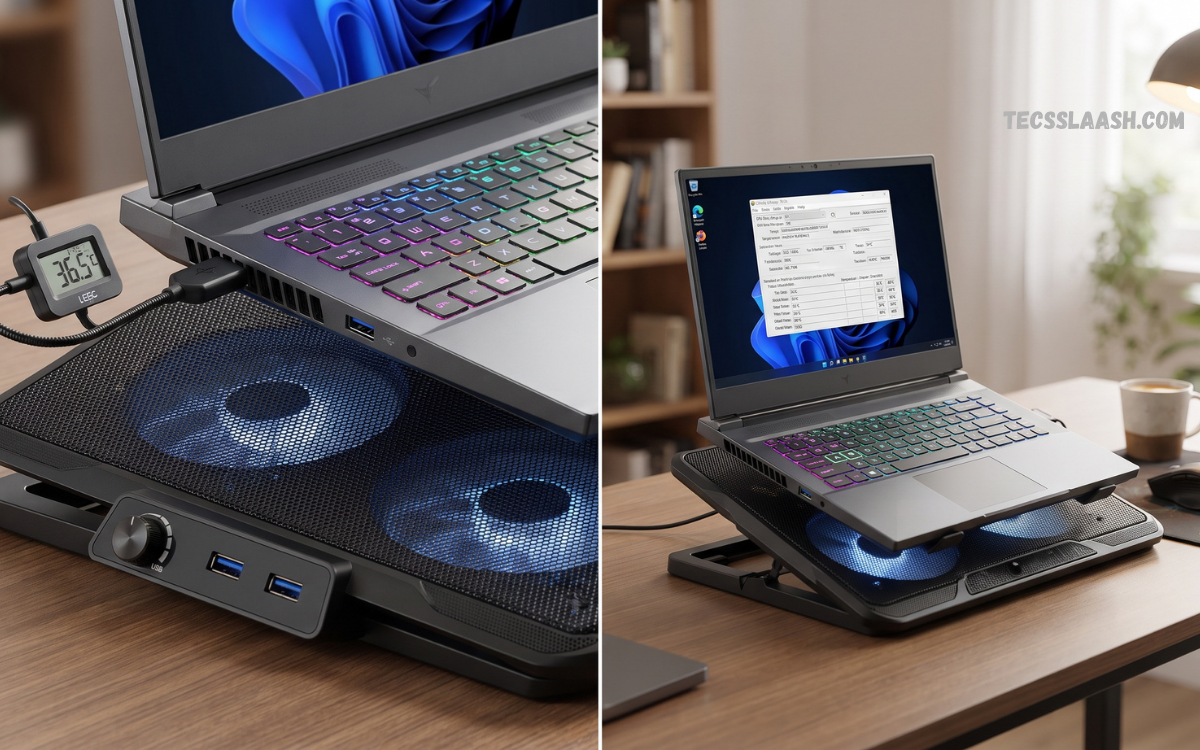
Laptop overheating creates serious performance problems during gaming, video editing, programming, 3D rendering, and extended multitasking. High temperatures can trigger thermal throttling, reducing processor speeds, lowering frame rates, increasing fan noise, and making a laptop uncomfortable during long sessions.
A cooling pad cannot solve every thermal problem, and results depend heavily on laptop vent placement and cooling design. However, testing and expert reviews show that powerful laptops, particularly gaming systems with bottom intake vents, can benefit substantially from the right design.
What Is a Laptop Cooling Pad?
A laptop cooling pad is an external accessory designed to improve airflow beneath a laptop. Most models use USB-powered fans, mesh surfaces, elevated platforms, adjustable stands, or focused airflow chambers. The main purpose is to reduce heat buildup around the laptop’s intake vents and create more space between the device and the desk surface.
The Best Laptop Cooling Pad should match the laptop’s physical size, vent location, workload, and thermal requirements. A thin office laptop may need only additional elevation and gentle airflow, while a high-performance gaming laptop may require stronger airflow and targeted cooling.
Why Laptop Cooling Matters
Modern laptops contain powerful CPUs, GPUs, memory, storage, batteries, and other components inside compact chassis. During demanding applications, these components generate substantial heat. Internal cooling systems must move this heat away through heat pipes, vapor chambers, fans, and exhaust vents.
When temperatures reach thermal limits, the laptop may reduce clock speeds automatically. This process, known as thermal throttling, protects hardware but can reduce performance. Gaming can experience frame-rate drops, rendering tasks can take longer, and intensive applications can become less responsive. A suitable cooling solution may help maintain more stable operating conditions during extended workloads.
Do Laptop Cooling Pads Really Work?
Laptop cooling pads can work, but performance varies dramatically between laptop designs and cooling pad designs. WIRED’s 2026 testing found that many ordinary pads offer limited benefits, particularly when laptops lack bottom intake openings. Gaming laptops represent a stronger use case because additional airflow can reach their ventilation systems more directly.
The greatest improvements generally occur when airflow reaches actual intake vents rather than simply blowing across a closed laptop base. Recent testing also highlights the difference between traditional flat pads and stronger focused or sealed airflow designs. Therefore, buyers should inspect the underside of their laptop before selecting the Best Laptop Cooling Pad.
Best Laptop Cooling Pad for Gaming
Gaming laptops usually operate under heavier CPU and GPU loads than standard productivity machines. Modern games can push both processors for extended periods, generating continuous heat. A gaming-focused cooling pad should therefore prioritize airflow strength, vent alignment, stable construction, and adjustable fan speed.
Recent expert testing has shown that premium cooling pads can produce meaningful temperature improvements on demanding systems, although higher-performance models may also create considerably more noise. The right choice depends on whether maximum thermal performance or a quieter experience represents the primary goal.
Sealed Airflow Cooling Pads
Sealed airflow models use foam or similar materials around the laptop base to create a more controlled airflow path. Instead of allowing air to escape around the device, the design attempts to direct pressure into bottom intake vents. This approach can deliver stronger cooling for compatible gaming laptops.
These pads usually cost more than standard USB fan platforms. They may also produce more noise because high-speed fans or turbofan systems generate greater airflow pressure. For serious gaming, rendering, AI workloads, and sustained GPU processing, this category can provide better results than a basic cooling pad when the laptop design supports bottom intake airflow.
Traditional Multi-Fan Cooling Pads
Traditional cooling pads commonly feature two, three, four, or more fans beneath a mesh platform. Their main advantage involves broad airflow across the laptop underside. These models are widely available, relatively affordable, and often lightweight enough for students and mobile professionals.
A multi-fan cooling pad can provide useful results when fan positions align reasonably well with the laptop’s ventilation areas. However, more fans do not automatically create better cooling. Several small fans placed away from intake vents may perform worse than one larger fan positioned correctly. Buyers should prioritize airflow layout rather than marketing claims based only on fan count.
Large Single-Fan Cooling Pads
Large single-fan designs provide broad and consistent airflow across a central area. Bigger fans can sometimes move substantial amounts of air without requiring extremely high rotational speeds. This can create a better balance between cooling power and acoustic performance.
These designs work particularly well for laptops with centrally located bottom ventilation. They can also provide a simpler mechanical structure compared with models containing many smaller fans. Before buying, users should compare the fan location with their laptop’s intake layout to ensure airflow reaches the correct area.
Best Laptop Cooling Pad for Everyday Work
Office work, web browsing, writing, video meetings, and basic applications generally produce less heat than gaming or professional rendering. For these workloads, an expensive high-pressure cooling system may provide little practical benefit. A lightweight and quiet pad can offer better value.
An everyday cooling pad should focus on comfortable elevation, stable construction, low fan noise, and convenient portability. A raised laptop also creates additional clearance beneath the chassis, allowing the built-in cooling system to breathe more easily. For many users, this ergonomic improvement can matter as much as additional fan airflow.
Best Laptop Cooling Pad for Students
Students frequently carry laptops between classrooms, libraries, homes, and workplaces. Portability therefore becomes an important requirement. A heavy cooling pad with a large power adapter can become inconvenient despite strong cooling performance.
A slim USB-powered model can provide a practical balance between portability and temperature management. Look for a design that fits easily inside a laptop bag, supports the device securely, and does not create excessive noise in quiet environments. Basic cooling pads with mesh surfaces and moderate fan speeds are often sufficient for normal academic workloads.
Best Laptop Cooling Pad for Video Editing
Video editing can maintain high CPU and GPU usage during exports, encoding, effects processing, and high-resolution previews. Extended rendering sessions can increase internal temperatures, especially on thin laptops with limited cooling capacity.
A cooling pad designed for sustained workloads should provide stable airflow without blocking intake vents. Adjustable fan controls are useful because editing software may create varying levels of thermal demand. Stronger cooling may help reduce heat accumulation during longer workloads, although actual performance gains depend on the laptop’s thermal limits and internal cooling architecture.
Best Laptop Cooling Pad for Programming
Programming itself may not generate extreme heat, but compiling large projects, running virtual machines, testing software, using containers, or operating local AI tools can place heavy demands on processors. Developers using powerful laptops for extended compilation sessions may therefore benefit from improved airflow.
A quiet cooling pad is usually preferable for programming environments. Constant high-pitched fan noise can become distracting during focused work. Adjustable speed controls allow users to increase airflow during intensive compilation while maintaining quieter operation during lighter development tasks.
Best Laptop Cooling Pad for 15-Inch Laptops
Fifteen-inch laptops remain common among students, office users, gamers, and creators. Most mainstream cooling pads support this size, providing buyers with a wide selection of options. However, physical screen size does not always represent the laptop’s exact width or depth.
Check the manufacturer’s supported dimensions before purchasing. A properly sized pad should support the entire laptop base without unstable overhang. Anti-slip surfaces and front retaining clips can prevent the device from sliding when using an elevated angle.
Best Laptop Cooling Pad for 17-Inch Laptops
Seventeen-inch gaming and workstation laptops require larger platforms and stronger structural support. These machines can weigh significantly more than compact ultrabooks, so a small lightweight cooling pad may become unstable.
Choose a cooling pad specifically rated for 17-inch laptops or larger devices. Strong mesh construction, wide support areas, adjustable legs, and reliable anti-slip protection become increasingly important. Buyers should also verify that fan placement reaches the laptop’s actual intake locations.
Cooling Performance and Airflow
Airflow remains one of the most important factors when choosing the Best Laptop Cooling Pad. Manufacturers may advertise fan RPM, CFM ratings, or multiple fans, but these numbers should not be considered independently. Effective cooling depends on how air reaches the laptop.
A powerful fan blowing into a closed section of the laptop underside may produce minimal results. Conversely, a well-positioned fan or focused chamber can improve airflow through open intake vents. Current buying guidance consistently emphasizes matching cooling pad airflow design with the laptop’s ventilation layout.
Fan Speed and RPM
RPM means revolutions per minute and describes how quickly a fan rotates. Higher RPM can increase airflow potential, but it can also increase noise. The relationship depends on fan size, blade design, motor quality, and airflow resistance.
Variable fan speed provides greater flexibility than a single fixed-speed setting. Users can choose quiet operation during browsing or office work and stronger cooling during gaming. This feature can make a cooling pad more versatile across different workloads.
Fan Noise and Comfort
A cooling pad should improve the laptop experience rather than create a new source of irritation. Some high-performance turbofan models deliver powerful cooling but generate noticeable acoustic output. This trade-off may be acceptable during gaming with headphones but less desirable during studying or professional work.
Consider where and how the cooling pad will be used. Quiet models are better for libraries, offices, meetings, and shared spaces. High-airflow models may be more appropriate for gaming rooms and demanding creative workloads where thermal performance receives greater priority.
Adjustable Height and Ergonomics
The Best Laptop Cooling Pad should support comfortable screen positioning and typing angles. A raised laptop can reduce neck strain by lifting the display, while a gentle keyboard angle may improve comfort for some users.
Multiple height settings provide additional flexibility. Users can select a low angle for typing, a higher position for viewing, or an intermediate setting for extended work. Strong adjustment mechanisms are important because a heavy laptop can place considerable pressure on the stand.
Build Quality and Materials
Cooling pads are available in plastic, aluminum, steel mesh, and mixed-material designs. A metal mesh surface generally allows air to move more freely beneath the laptop while providing stronger support.
Build quality becomes especially important for expensive gaming laptops. Weak hinges, thin plastic supports, and unstable legs can create safety concerns. Buyers should choose a design with solid support, reliable adjustment mechanisms, and non-slip contact points.
USB Power and Connectivity
Most standard cooling pads receive power through a USB connection. This simplifies setup because no separate wall outlet is required. However, the cooling pad may occupy one of the laptop’s USB ports.
Some models include USB pass-through ports to compensate for this limitation. Port quantity and speed should be considered carefully because not every additional port provides high-speed data capabilities. Users needing several peripherals may prefer a separate USB hub rather than depending entirely on cooling pad connectivity.
RGB Lighting and Design
RGB lighting has become common in gaming accessories. It can create an attractive desk setup and allow users to match the cooling pad with other gaming equipment.
Lighting should remain a secondary consideration. A visually impressive product with poor airflow alignment may provide less practical value than a simple, well-designed cooling pad. Prioritize cooling performance, size compatibility, stability, and noise before selecting RGB effects.
How to Choose the Best Laptop Cooling Pad
Start by examining the bottom of your laptop. Identify where the intake vents are located and compare them with the cooling pad’s fan positions. This simple step can prevent buying a product that sends airflow toward areas where it cannot reach the internal cooling system.
Next, consider workload intensity. Gaming, 3D rendering, video production, local AI processing, and extended compilation require stronger cooling than basic browsing. Select a product that matches real requirements rather than paying for maximum airflow that will never be needed.
Check Laptop Size Compatibility
Measure the laptop’s physical dimensions rather than relying only on the screen size. A 15.6-inch laptop from one manufacturer may have a significantly different chassis size from another.
Review the cooling pad’s supported size range and maximum weight. Larger gaming laptops need strong platforms, particularly when the pad is used at a steep angle. A secure fit is essential for both safety and comfort.
Check Vent Alignment
Vent alignment represents one of the most overlooked purchasing factors. Find the laptop’s air intake vents and determine whether the cooling pad’s airflow will reach those areas.
Focused or sealed cooling designs can be especially effective when their airflow system aligns with the laptop’s bottom intake. Traditional pads may provide more generalized airflow but can produce smaller gains when their fans do not match the ventilation layout.
Consider Your Environment
Ambient temperature affects laptop cooling. A laptop working in a hot room must begin with a higher surrounding temperature than a laptop operating in an air-conditioned environment.
Users living in warm climates or working during hot weather may benefit more from additional airflow during intensive tasks. Cooling pads cannot reduce temperatures below physical limitations, but better airflow can help the laptop dissipate heat more effectively.
Read Also: Top AI Applications for Smarter Digital Solutions
Keep Laptop Vents Clean
A cooling pad cannot fully compensate for blocked internal cooling systems. Dust accumulation inside intake vents, fans, and heatsinks can significantly reduce airflow.
Regular cleaning helps maintain the laptop’s original cooling capability. If a laptop suddenly becomes much hotter than normal, loud fan noise, blocked vents, aging thermal material, or software issues may require attention beyond purchasing an external cooling pad.
Avoid Soft Surfaces
Beds, blankets, cushions, and sofas can block bottom intake vents. This prevents the laptop from drawing sufficient air and can rapidly increase temperatures during demanding workloads.
A cooling pad creates a hard, ventilated platform beneath the laptop. Even when temperature reductions remain modest, the pad can help maintain proper airflow by preventing soft surfaces from covering ventilation areas.
Benefits of Using a Laptop Cooling Pad
The primary benefit involves improved airflow around the laptop’s intake area. Depending on the device and cooling pad design, this can help reduce temperature increases during sustained workloads.
Additional benefits include improved desk ergonomics, reduced heat transfer to the user’s lap, better stability on work surfaces, and potentially lower demands on the laptop’s internal cooling system. Benefits vary between systems, so realistic expectations remain important.
Can a Cooling Pad Improve Gaming Performance?
A cooling pad may improve gaming performance when a laptop is experiencing thermal throttling. Lower temperatures can allow the CPU or GPU to maintain higher clocks for longer periods, creating more consistent performance.
The improvement is not guaranteed. If a laptop already has an effective cooling system and is not reaching thermal limits, additional airflow may produce minimal frame-rate changes. Cooling pad performance should therefore be judged according to laptop temperatures, sustained clock speeds, and workload stability rather than expecting dramatic gains from every model.
Can a Cooling Pad Extend Laptop Life?
Heat management is important for electronic hardware, although a cooling pad should not be viewed as a guaranteed method for dramatically extending laptop lifespan. The greatest benefit comes from helping a thermally stressed laptop operate under more manageable conditions during heavy workloads.
A comprehensive approach includes maintaining clean vents, avoiding blocked airflow, updating system software when appropriate, using sensible performance settings, and selecting a cooling solution suited to the hardware. A cooling pad represents one part of an effective thermal management strategy.
Are Cooling Pads Safe for Laptops?
Quality cooling pads designed for laptop use are generally safe when used correctly. They should provide stable support and avoid excessive pressure on the chassis.
Users should avoid products with poor construction, unstable legs, damaged USB cables, or unreliable electrical components. The laptop should sit securely without covering its exhaust areas. Always follow the manufacturer’s instructions for power and weight limits.
Common Mistakes When Buying a Laptop Cooling Pad
The first common mistake involves buying according to fan count alone. Four fans are not automatically better than one large fan because airflow direction and vent alignment matter more.
The second mistake involves selecting a pad based only on RGB lighting or appearance. A cooling pad should first solve practical requirements involving airflow, compatibility, noise, and stability. Visual features should remain secondary.
Another Common Mistake: Ignoring Noise
Maximum cooling power may sound attractive until a high-speed fan runs continuously beside the user. Noise can affect concentration, communication, and comfort.
Choose adjustable fan controls whenever possible. This provides greater flexibility and allows the cooling pad to operate quietly when maximum airflow is unnecessary.
Another Common Mistake: Choosing the Wrong Size
A cooling pad that is too small can leave a large laptop unstable. A model that is unnecessarily large may reduce portability and occupy excessive desk space.
Match the product with actual chassis dimensions and intended use. Travelers may prefer slim models, while desktop gaming setups can accommodate larger high-performance cooling platforms.
Best Laptop Cooling Pad Features to Look For
The most important features include correct laptop size compatibility, airflow that matches intake vents, adjustable fan speed, acceptable noise levels, stable construction, and effective elevation.
Useful secondary features include USB pass-through, RGB lighting, multiple height settings, anti-slip surfaces, removable dust filters, and portable designs. Buyers should rank these features according to personal requirements.
Budget vs Premium Laptop Cooling Pads
Budget cooling pads generally provide basic airflow, elevation, and portability. They can represent excellent value for students and casual users whose laptops need moderate support.
Premium models may use stronger fans, sealed airflow chambers, advanced controls, larger platforms, and more durable materials. These products can make more sense for gaming laptops and professional machines operating under sustained heavy loads. The performance difference between traditional and advanced focused-airflow designs can be significant for compatible laptops.
How to Get Better Results From a Cooling Pad
Place the laptop and cooling pad on a flat, hard surface. This ensures that bottom airflow remains open and the pad can operate as intended.
Clean the laptop vents regularly and confirm that the cooling pad’s fan positions align with intake openings. Using maximum fan speed is not always necessary, so adjust the speed according to workload, temperature, and acceptable noise levels.
When You Do Not Need a Laptop Cooling Pad
Not every laptop requires external cooling. Efficient ultrabooks performing light workloads may see little benefit, especially when their ventilation systems do not expose bottom intake vents.
Users should first check whether the laptop actually overheats, experiences excessive thermal throttling, or has uncomfortable surface temperatures. If the device performs normally and temperatures remain within acceptable limits, a cooling pad may offer mainly ergonomic benefits rather than major performance improvements.
Frequently Asked Questions
What is the Best Laptop Cooling Pad?
The Best Laptop Cooling Pad depends on your laptop size, ventilation design, and workload. Gaming laptops often benefit from powerful airflow, while office laptops may need quiet cooling and better elevation.
Do Laptop Cooling Pads Really Work?
Yes, laptop cooling pads can help reduce heat by improving airflow around the bottom ventilation area. Results depend on laptop design, fan placement, and cooling pad quality.
Are Laptop Cooling Pads Good for Gaming?
Laptop cooling pads can be useful for gaming because gaming laptops generate significant heat during long sessions. Additional airflow may help maintain more stable temperatures.
Can a Cooling Pad Improve Laptop Performance?
A cooling pad may improve performance when overheating causes the CPU or GPU to reduce operating speeds. Lower temperatures can help the system maintain stable performance.
Do More Fans Provide Better Cooling?
More fans do not always mean better cooling. Fan size, airflow strength, and correct positioning can have a greater impact than total fan quantity.
Is a Laptop Cooling Pad Noisy?
Noise levels depend on fan speed, fan size, and product design. High-performance cooling pads can produce more noise because stronger airflow requires faster fan operation.
Conclusion
The Best Laptop Cooling Pad depends on the laptop and workload, rather than on a single universal product. Gaming laptops with accessible bottom intake vents can benefit from strong focused airflow, while students and office users may prefer quiet, lightweight, and portable designs.
Before buying, inspect your laptop’s ventilation layout, measure the chassis, consider workload intensity, and decide how much noise you can tolerate. Prioritize airflow alignment, stability, build quality, and adjustable controls over unnecessary marketing features.

