


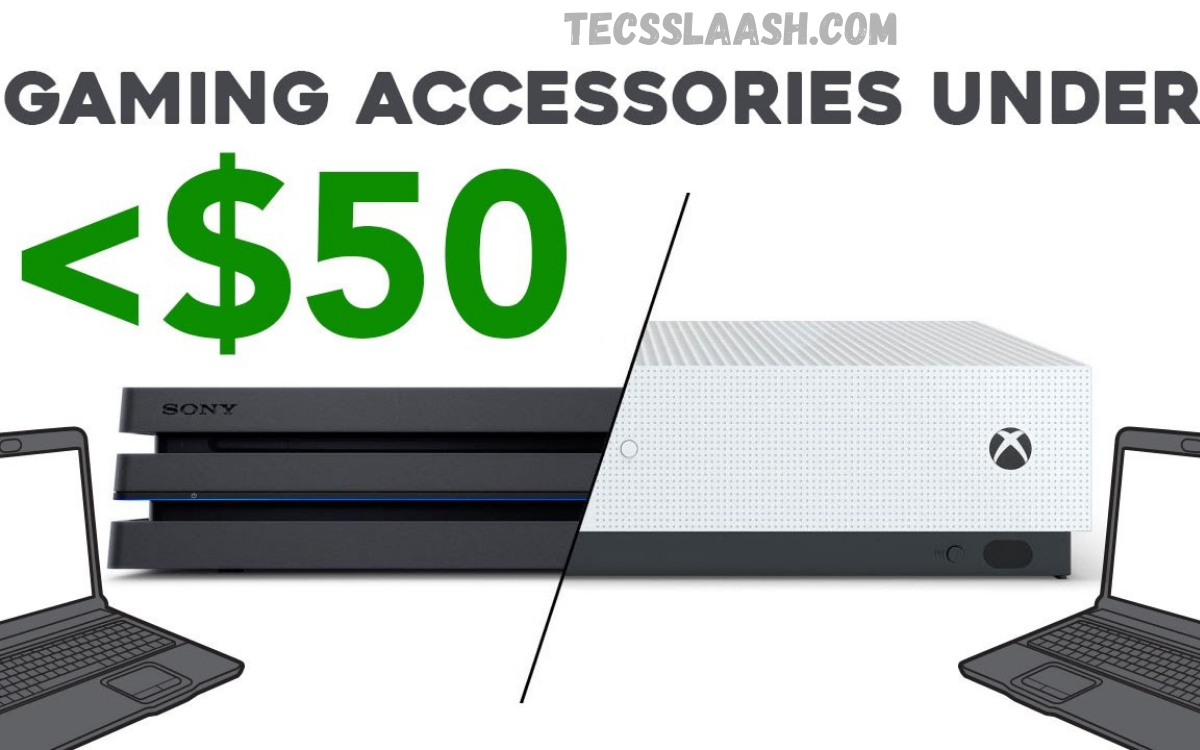
Gaming has become more than just a hobby. For millions of players worldwide, it is a passion, a competitive activity, and even a profession. While high-end gaming equipment often comes with premium price tags, you don’t need to spend hundreds of dollars to improve your gaming experience.
Whether you’re a PC gamer, console enthusiast, or casual mobile player, choosing the best gaming accessories under $50 can dramatically enhance your gameplay. From ergonomic mouse pads and RGB lighting to gaming headsets, controllers, keyboard accessories, and charging docks, budget-friendly options have never been better.
Why Invest in Budget Gaming Accessories?
Many gamers assume that premium gear always performs better. While expensive products often include advanced features, affordable accessories have improved significantly over the past few years.
Benefits of budget gaming accessories include:
- Better gaming comfort
- Improved accuracy and control
- Enhanced organization
- Longer gaming sessions without fatigue
- Better communication with teammates
- Increased immersion
- Affordable setup upgrades
Instead of replacing your entire gaming setup, adding a few carefully selected accessories can make a noticeable difference.
Gaming Mouse Pad
A quality gaming mouse pad is one of the easiest and most affordable upgrades.
Benefits
- Smooth tracking
- Better mouse precision
- Increased durability
- Comfortable wrist movement
Large extended mouse pads also protect your desk while giving your keyboard and mouse a unified surface.
Price Range:
$10–$30
Ideal for:
- FPS gamers
- MOBA players
- Strategy games
- Productivity users
RGB LED Light Strips
Gaming is about creating an immersive atmosphere, and RGB lighting instantly transforms any setup.
Benefits include:
- Customizable colors
- Reactive lighting effects
- Improved room aesthetics
- Better streaming background
Most RGB strips under $50 include:
- Remote controls
- App compatibility
- Music sync modes
- Multiple lighting presets
Price Range:
$15–$35
Gaming Headset Stand
A headset lying on your desk collects dust and creates clutter.
A gaming headset stand helps:
- Organize your setup
- Protect expensive headphones
- Save desk space
- Improve cable management
Many models also include:
- RGB lighting
- USB hubs
- Wireless charging
- Cable routing
Price Range:
$15–$40
Controller Charging Dock
Console gamers know the frustration of dead controllers during an intense match.
Charging docks solve this problem by keeping controllers powered and organized.
Advantages include:
- Fast charging
- Neat storage
- Simultaneous charging
- Battery protection
Compatible with:
- PlayStation
- Xbox
- Nintendo Switch controllers
Price Range:
$20–$45
Gaming Mouse Bungee
If you use a wired gaming mouse, a mouse bungee is one of the smartest investments.
It holds the mouse cable above your desk to eliminate cable drag.
Benefits include:
- Smoother movement
- Improved accuracy
- Reduced cable wear
- Cleaner desk appearance
Especially useful for competitive FPS games.
Price Range:
$15–$30
Mechanical Keyboard Wrist Rest
Long gaming sessions can strain your wrists.
A memory foam or wooden wrist rest offers:
- Better posture
- Reduced wrist fatigue
- Improved comfort
- Healthier typing position
Most quality wrist rests cost less than $30.
Price Range:
$15–$30
Thumb Grips for Controllers
Thumb grips are inexpensive but surprisingly effective.
Benefits include:
- Better grip
- Improved accuracy
- Increased comfort
- Less thumb fatigue
Available in multiple textures and heights.
Price Range:
$8–$15
Gaming Desk Cable Management Kit
A messy desk affects both appearance and productivity.
Cable management kits include:
- Cable sleeves
- Adhesive clips
- Velcro straps
- Cable boxes
Benefits:
- Cleaner setup
- Easier maintenance
- Reduced cable damage
- Improved airflow
Price Range:
$10–$25
Read Also: Top YouTube Alternatives for Video Streaming
USB Gaming Hub
Modern gaming setups often require multiple USB devices.
A powered USB hub helps connect:
- Keyboard
- Mouse
- Webcam
- Microphone
- Controller
- Flash drives
Look for USB 3.0 or USB-C compatibility.
Price Range:
$20–$45
Gaming Chair Lumbar Cushion
Even the best gaming chair benefits from additional lumbar support.
Memory foam cushions help:
- Reduce back pain
- Improve posture
- Increase comfort
- Support long gaming sessions
Price Range:
$20–$40
Microphone Boom Arm
If you stream or play online with friends, microphone placement matters.
Boom arms provide:
- Better voice positioning
- Less desk clutter
- Reduced vibration
- Professional appearance
Compatible with most USB microphones.
Price Range:
$25–$45
Webcam Privacy Cover
A small but valuable accessory.
Benefits include:
- Increased privacy
- Lens protection
- Easy installation
- Low cost
Perfect for gamers who stream or use voice chat.
Price Range:
$5–$10
Rechargeable Batteries
Wireless gaming accessories require dependable batteries.
Rechargeable AA and AAA batteries help:
- Save money
- Reduce waste
- Deliver consistent performance
- Eliminate constant replacements
Price Range:
$20–$40
Phone Gaming Trigger Buttons
Mobile gamers can dramatically improve control using trigger attachments.
Ideal for games like:
- PUBG Mobile
- Call of Duty Mobile
- Free Fire
Benefits include:
- Faster shooting
- Better aiming
- Improved reaction time
Price Range:
$10–$20
Cooling Pad for Gaming Laptops
Gaming laptops generate significant heat.
Cooling pads improve airflow using built-in fans.
Advantages include:
- Lower temperatures
- Better performance
- Reduced thermal throttling
- Extended laptop lifespan
Price Range:
$25–$45
Features to Look for in the Best Gaming Accessories Under $50
Price should never be the only deciding factor.
Before buying any accessory, consider:
Build Quality
Choose products made from durable materials that can withstand regular gaming sessions.
Compatibility
Ensure the accessory works with your PC, PlayStation, Xbox, Nintendo Switch, or mobile device.
Ergonomics
Comfort directly impacts gaming performance, especially during long sessions.
Reviews
Read customer reviews to identify common issues before purchasing.
Warranty
Even budget accessories should include some form of manufacturer’s warranty.
Best Accessories for Different Types of Gamers
Competitive Gamers
Recommended accessories:
- Gaming mouse pad
- Mouse bungee
- Thumb grips
- Wrist rest
These products improve precision and reaction speed.
Streamers
Useful additions include:
- Boom arm
- RGB lighting
- Headset stand
- USB hub
These accessories create a cleaner and more professional streaming environment.
Console Gamers
Great options include:
- Charging dock
- Thumb grips
- Headset stand
- Rechargeable batteries
These improve convenience while reducing interruptions.
Laptop Gamers
Recommended upgrades:
- Cooling pad
- External mouse pad
- USB hub
- Wrist rest
These accessories maximize comfort and maintain system performance.
How Budget Accessories Improve Gaming Performance
Many gamers underestimate the impact of small upgrades.
For example:
A better mouse pad increases tracking accuracy.
A wrist rest reduces fatigue during marathon gaming sessions.
A cooling pad helps maintain stable frame rates by reducing heat.
Cable management creates a distraction-free gaming environment.
Although each upgrade is inexpensive, together they significantly enhance your overall gaming experience.
Common Mistakes to Avoid
Many buyers waste money because they focus only on appearance.
Avoid these mistakes:
- Buying accessories only because they have RGB lighting
- Ignoring compatibility
- Purchasing unknown brands without reviews
- Choosing style over comfort
- Filling your desk with unnecessary gadgets
Instead, prioritize accessories that solve actual problems.
Tips for Getting the Best Value
If you’re shopping on a budget:
- Wait for seasonal sales.
- Compare prices across multiple retailers.
- Read verified customer reviews.
- Bundle purchases when discounts are available.
- Look for products with strong warranties and reliable customer support.
By shopping strategically, you can build a premium-feeling gaming setup while staying well under budget.
Frequently Asked Questions
Are gaming accessories under $50 worth buying?
Yes. Many affordable accessories offer excellent quality and noticeable improvements in comfort, organization, and gaming performance.
Which gaming accessory provides the biggest improvement?
For most gamers, a high-quality gaming mouse pad or headset offers the most immediate improvement in control and immersion.
Can budget accessories last for years?
Absolutely. Products made from quality materials and used properly can remain reliable for many years.
Are RGB accessories only decorative?
No. While RGB lighting primarily enhances aesthetics, some products offer customizable profiles, better low-light visibility, and improved setup organization.
What should beginners buy first?
Start with essentials such as a gaming mouse pad, wrist rest, charging dock, or cooling pad. These provide practical benefits without requiring a significant investment.
Conclusion
Finding the Best Gaming Accessories Under $50 doesn’t mean sacrificing quality or performance. Today’s market offers a wide range of affordable products that can transform your gaming experience through improved comfort, better organization, enhanced precision, and greater immersion.
Whether you’re upgrading a gaming PC, console, or laptop setup, accessories like gaming mouse pads, RGB lighting, charging docks, wrist rests, cooling pads, and USB hubs deliver exceptional value while staying within budget.

