


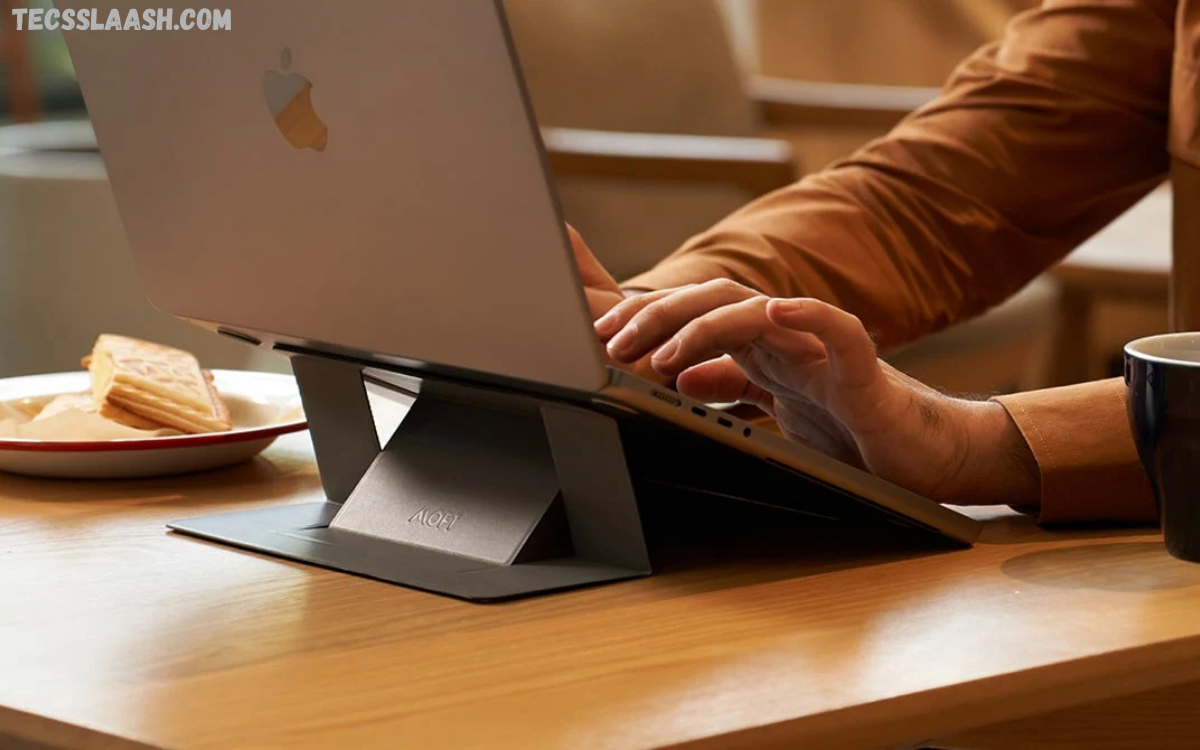
Choosing the Best Laptop Accessories for Students can transform a simple laptop into a complete learning workstation. Students depend on laptops for online classes, research, assignments, presentations, video meetings, creative projects, and entertainment.
Modern students spend several hours every day working on digital assignments. Poor posture, limited storage, battery anxiety, and uncomfortable typing often reduce productivity. Investing in useful accessories helps eliminate these challenges while creating a better study experience.
Why Do Laptop Accessories Matter for Students?
Students often focus only on buying a laptop, forgetting that accessories improve usability. Small upgrades create a more organized and comfortable workspace while extending laptop lifespan.
Advantages include:
- Better productivity
- Improved posture
- Enhanced portability
- Faster workflow
- Device protection
- Longer battery life
- Easier multitasking
- Improved online learning experience
Choosing practical accessories also reduces unnecessary stress during exams and project deadlines.
Laptop Backpack
A quality laptop backpack remains one of the most important accessories for students.
A dedicated backpack protects the laptop from accidental drops, scratches, dust, and moisture while offering space for books, notebooks, chargers, tablets, headphones, and stationery.
Features worth considering include:
- Water-resistant material
- Shockproof laptop compartment
- Comfortable shoulder straps
- USB charging port
- Multiple storage pockets
- Lightweight design
Students commuting every day benefit greatly from a durable backpack.
Wireless Mouse
Touchpads work well for basic navigation, but a wireless mouse offers greater speed and accuracy.
Students working on presentations, spreadsheets, coding projects, graphic design, or video editing complete tasks much faster using a mouse.
Benefits include:
- Comfortable grip
- Better precision
- Faster navigation
- Reduced wrist fatigue
- Easy portability
Rechargeable wireless mice eliminate battery replacement costs.
Laptop Stand
Long study sessions often cause neck pain because laptops sit too low on desks.
A laptop stand raises the display closer to eye level, improving posture and reducing neck strain.
Advantages include:
- Better airflow
- Improved cooling
- Ergonomic viewing angle
- Reduced neck pain
- Comfortable typing position
Foldable aluminum laptop stands remain popular among college students because they combine durability with portability.
External Keyboard
Students writing lengthy assignments appreciate a comfortable external keyboard.
Mechanical keyboards offer excellent typing feedback, while slim wireless keyboards provide portability.
Key benefits include:
- Faster typing
- Better comfort
- Reduced wrist strain
- Improved productivity
- Quiet operation
Wireless Bluetooth keyboards help keep a study desk clean.
Read Also: Best AI Apps for Students: The Ultimate Guide
Noise-Canceling Headphones
Online classes require clear audio without distractions.
Noise-canceling headphones improve concentration by blocking background sounds.
Students use headphones for:
- Online lectures
- Virtual meetings
- Language learning
- Music while studying
- Video editing
- Podcast learning
Comfortable ear cushions become important during extended study sessions.
External SSD
Assignments, presentations, photos, videos, research documents, and software consume storage quickly.
An external SSD provides:
- Fast data transfer
- Secure backups
- Portable storage
- Reliable performance
- Large capacity
Unlike traditional hard drives, SSDs resist physical damage better while offering significantly faster speeds.
USB-C Hub
Modern laptops often include limited ports.
A USB-C hub expands connectivity by adding:
- USB ports
- HDMI output
- SD card reader
- Ethernet connection
- Audio jack
- USB-C charging support
Students using projectors, cameras, or external displays benefit greatly from this accessory.
Portable Charger
Battery anxiety becomes common during long lectures or travel.
A high-capacity power bank keeps laptops, smartphones, tablets, and accessories charged throughout the day.
Look for:
- USB-C Power Delivery
- Fast charging
- Large battery capacity
- Lightweight construction
- Safety protection
Reliable portable chargers provide peace of mind during exams and presentations.
Webcam
Many laptops include average-quality webcams.
Students attending interviews, online classes, webinars, or group discussions benefit from an external webcam.
Good webcams provide:
- Full HD resolution
- Better autofocus
- Clear microphone
- Improved low-light performance
- Smooth video quality
Professional video quality creates stronger impressions during virtual meetings.
Laptop Sleeve
A laptop sleeve provides additional protection during transportation.
Soft padded sleeves protect devices from:
- Scratches
- Dust
- Minor impacts
- Water splashes
Students carrying laptops inside larger bags should always use a sleeve for extra protection.
Cooling Pad
Extended gaming, programming, rendering, and editing increase laptop temperatures.
Cooling pads improve airflow beneath the laptop.
Benefits include:
- Lower temperatures
- Better performance
- Reduced thermal throttling
- Longer hardware lifespan
- Comfortable keyboard temperature
USB-powered cooling pads remain affordable and easy to use.
Flash Drive
Cloud storage works well, yet USB flash drives remain essential.
Students often transfer:
- Assignments
- Presentation files
- Notes
- Research papers
- Photos
- Videos
High-speed USB 3.2 flash drives significantly reduce transfer time.
External Monitor
Students multitasking between research, documents, coding, and presentations benefit from larger displays.
Advantages include:
- Better multitasking
- Increased productivity
- Larger workspace
- Improved editing experience
- Comfortable reading
An external monitor creates a desktop-like learning environment.
Cable Organizer
Messy cables create clutter.
Cable organizers help arrange:
- Charging cables
- USB cables
- Earphones
- HDMI cables
- Power adapters
A clean workspace improves focus while reducing cable damage.
Blue Light Glasses
Long screen sessions may contribute to eye fatigue.
Blue light filtering glasses help many students remain comfortable during extended study hours.
Combining these glasses with regular screen breaks creates a healthier digital learning routine.
Adjustable Desk Lamp
Poor lighting affects concentration.
LED desk lamps provide:
- Adjustable brightness
- Color temperature control
- Reduced eye strain
- Better visibility
- Lower energy consumption
Proper lighting improves reading and writing comfort.
Wireless Presenter
Students frequently deliver classroom presentations.
Wireless presenters allow:
- Slide navigation
- Laser pointing
- Better audience interaction
- Professional presentation control
This small accessory increases confidence during presentations.
Microphone
Students creating online content, podcasts, YouTube videos, presentations, or recorded assignments benefit from dedicated microphones.
USB microphones deliver:
- Clear voice quality
- Noise reduction
- Easy installation
- Professional recordings
Quality audio improves communication during virtual learning.
Docking Station
Students with multiple devices appreciate docking stations.
A docking station connects:
- External monitor
- Keyboard
- Mouse
- SSD
- Ethernet
- Speakers
- USB devices
One cable transforms a laptop into a complete workstation.
Cleaning Kit
Dust gradually affects laptop appearance and airflow.
Cleaning kits usually include:
- Microfiber cloth
- Cleaning solution
- Soft brush
- Air blower
Regular maintenance keeps laptops looking professional while extending lifespan.
Smart Notebook
Digital note-taking continues growing, yet reusable smart notebooks combine handwritten notes with cloud storage.
Students easily organize lecture notes while reducing paper usage.
Choosing the Best Laptop Accessories for Students
Before purchasing accessories, consider:
- Daily academic workload
- Budget
- Laptop compatibility
- Portability
- Build quality
- Warranty
- Brand reputation
- Long-term durability
Buying essential accessories first provides better value than purchasing unnecessary gadgets.
Budget-Friendly Laptop Accessory Kit
Students with limited budgets should prioritize:
- Laptop sleeve
- Wireless mouse
- USB flash drive
- Laptop stand
- Headphones
- Cleaning kit
These affordable accessories significantly improve daily productivity.
Premium Laptop Accessory Setup
Students seeking maximum productivity may include:
- External monitor
- Docking station
- Mechanical keyboard
- Premium mouse
- External SSD
- Noise-canceling headphones
- USB-C hub
- Cooling pad
- Webcam
- Portable charger
This setup creates an efficient study environment suitable for advanced academic work.
Frequently Asked Questions
What are the best laptop accessories for students?
Wireless mouse, laptop stand, external SSD, USB-C hub, backpack, headphones, laptop sleeve, cooling pad, portable charger, and external keyboard remain excellent choices.
Which accessory improves productivity the most?
A laptop stand combined with a wireless keyboard and mouse creates a comfortable ergonomic workspace that improves productivity.
Is an external SSD better than a USB flash drive?
External SSDs offer faster performance, greater reliability, and larger storage capacity than traditional flash drives.
Why should students use a laptop stand?
A laptop stand improves posture, reduces neck strain, increases airflow, and provides a more comfortable viewing angle.
Are wireless accessories better than wired ones?
Wireless accessories reduce cable clutter and improve portability, while wired accessories usually provide lower latency and consistent performance.
Do students need a cooling pad?
Students performing gaming, programming, video editing, or graphic design benefit from cooling pads because they reduce laptop temperatures.
Which headphones work best for online classes?
Noise-canceling headphones with a quality microphone provide clear communication and minimize background distractions.
Is a USB-C hub necessary?
Students using multiple external devices benefit greatly from USB-C hubs because modern laptops often include limited ports.
How can students protect their laptops during travel?
Using a padded laptop sleeve inside a durable backpack offers excellent protection against scratches and accidental impacts.
Which laptop accessory should students buy first?
A quality laptop backpack, wireless mouse, laptop stand, and laptop sleeve provide the best balance between affordability and everyday usefulness.
Conclusion
Selecting the Best Laptop Accessories for Students improves productivity, organization, comfort, and device longevity. Every accessory solves a specific challenge, whether protecting the laptop, increasing storage, improving posture, enhancing online learning, or simplifying multitasking.
Students do not need every accessory immediately. Starting with practical essentials such as a wireless mouse, laptop stand, backpack, external SSD, and quality headphones provides immediate benefits. Over time, adding advanced accessories creates a complete workstation capable of handling demanding academic tasks with ease.

