


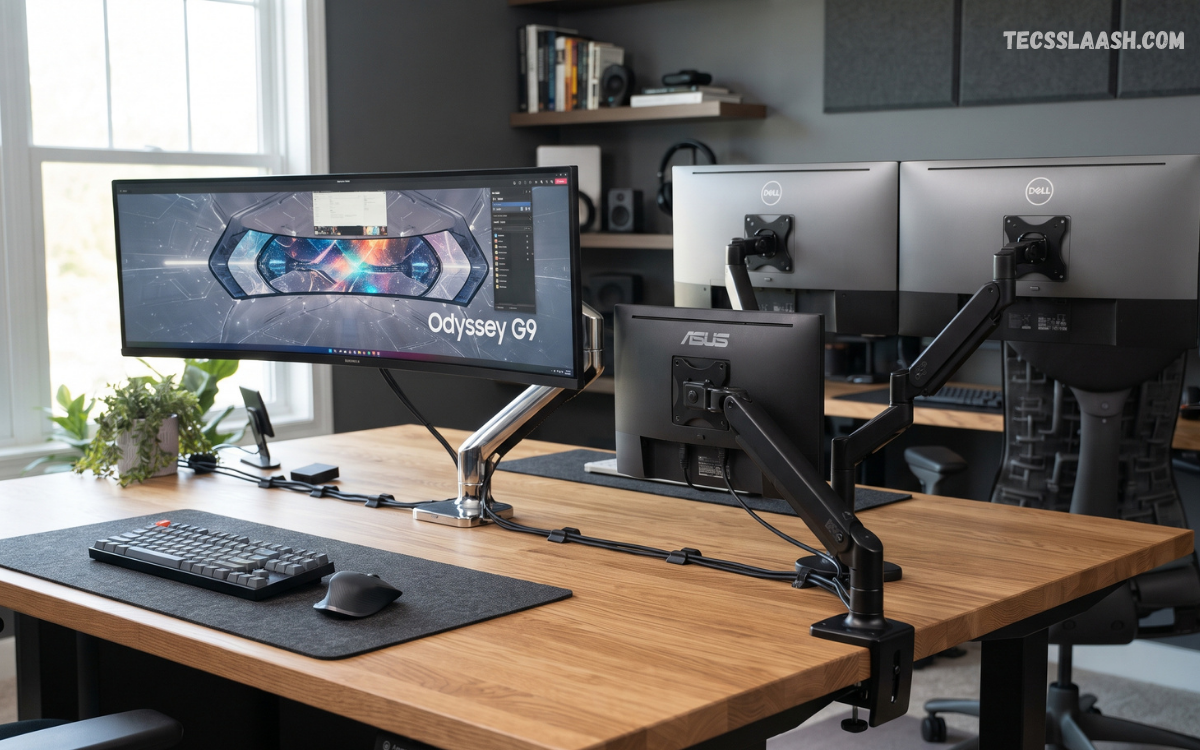
Choosing the Best Monitor Stands can significantly improve the way a workstation looks, feels, and functions. A well-designed stand raises the display to a comfortable viewing position, creates additional usable desk space, and helps maintain a cleaner arrangement.
The right choice depends on monitor size, weight, desk dimensions, VESA compatibility, working habits, and the amount of adjustment required. A basic riser can work perfectly for a fixed workstation, while a monitor arm is more suitable for users who frequently reposition their display.
What Are Monitor Stands?
A monitor stand is a support system designed to hold a computer display at a suitable height and viewing angle. Traditional stands usually sit directly on the desk, while modern alternatives can use a weighted base, a clamp, a grommet mount, or a VESA mounting system.
Monitor stands are available in several configurations, including fixed risers, adjustable platforms, single-monitor arms, dual-monitor mounts, and heavy-duty stands for large displays. Some models also include shelves, drawers, cable-management channels, USB ports, and other workspace features.
Why Choose the Best Monitor Stands?
The Best Monitor Stands can help place the screen closer to a natural eye-level position, reducing the need to constantly look downward. Proper screen positioning is particularly useful for people who spend several hours working, studying, editing photos, programming, or gaming. Height, tilt, swivel, and rotation are among the most useful adjustment capabilities available on modern stands.
A quality stand can also improve the physical organization of a workstation. A raised monitor creates space underneath for a keyboard, documents, accessories, or storage. Monitor arms can free even more desk surface because the display is supported from the rear rather than occupying a large section of the desktop. This combination of ergonomics and organization makes a monitor stand a practical upgrade rather than simply a decorative accessory.
Types of Monitor Stands
Monitor stands generally fall into several categories, each designed for a different workspace requirement. Fixed risers provide straightforward elevation, adjustable stands provide more control, and monitor arms offer extensive positioning freedom. Dual and triple-monitor systems are designed for people who need multiple screens without filling the entire desk with separate bases.
Understanding the differences between these types helps prevent an unsuitable purchase. A lightweight fixed riser may be ideal for a compact office, whereas a heavy ultrawide display may require a reinforced stand or appropriately rated VESA arm. Dual-monitor users should also consider independent adjustment, desk thickness, mounting space, and total display weight before selecting a system.
Fixed Monitor Risers
Fixed monitor risers are among the simplest and most affordable solutions. They place the monitor on a raised platform and often provide storage space underneath. Many models are made from metal, wood, plastic, tempered glass, or combinations of these materials, allowing users to match the stand with their existing desk design.
The main advantage is simplicity because installation usually requires little or no assembly. However, fixed risers offer limited positioning flexibility. Before purchasing one, measure the required height carefully and confirm that the platform can safely support the monitor. Current buying guides commonly emphasize elevation, weight capacity, and available clearance as important considerations.
Adjustable Monitor Stands
Adjustable monitor stands allow users to change screen height and sometimes tilt, swivel, or rotate the display. This flexibility is valuable when different people use the same workstation or when the desk is used for multiple activities. An adjustable design also makes it easier to fine-tune the screen after changing chairs, desks, or monitor sizes.
These stands are particularly useful for productivity-focused workstations. Instead of accepting the fixed position supplied with a monitor, users can customize the display position according to their preferred viewing arrangement. For anyone who frequently changes between sitting positions or tasks, adjustability can be more useful than a basic riser.
Monitor Arms
Monitor arms provide some of the greatest positioning flexibility available. A typical arm can move the display vertically, horizontally, forward, and backward while also supporting tilt, swivel, and rotation. Many models attach to the desk with a clamp or grommet, leaving most of the desktop surface available for other equipment.
Premium monitor arms can provide smooth adjustment and strong stability for compatible displays. For example, the Ergotron LX is currently listed as supporting displays from 13 to 34 inches and up to 25 pounds, with clamp or grommet mounting and extensive adjustment. Always verify the exact specifications of a model before purchasing because compatibility varies between monitor arms.
Dual Monitor Stands
Dual monitor stands are designed for users who need two displays positioned side by side. They can create a more organized setup than placing two independent monitor bases on the desk. Dual-arm systems also allow each screen to be positioned independently, which is useful when the monitors have different sizes or are used at different angles.
A dual-monitor stand must be selected according to the combined requirements of both displays. Check the weight capacity of each arm, supported screen size, VESA pattern, desk mounting requirements, and available adjustment range. Current 2026 recommendations include both dual platforms and dual-arm mounts, with the best choice depending on available desk space and display weight.
Best Monitor Stands for Gaming
Gaming setups often benefit from monitor stands that provide strong stability and flexible positioning. Competitive gamers may prefer an adjustable arm because it makes it easier to bring the display closer, adjust its height, or rotate it for different activities. A sturdy base or reliable clamp is especially important because unwanted movement can become distracting during gameplay.
For dual-monitor gaming setups, independent arms can make alignment easier while keeping the desk relatively open. Gamers using large ultrawide displays should pay particular attention to weight capacity and arm compatibility. A visually attractive stand is useful, but structural stability should remain the primary consideration when choosing equipment for a high-performance gaming desk.
Best Monitor Stands for Home Offices
A home-office monitor stand should balance ergonomics, stability, desk organization, and ease of installation. A simple riser can be enough for a single monitor that already has a suitable viewing angle, while an adjustable arm can provide greater flexibility for people who frequently switch between tasks.
Workspace size should also influence the decision. Smaller desks can benefit substantially from monitor arms because the support mechanism attaches near the desk edge rather than consuming a large central area. A riser with storage can be a better option when the user wants a stable platform without modifying the desk.
Best Monitor Stands for Small Desks
Small desks require careful consideration of footprint. A large platform stand may consume valuable workspace, while a monitor arm can move the support structure toward the rear edge of the desk. This creates additional room for a keyboard, mouse, laptop, notebook, or other essential accessories.
Before buying, measure the desk depth, thickness, rear clearance, and available mounting area. Clamp-mounted arms require a suitable edge, while grommet mounts require an appropriate opening. If the desk cannot accommodate either mounting method, a compact freestanding stand may provide a more practical solution.
Best Monitor Stands for Ultrawide Monitors
Ultrawide monitors place greater demands on a stand because their large dimensions can increase both weight and leverage. A stand that comfortably supports a standard 24-inch display may not be appropriate for a 34-inch or larger ultrawide. Weight capacity and supported screen size should therefore be checked before installation.
Heavy-duty monitor arms can be an excellent option when the specifications match the display. The mounting surface must also be stable enough to handle the load. A sturdy desk, properly tightened mounting mechanism, and correctly installed VESA plate are essential for maintaining reliable support over time.
VESA Compatibility Explained
VESA compatibility refers to standardized mounting-hole patterns found on many monitors and mounting accessories. Common patterns include 75 × 75 mm and 100 × 100 mm, although larger displays can use different configurations. A monitor arm or stand must support the specific pattern used by your display.
Checking VESA compatibility before purchase can prevent installation problems. Look at the rear of the monitor or consult its technical specifications to identify the mounting pattern. Also confirm that the stand supports the monitor’s weight and size because matching the VESA pattern alone does not guarantee complete compatibility.
Weight Capacity Matters
Weight capacity is one of the most important specifications when selecting a monitor stand. A display may physically attach to a stand while still exceeding its recommended load rating. This can cause instability, unwanted movement, arm sagging, or excessive stress on the mounting system.
Always compare the monitor’s actual weight without the original stand against the stand’s rated capacity. For dual-monitor systems, check the capacity assigned to each arm rather than assuming the total rating applies equally to both displays. Leaving a reasonable margin below the maximum capacity is also a sensible approach for long-term stability.
Height Adjustment and Ergonomics
Height adjustment is a major advantage of modern monitor stands. The display should generally be positioned so that the top portion of the screen is around eye level or slightly below, depending on the user’s posture and viewing preference. This can reduce the need for excessive neck movement during extended computer sessions.
A height-adjustable stand is especially valuable when the workstation is shared by multiple users. It also helps accommodate different chairs, desk heights, and monitor sizes. Rather than relying on a fixed position, users can make small adjustments until the screen feels naturally positioned.
Tilt, Swivel, and Rotation
Tilt adjustment changes the vertical angle of the monitor, while swivel moves the display from side to side. Rotation allows the screen to switch between landscape and portrait orientations. These features can be valuable for programmers, writers, researchers, designers, and users who regularly display documents in portrait format.
Not every user requires all three adjustments. If the monitor remains directly in front of you, a fixed riser may be sufficient. However, users who collaborate frequently or change their workstation arrangement can benefit from a stand with broader articulation.
Desk Clamp vs Grommet Mount
Clamp mounts attach to the rear edge of a desk and are generally convenient because they do not require drilling. They are particularly useful for users who want to install a monitor arm without permanently modifying the desktop. The desk’s thickness and construction must match the mounting requirements of the selected arm.
Grommet mounts pass through an existing hole in the desk and can provide a clean, secure installation. They may be preferable for desks designed with cable-management openings or dedicated mounting holes. Always verify the mounting dimensions and desk compatibility before installation.
Cable Management
Cable management can make a major difference in the appearance and usability of a workstation. Many modern monitor arms include clips or channels that guide display cables along the arm. This keeps wires from hanging loosely and reduces clutter around the rear of the desk.
A clean cable arrangement also makes it easier to adjust or remove equipment. When selecting the Best Monitor Stands, look beyond the primary mounting function and consider how power, HDMI, DisplayPort, USB, and other cables will be routed. Integrated management features are particularly valuable for multi-monitor workstations.
Stability and Build Quality
A monitor stand must remain stable under everyday use. Typing, adjusting the display, moving the desk, or accidentally bumping the surface can expose weaknesses in an unstable stand. Strong construction and an appropriately sized base are therefore more important than appearance alone.
Steel and aluminum are common materials for premium monitor mounting systems because they provide strength while maintaining manageable weight. Freestanding stands should have a sufficiently heavy or wide base, while clamp-mounted arms should be firmly attached to a suitable desk surface. A high-quality finish is beneficial, but structural integrity should always come first.
Read Also: CapCut Review: Features, Performance, and User Experience
Monitor Stand Storage Features
Some monitor risers include drawers, shelves, pen holders, or compartments beneath the display. These features can be useful for people who want to reduce desktop clutter without purchasing additional storage accessories. Two-tier designs can create separate areas for small accessories and larger equipment.
Storage-focused stands are especially practical in home offices and compact workstations. However, users should ensure that the added storage does not interfere with keyboard placement or reduce usable legroom. A stand should improve organization rather than simply move clutter from one part of the desk to another.
How to Choose the Best Monitor Stands
Start by identifying the monitor’s size, weight, and VESA pattern. Next, measure the desk and determine whether you prefer a freestanding riser, clamp mount, or grommet mount. These basic measurements eliminate many incompatible products before you begin comparing additional features.
Then consider how much movement you need. Fixed risers are suitable for stable, permanent arrangements, while adjustable arms are better for flexible workstations. Users with multiple displays should prioritize independent positioning and sufficient capacity. This approach makes the selection process more practical and reduces the chance of buying a stand with unnecessary features.
Best Monitor Stands for Productivity
Productivity setups often benefit from flexible monitor positioning. A well-positioned primary display can remain directly in front of the user, while a secondary display can sit at a slight angle. This arrangement makes it easier to reference documents, monitor applications, or manage communication tools without constantly changing the primary screen position.
A monitor arm can also create more room for productivity accessories. With the display elevated or attached to the rear of the desk, the central workspace can accommodate a larger keyboard, writing area, notebook, or laptop. For people working long hours at a desk, this combination of organization and positioning can make the workstation feel considerably more efficient.
Best Monitor Stands for Content Creators
Content creators often use multiple applications simultaneously, making monitor positioning particularly important. Video editors, photographers, graphic designers, and developers may benefit from dual-monitor systems or a primary monitor combined with a vertically oriented secondary display.
A rotating VESA arm can be useful for portrait-oriented work, while an adjustable horizontal arm can position a large editing monitor precisely. Creators should also consider cable management because cameras, storage devices, audio equipment, and multiple displays can quickly create a complicated cable environment.
Installation Tips for Monitor Stands
Begin by checking the manufacturer’s instructions and confirming that the monitor is within the stand’s size and weight specifications. For VESA mounts, use the correct screws and avoid forcing hardware into the monitor. Tighten the mounting system securely without applying excessive force.
After installation, test the monitor gradually. Check for unwanted movement, arm sag, desk flex, or loose connections before placing the workstation into regular use. Route cables only after the display has been positioned correctly so the wires do not restrict movement.
Common Mistakes to Avoid
One of the most common mistakes is choosing a stand based only on appearance. A stylish stand may not support the monitor’s weight or provide enough adjustment range. Compatibility should always be verified before aesthetics become a deciding factor.
Another mistake is ignoring desk measurements. Clamp-mounted arms need sufficient clearance, while large freestanding bases can consume valuable workspace. Users should also avoid exceeding the stand’s weight capacity or installing a mounting system on a desk that cannot safely support the required load.
Fixed Stand vs Monitor Arm
A fixed stand is usually the better choice when simplicity, affordability, and zero desk modification are priorities. It provides reliable elevation without introducing mechanical components that need adjustment. For a single monitor that rarely moves, this straightforward approach can offer excellent value.
A monitor arm is better when flexibility and desk-space efficiency matter more. It allows the user to move the display forward, backward, upward, downward, sideways, or into portrait orientation depending on the design. The additional functionality comes with greater installation requirements and a need to carefully verify compatibility.
Are Monitor Arms Better Than Monitor Stands?
Monitor arms are not universally better because different workspaces require different solutions. An arm offers exceptional flexibility and can save desk space, but a fixed riser can be easier to install and may provide greater simplicity for a permanent workstation.
The best option depends on your priorities. If you frequently adjust your display, use multiple monitors, or need additional desktop space, an arm is often the more versatile choice. If you simply need to raise a monitor several inches and want a straightforward solution, a riser can be more practical.
How Much Should You Spend on a Monitor Stand?
Monitor stand pricing varies significantly according to materials, mounting design, adjustment mechanism, capacity, and included features. Basic risers can be inexpensive, while premium monitor arms can cost substantially more because of stronger construction and sophisticated adjustment systems.
Rather than selecting a stand based solely on price, compare its capacity, compatibility, stability, adjustment range, and warranty. Current 2026 buying guides show options ranging from low-cost risers to premium articulating arms, demonstrating that a suitable solution exists for almost every budget.
Maintenance Tips
Monitor stands generally require little maintenance, but periodic inspection is worthwhile. Check clamps, screws, VESA connections, and adjustment joints occasionally to ensure everything remains secure. If the stand begins to wobble or move unexpectedly, stop using it until the mounting system has been checked.
Keep moving parts and cable channels free from unnecessary clutter. Avoid placing excessive weight on shelves or risers that are designed specifically for monitor support. Proper maintenance can extend the useful life of the stand and help maintain a stable workstation.
Frequently Asked Questions
What is the best monitor stand for a single monitor?
The best option depends on your desk and monitor. A fixed riser is excellent for simple elevation, while an adjustable monitor arm is better when you need height, tilt, swivel, rotation, and greater desk-space efficiency.
Are monitor stands good for ergonomics?
A properly adjusted monitor stand can help position the display at a more comfortable viewing height. Height adjustment, tilt, swivel, and screen distance are useful features for creating a more personalized workstation arrangement.
What is the best monitor stand for dual monitors?
A dual-monitor arm or platform stand can work well. The best choice depends on screen size, combined weight, VESA compatibility, desk dimensions, and how independently you want to position each display.
Do all monitors support VESA mounts?
No. Many monitors support VESA mounting, but some models do not have standard mounting holes or require a special adapter. Always check the monitor manufacturer’s specifications before purchasing a VESA stand.
Can a monitor stand save desk space?
Yes. A monitor riser can create storage space underneath the display, while a monitor arm can move the display’s support mechanism toward the rear edge of the desk and free much of the central surface.
Are monitor arms stable?
Quality monitor arms can be highly stable when correctly installed and used within their specified capacity. Desk construction, mounting method, monitor weight, and installation quality all affect stability.
Should I choose a clamp or grommet mount?
Choose a clamp if you want an installation that normally does not require drilling. A grommet mount can provide a clean installation through an existing desk hole. Your desk design should determine which option is practical.
What monitor stand is best for gaming?
Gamers should prioritize stability, weight capacity, adjustment range, and compatibility. An adjustable arm can be particularly useful for positioning the display precisely and creating additional room for gaming equipment.
Can monitor stands support ultrawide monitors?
Some can, but ultrawide displays often require stronger mounting systems. Check the monitor’s weight and dimensions against the stand’s supported range before installation.
How high should a monitor be?
A commonly recommended starting point is to position the top of the display around eye level or slightly below. Individual preferences, screen size, viewing distance, and posture can require small adjustments.
Final Verdict
The Best Monitor Stands combine secure support, appropriate height, useful adjustment, compatibility, and practical desk organization. There is no single stand that suits every user, because a compact home-office setup has different requirements from a dual-monitor gaming workstation or a professional content-creation desk.
For a straightforward setup, a fixed riser can provide excellent value and additional storage. For users who want maximum flexibility, a VESA monitor arm is often the more capable choice. Dual-monitor users should prioritize independent adjustment and sufficient weight capacity, while ultrawide owners should focus heavily on structural support.

