


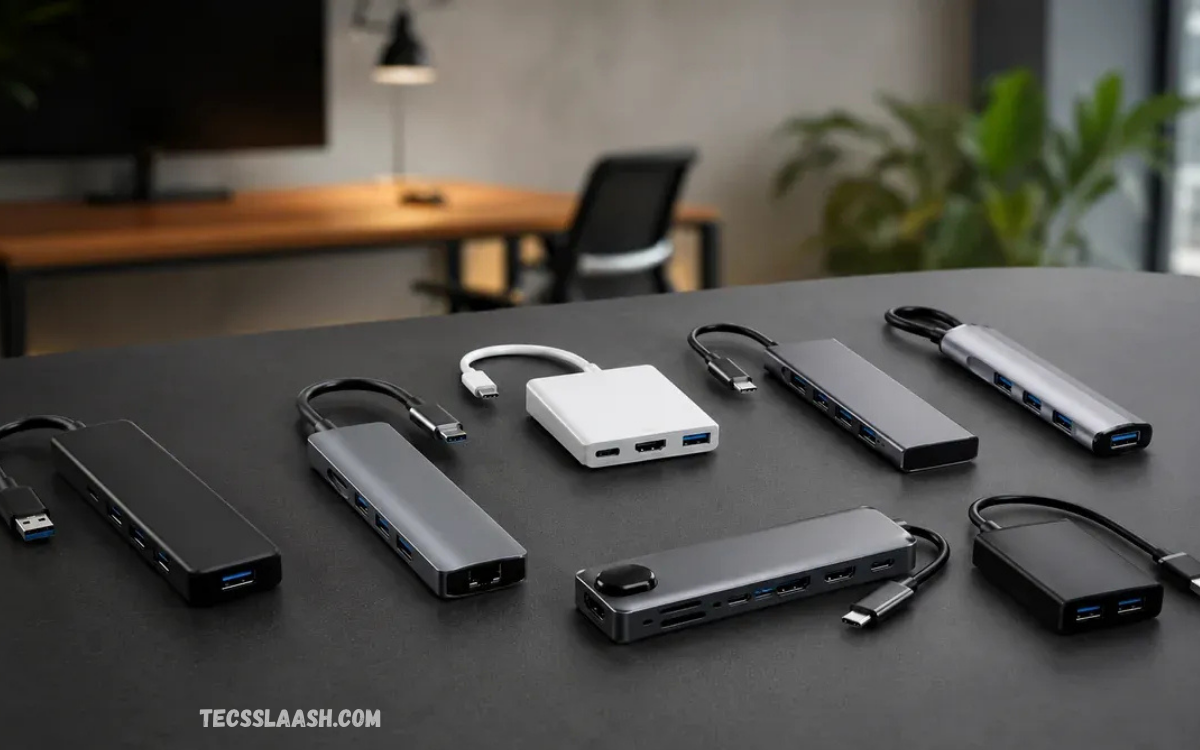
Finding the Best USB Hub can significantly improve the functionality of a laptop, desktop, tablet, or gaming setup by expanding the number of available connections. Modern devices increasingly rely on USB-C ports, while users still need access to USB-A accessories, displays, memory cards, Ethernet networks, keyboards, mice, printers, storage drives, and other peripherals.
A quality USB hub provides a practical solution without requiring multiple adapters or complicated connections. The right model can deliver fast data transfer, stable charging, reliable connectivity, compact portability, and broad device compatibility, making it an essential accessory for students, professionals, creators, gamers, and everyday computer users.
What Is a USB Hub?
A USB hub is a device that expands a computer or mobile device’s connectivity by converting one available USB port into several additional ports. Depending on the model, a hub may include USB-A, USB-C, HDMI, Ethernet, SD card, microSD card, audio, and power-delivery connections.
USB hubs are especially useful for modern laptops with limited ports. Instead of repeatedly disconnecting accessories, users can connect several peripherals simultaneously through one hub, creating a more convenient workstation while maintaining a cleaner desk setup.
Why Choose the Best USB Hub?
The Best USB Hub combines connectivity, performance, durability, compatibility, and convenience in one compact device. A poorly designed hub can cause unstable connections, slow transfer speeds, insufficient power delivery, overheating, or compatibility problems with certain peripherals.
A reliable hub provides consistent performance during everyday tasks such as transferring files, connecting external displays, using wired internet, accessing memory cards, or connecting multiple USB accessories. Selecting the right hub therefore depends on your devices, required ports, performance expectations, and intended usage.
USB-C Hub vs USB-A Hub
USB-C hubs have become increasingly popular because many modern laptops, tablets, smartphones, and computers use USB-C connectivity. These hubs can provide several additional ports while supporting high-speed data transfer, video output, and power delivery on compatible devices.
USB-A hubs remain useful for older computers and accessories that use traditional rectangular USB ports. Before purchasing a hub, check the host device’s available port and verify whether the hub supports the functions you need, because physical compatibility does not always guarantee full feature compatibility.
Key Features of the Best USB Hub
Multiple Connectivity Options
The number and type of ports should be among the first considerations when selecting the Best USB Hub. A basic hub may provide several USB ports, while advanced models can include HDMI, Ethernet, SD card, microSD, USB-C, and audio connections.
Consider your current accessories and possible future requirements before buying. Choosing a hub with a few additional useful ports can prevent the need to purchase another adapter later, especially when building a permanent workstation.
High-Speed Data Transfer
Data-transfer performance matters when moving large files between computers and external storage devices. USB 3.x technology can provide substantially faster transfers than older USB standards, although actual performance depends on the host device, connected peripheral, storage drive, cable, and file type.
Users working with photographs, videos, backups, games, or large documents should prioritize a hub supporting modern high-speed USB standards. A faster connection can reduce waiting times and make external storage considerably more convenient.
HDMI Display Support
An HDMI port can transform a compatible USB-C hub into a convenient docking solution for external monitors, televisions, or projectors. This feature is valuable for professionals, students, content creators, and users who prefer working with larger displays.
However, HDMI output depends on the capabilities of the host device and USB-C port. Some USB-C ports support data only, while others support DisplayPort Alt Mode or other video technologies, so compatibility should always be checked before purchase.
Power Delivery
Power Delivery, commonly called USB PD, allows compatible hubs to pass power from a charger through the hub to the connected computer. This feature is particularly useful for laptops with only a few USB-C ports.
A hub with USB PD can allow users to connect peripherals while simultaneously charging a compatible laptop. The actual charging speed depends on the charger, hub, cable, and host device, meaning the highest advertised wattage does not automatically guarantee maximum charging performance.
Ethernet Connectivity
Wi-Fi provides convenient wireless networking, but wired Ethernet can offer stable connectivity for demanding tasks. A USB hub with Ethernet can be useful for desktop workstations, online gaming, large downloads, video conferencing, and environments where wireless performance is inconsistent.
Ethernet support also provides flexibility when traveling or working in offices, hotels, classrooms, and other locations with wired network access. Check whether the hub supports the Ethernet speed required by your network before purchasing.
SD and microSD Card Slots
Photographers, videographers, designers, and content creators often need quick access to memory cards. A hub with SD and microSD slots can eliminate the need for a separate card reader.
High-speed card support can make a meaningful difference when transferring large media files. Users should check the hub’s supported card standards and maximum transfer rates to ensure the reader matches their workflow.
Best USB Hub for Laptops
The Best USB Hub for a laptop should balance portability and functionality. A compact USB-C model with USB-A, USB-C, HDMI, and power-delivery support can provide a useful combination for users who frequently work away from a permanent desk.
For office setups, a larger multiport hub may be more practical because it can accommodate monitors, keyboards, mice, external storage, Ethernet, and charging. Travelers may prefer a smaller model that occupies minimal space inside a laptop bag.
Best USB Hub for MacBook
MacBook users can benefit from a USB-C hub because many models provide limited physical connectivity compared with traditional desktop computers. A compatible hub can add USB-A ports, HDMI, SD card access, Ethernet, and additional USB-C connectivity.
Compatibility remains important because different MacBook models support different display and connectivity capabilities. Before purchasing, verify the specific MacBook model and ensure the hub’s video, charging, and data features work with that computer.
Best USB Hub for Windows PCs
Windows users have access to a wide range of USB hubs designed for laptops and desktop computers. The ideal option depends on whether the computer requires additional USB ports, video output, Ethernet, memory-card access, or charging capabilities.
For office productivity, a hub with multiple USB-A ports and HDMI can be practical. Users handling large files should prioritize high-speed USB connections, while remote workers may benefit from Ethernet and multiple display support.
Best USB Hub for Gaming
Gamers can use USB hubs to connect keyboards, mice, controllers, headsets, storage devices, and other peripherals. A suitable gaming setup should prioritize stable connectivity, adequate power, fast data transfer, and reliable construction.
External storage can also benefit from a high-speed USB connection when installing or transferring large game files. Gamers should avoid overcrowding a low-power hub with several demanding devices because insufficient power can result in unstable peripheral performance.
Read Also: Best Cable Organizer: Complete Guide to Managing Cables in 2026
Best USB Hub for Productivity
A productivity-focused USB hub should simplify the workspace rather than create additional complications. A multiport model can connect a monitor, keyboard, mouse, storage drive, Ethernet cable, and other accessories through a single laptop connection.
This setup can make a portable computer function more like a desktop workstation. Users who frequently move between home and office environments can also leave their peripherals connected to the hub and connect the laptop with one cable.
Best USB Hub for Creators
Content creators often require fast access to external storage, cameras, memory cards, displays, and other equipment. A high-performance hub with fast USB ports, SD card support, microSD support, HDMI, and reliable power delivery can streamline media workflows.
Large video files and high-resolution photographs can place significant demands on transfer speeds. Creators should therefore examine supported USB standards, card-reader performance, simultaneous-port limitations, and thermal management instead of choosing a hub based solely on the number of ports.
Portability and Build Quality
Portability becomes important for students, travelers, remote workers, and professionals who regularly carry their accessories. A compact aluminum or similarly durable enclosure can provide a practical combination of strength and portability.
Cable design also deserves attention because the attached host cable is frequently moved and bent. A well-built connector and reinforced cable can improve long-term reliability, while a compact design can reduce cable clutter around a laptop.
Heat Management
USB hubs can generate heat during intensive data transfers, charging, and simultaneous use of multiple ports. Some heat is normal, but excessive temperatures may indicate that the device is operating under heavy load or has inadequate thermal management.
A well-designed hub should provide appropriate ventilation and construction for its intended workload. Users performing frequent large file transfers should consider thermal performance alongside speed and port selection.
Power Requirements
Not every USB hub receives enough power to operate several demanding peripherals simultaneously. Bus-powered hubs draw power from the host computer, while powered hubs use an external power adapter to provide additional energy.
A powered hub can be a better option for desktop environments or setups involving multiple external drives and other power-hungry accessories. Users should calculate their expected peripheral requirements before selecting between bus-powered and externally powered models.
Compatibility Considerations
Compatibility should always be confirmed before buying a USB hub. Check the computer’s operating system, USB port type, video capabilities, charging support, and requirements of connected peripherals.
A hub may physically connect to a device while certain features remain unavailable. For example, HDMI output requires compatible video functionality from the host device, while USB Power Delivery requires compatible hardware and charging equipment.
How to Choose the Best USB Hub
Start by identifying the devices you plan to connect regularly. Count the required USB-A and USB-C ports, then determine whether HDMI, Ethernet, SD cards, microSD cards, audio, or power delivery are necessary.
Next, consider performance requirements, portability, construction, power management, and compatibility. Choosing based on actual requirements rather than the largest number of advertised ports can result in better value and more reliable everyday performance.
Common USB Hub Mistakes
One common mistake is purchasing a hub without checking the capabilities of the computer’s USB-C port. Another mistake is assuming that every USB port on a hub provides identical speed, charging capability, or functionality.
Users should also avoid choosing a hub exclusively based on low price. Build quality, chipset reliability, thermal management, power delivery, warranty coverage, and supported standards can have a major impact on long-term performance.
USB Hub vs Docking Station
USB hubs and docking stations perform similar functions but target different use cases. A basic hub typically focuses on expanding connectivity, while a docking station often provides a broader collection of ports, power delivery, display outputs, networking, and desktop-oriented functionality.
For occasional travel, a compact hub is usually more convenient. For a permanent workstation with monitors, Ethernet, storage, peripherals, and charging, a full docking station may provide a more suitable solution.
Frequently Asked Questions
What is the Best USB Hub for everyday use?
The Best USB Hub for everyday use should offer reliable connectivity, fast data transfer, useful ports, broad compatibility, and convenient portability. A USB-C multiport hub is a practical option for most modern laptops.
Does a USB Hub reduce data transfer speed?
A USB hub can share available bandwidth between connected devices. Actual performance depends on the USB standard, host port, hub chipset, connected peripherals, and number of devices being used simultaneously.
Can a USB Hub charge a laptop?
Yes, compatible USB-C hubs with Power Delivery can pass power from a charger to a laptop. Charging performance depends on the hub, charger, cable, and laptop specifications.
Can a USB Hub support multiple monitors?
Some USB hubs support external displays through HDMI or other video connections. However, display support depends on the hub and the host device’s video-output capabilities.
Are USB-C Hubs compatible with Windows?
Most USB-C hubs are compatible with modern Windows computers, but individual features can vary. Check the hub’s specifications and your computer’s USB-C capabilities before purchasing.
Are USB Hubs suitable for external hard drives?
Yes, USB hubs can connect external hard drives when they provide sufficient power and support the required USB standard. Multiple high-power drives may perform better with an externally powered hub.
Do USB Hubs work with tablets?
Many modern tablets support USB-C hubs, although available features depend on the tablet model. Storage, display output, charging, and peripheral support may vary.
Is an expensive USB Hub better?
Not necessarily. Higher-priced models may offer better construction, faster connectivity, additional ports, improved power delivery, and stronger compatibility. Compare specifications based on your actual requirements.
How many ports should the Best USB Hub have?
The ideal number depends on your setup. Basic users may need only a few USB ports, while professionals may require USB-A, USB-C, HDMI, Ethernet, SD cards, and additional connectivity options.
What should I check before buying a USB Hub?
Check USB standards, port types, transfer speeds, Power Delivery, display support, Ethernet, SD card compatibility, operating-system support, build quality, portability, and warranty coverage before choosing the Best USB Hub.
Conclusion
The Best USB Hub is not necessarily the model with the highest number of ports or the most expensive specifications. The ideal choice provides reliable connectivity, appropriate transfer speeds, sufficient power, useful expansion options, strong compatibility, and durable construction for your specific devices and workflow.
For everyday users, a compact USB-C multiport hub can provide an excellent balance of functionality and portability. Professionals and creators may benefit from advanced models featuring HDMI, Ethernet, SD card support, high-speed USB ports, and Power Delivery, while desktop users with demanding peripherals may prefer an externally powered solution.

