


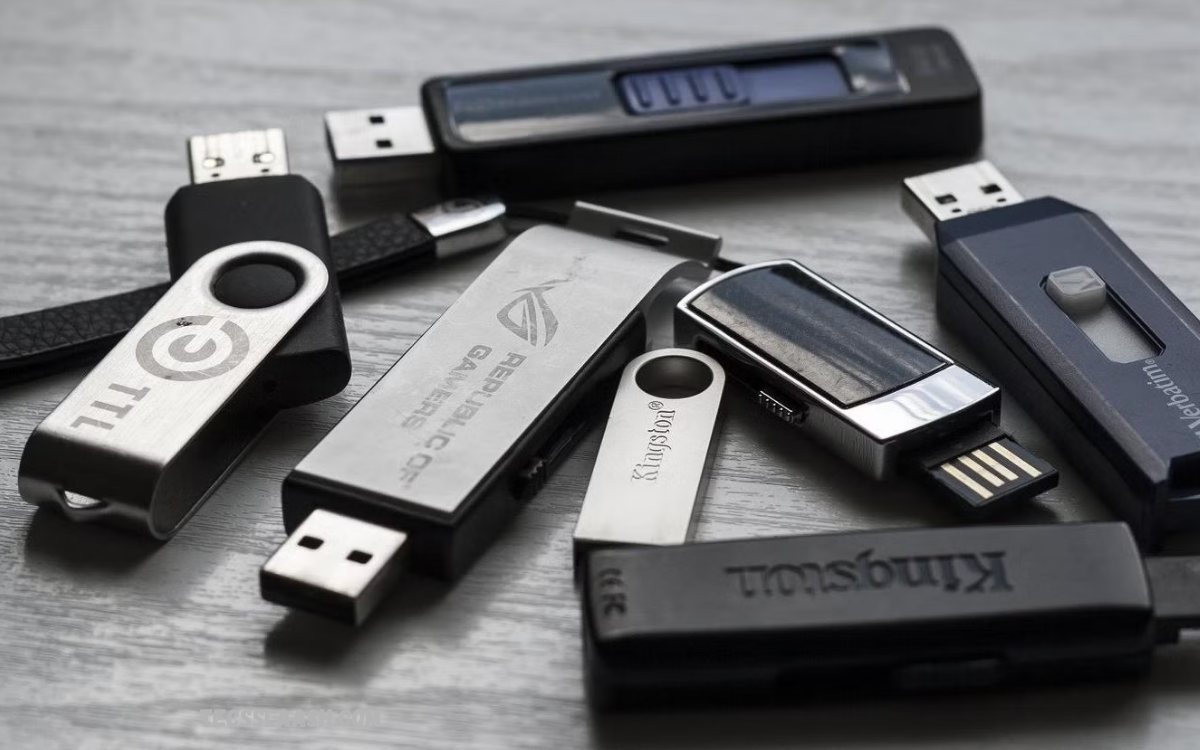
The Best Flash Drives provide a convenient way to store, transfer, back up, and carry important digital files. Despite the growth of cloud storage and wireless file sharing, USB flash drives remain practical because they offer physical storage without requiring an internet connection.
Choosing the right flash drive depends on several factors, including storage capacity, USB interface, read and write speeds, durability, security, portability, and device compatibility. A drive designed for occasional document transfers may have different requirements from one used for large video files, professional projects, operating-system installation, or frequent backups.
What Is a Flash Drive?
A flash drive is a compact storage device that uses flash memory to store digital information. It connects to computers, smartphones, tablets, gaming devices, and other compatible hardware through a USB interface. Unlike traditional hard drives, flash drives contain no moving mechanical components, allowing them to remain small, lightweight, and relatively resistant to everyday movement.
USB flash drives are commonly used for documents, photographs, videos, music, software installers, backups, and other files. Their plug-and-play design makes them convenient for transferring information between compatible devices.
Why Do Choose a USB Flash Drive?
One of the biggest advantages of a flash drive is portability. Most models are small enough to fit inside a pocket, backpack, laptop case, or keychain. This makes them useful for people who frequently move files between different locations or devices.
Flash drives also provide offline access to stored information. Unlike cloud storage, accessing files does not require an internet connection or an online account. This can be particularly useful when traveling, working in areas with unreliable connectivity, or transferring large files locally.
Storage Capacity
Capacity is one of the first specifications to consider when choosing among the Best Flash Drives. Common capacities range from small drives suitable for documents to high-capacity models designed for large multimedia libraries. Selecting an appropriate capacity prevents unnecessary spending while providing enough room for current and future files.
A smaller capacity can be sufficient for documents, presentations, spreadsheets, and small collections of photographs. Users working with high-resolution videos, large software packages, backups, or extensive media libraries should consider higher-capacity storage.
USB 2.0, USB 3.0, USB 3.2, and USB-C
USB technology has evolved significantly, and interface type can have a major impact on transfer performance. Older USB 2.0 flash drives are generally suitable for basic documents but can feel slow when transferring large files.
USB 3.x drives offer substantially better potential performance, although actual speeds depend on the flash memory, controller, host device, file types, and other factors. USB-C describes a connector shape rather than a specific speed standard, so buyers should check the actual USB specification instead of assuming every USB-C drive provides identical performance.
Read Speed and Write Speed
Read speed describes how quickly data can be retrieved from a flash drive, while write speed describes how quickly information can be saved. Both specifications matter, particularly when working with large files.
For everyday document transfers, extremely high speeds may not be essential. However, users moving large video files, backups, application data, or extensive photo collections can benefit from faster storage. Write performance is especially important when regularly copying large amounts of information onto the drive.
USB-C Flash Drives
USB-C flash drives have become increasingly useful as newer laptops, tablets, smartphones, and other devices adopt USB-C ports. A USB-C drive can eliminate the need for certain adapters when the connected device supports compatible USB storage functionality.
Some models feature USB-C on one end and USB-A on the other, creating a flexible solution for users who own both newer and older hardware. These dual-connector designs can be especially convenient for transferring files between smartphones and traditional computers.
Durability and Build Quality
Durability becomes important for users who carry flash drives frequently. A sturdy housing can help protect the device from everyday drops, scratches, dust, and other environmental exposure.
Some premium flash drives use metal housings or reinforced designs, while inexpensive models may use plastic construction. A protective cap or retractable connector can also reduce the risk of physical damage when the drive is not connected.
Security Features
Security is another important consideration when storing confidential documents or personal information. Some flash drives provide hardware encryption, password protection, biometric authentication, or management software designed to restrict unauthorized access.
For ordinary school or entertainment files, advanced security may not be necessary. Businesses, professionals, and users handling sensitive information should pay closer attention to encryption and access-control features.
Flash Drives for Students
Students often need portable storage for presentations, assignments, research documents, photographs, and project files. A compact drive with sufficient capacity and reliable performance can make moving schoolwork between computers easier.
A USB-A model may work well with older school computers, while USB-C can be more convenient for newer laptops and tablets. Students should prioritize reliability, compatibility, and practical capacity rather than paying a premium for professional-level speeds they may rarely use.
Read Also: Best External SSD: Complete Buying Guide for 2026
Flash Drives for Photographers and Creators
Photographers, video editors, designers, and other content creators often work with large files. For these users, high read and write performance can significantly reduce transfer times.
A high-speed flash drive can be useful for moving project files between compatible computers, although professionals should consider external solid-state drives when they need sustained performance, extensive storage, or frequent heavy workloads.
Flash Drives for Backup
Flash drives can provide a convenient way to create additional copies of important files. Documents, photographs, project files, and other information can be copied to removable storage for additional protection against accidental deletion or device failure.
However, a proper backup strategy should use more than one storage location. If the original device and backup flash drive remain together, theft, loss, physical damage, or other incidents could affect both copies. Combining local removable storage with another backup location provides stronger protection.
Security and Privacy Best Practices
Users should safely eject flash drives before physically removing them whenever the operating system recommends it. Abrupt removal during an active write operation can potentially result in corrupted files.
Important files should also be scanned using trusted security software before opening them, especially when the drive has been connected to unfamiliar computers. Avoiding unknown files and maintaining updated operating systems can further reduce security risks.
How to Choose the Best Flash Drive
Start by identifying the primary purpose of the drive. Basic document storage requires different specifications from large video transfers or professional workflows.
Next, determine the required capacity and connector type. Check whether your computers and mobile devices use USB-A, USB-C, or another interface. Then compare read and write performance, durability, warranty coverage, security features, and overall value.
Common Mistakes to Avoid
One common mistake is choosing a flash drive based solely on capacity. A large drive with poor performance may provide plenty of storage but still deliver disappointing transfer speeds.
Another mistake is assuming that every USB-C drive offers identical performance. USB-C refers primarily to the connector, while the underlying USB standard determines supported capabilities. Buyers should always check the detailed specifications.
Maintenance Tips
Keep flash drives away from unnecessary moisture, extreme temperatures, and physical impact. Store them in a safe location when not in use, particularly if they contain important information.
Periodically check stored files and maintain additional backups. If a drive begins behaving unexpectedly, copy important information to another storage device as soon as possible rather than continuing to rely on it.
Frequently Asked Questions
What are the Best Flash Drives for everyday use?
The best option depends on your devices and workload. For everyday documents, photographs, and occasional transfers, prioritize reliable construction, suitable capacity, broad compatibility, and reasonable transfer speeds.
Is USB-C better than USB-A?
Neither connector is universally better. USB-C is increasingly common on modern devices, while USB-A remains widespread. Choose the connector that matches your computers, smartphones, tablets, and other hardware.
How much storage should a flash drive have?
Capacity depends on your files. Documents require relatively little space, while videos, backups, games, and professional projects can require considerably more. Choose enough capacity for current needs while leaving room for future files.
Are expensive flash drives worth buying?
A higher price can be justified when it provides better performance, durability, capacity, security, or warranty support. For basic file transfers, an affordable reliable model may provide better value.
Can a flash drive be used with a smartphone?
Many modern smartphones support compatible USB storage through USB-C or an appropriate adapter. Compatibility depends on the phone, operating system, connector, and USB functionality.
Are flash drives reliable for long-term storage?
Flash drives can store data for extended periods, but they should not be treated as permanent archival storage. Important information should have multiple backups maintained on separate storage systems.
What affects flash-drive speed?
USB standards, flash memory quality, controller performance, file sizes, host-device capabilities, temperature, and available storage space can all influence real-world transfer speeds.
Can I store videos on a flash drive?
Yes. Flash drives can store video files, including high-resolution media. Users transferring large videos frequently should consider a high-performance model or an external SSD for sustained workloads.
Should I encrypt my flash drive?
Encryption is recommended when the drive contains confidential or sensitive information. It can help prevent unauthorized access if the physical device is lost or stolen.
How can I protect important files on a flash drive?
Maintain multiple backups, safely eject the drive, use trusted security software, protect sensitive information with encryption, and store the physical drive in a secure location.
Conclusion
The Best Flash Drives combine suitable capacity, dependable performance, compatibility, durability, and useful security features. The ideal choice varies according to how the device will be used, making it important to evaluate actual requirements rather than selecting a drive based on one specification alone.
For basic users, reliability and compatibility may matter more than maximum speed. For creators and professionals, faster transfer performance and larger capacities can provide greater convenience. USB-C models can offer excellent flexibility for modern devices, while dual-connector drives can simplify transfers between newer and older hardware.

