


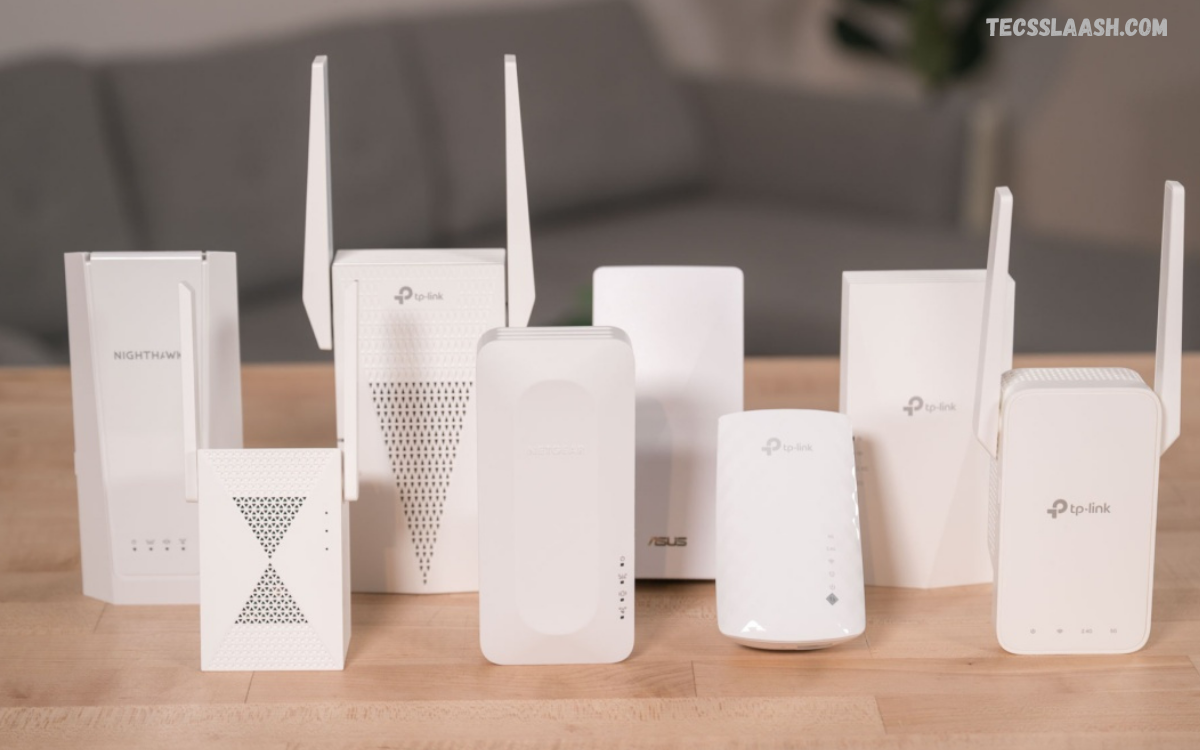
A reliable internet connection has become essential for streaming, gaming, online learning, remote work, smart home devices, and everyday browsing. However, even a powerful wireless router can struggle to provide consistent coverage throughout a home.
A Wi-Fi extender, also called a Wi-Fi repeater or range extender, receives the wireless signal from an existing router and rebroadcasts it into areas with limited coverage. Modern extenders support faster wireless standards, improved security, multiple devices, and easier setup.
What Is a Wi-Fi Extender?
A Wi-Fi extender is a networking device designed to increase the coverage area of an existing wireless network. It connects to a router wirelessly and creates an extended coverage area, allowing devices farther away from the router to maintain a stronger connection. This makes an extender useful for bedrooms, offices, garages, upper floors, and other locations affected by weak wireless signals.
The effectiveness of an extender depends heavily on placement. Installing the device inside an existing weak-signal area can limit performance because the extender itself needs a reasonably strong connection to the router. Ideally, it should be positioned between the router and the area requiring improved coverage. A location with a stable connection allows the extender to receive and retransmit data more effectively.
Why Choose the Best Wi-Fi Extender?
Choosing the Best Wi-Fi Extender can improve network coverage without requiring a complete replacement of your existing router. For many households, an extender offers a practical solution when the router performs well near its location but struggles to reach distant rooms. It can also reduce connectivity problems for devices located near the edge of the router’s coverage area.
A quality extender can provide more consistent wireless performance, better device compatibility, and improved network management. Budget models may be sufficient for basic browsing, while advanced models can support demanding activities such as HD streaming, online gaming, video conferencing, and simultaneous connections. The right choice depends on the requirements of your network rather than specifications alone.
Key Features to Consider
Wireless Standard
The wireless standard is one of the most important factors when selecting an extender. Modern devices commonly support Wi-Fi 5 or Wi-Fi 6, while newer networking hardware increasingly supports Wi-Fi 6E or Wi-Fi 7. Newer standards can provide improved efficiency, capacity, latency, and performance when paired with compatible routers and client devices.
Wi-Fi 6 can be particularly useful in homes with numerous connected devices. Technologies designed for efficient multi-device communication help reduce congestion and improve overall network responsiveness. However, purchasing the newest standard is not always necessary if your router and devices use an older standard.
Dual-Band or Tri-Band Support
A dual-band extender typically operates on 2.4GHz and 5GHz frequencies. The 2.4GHz band generally provides greater range and better wall penetration, while 5GHz can deliver higher speeds over shorter distances. Having both bands allows devices to use the frequency that best suits their location and requirements.
Tri-band models add another wireless band, which can provide additional capacity for communication between networking devices and connected clients. This can be beneficial in larger homes or networks with significant traffic. However, tri-band equipment usually costs more than basic dual-band models.
Ethernet Port
An Ethernet port can be a valuable feature for users who need a wired connection in an extended coverage area. A computer, gaming console, smart TV, or other compatible device can connect directly to the extender using an Ethernet cable.
Wired connections can offer lower latency and greater stability than wireless connections. An Ethernet port can also allow certain extenders to operate as access points, where the device receives network connectivity through a wired connection and provides wireless coverage.
Mesh Compatibility
Some modern extenders are designed to work with compatible mesh networking systems. Mesh technology can provide more seamless coverage throughout a home by coordinating multiple networking devices under a unified system.
Before purchasing a mesh-compatible extender, check compatibility with your existing router or mesh platform. Compatibility varies between manufacturers and product families, so specifications should be reviewed carefully.
Best Wi-Fi Extender for Different Needs
Best Wi-Fi Extender for Large Homes
Large homes often require broader wireless coverage because of multiple rooms, floors, walls, and longer distances between the router and connected devices. A high-performance dual-band or tri-band extender can provide better coverage than an entry-level model.
For very large properties, a mesh Wi-Fi system may provide a better long-term solution than a traditional extender. Multiple coordinated nodes can distribute wireless coverage more effectively, reducing the limitations associated with extending a single router signal.
Best Wi-Fi Extender for Gaming
Gaming requires stable connectivity and low latency rather than simply high download speeds. A suitable extender should offer strong wireless performance, reliable signal management, and preferably an Ethernet port.
If a gaming device is located near the extender, connecting it through Ethernet can provide a more stable connection. Gamers should also consider whether the extender introduces additional latency through wireless communication between the router and extender.
Best Wi-Fi Extender for Streaming
Streaming services benefit from consistent bandwidth and stable connectivity. A capable dual-band or tri-band extender can improve coverage for smart TVs, streaming boxes, smartphones, and tablets located far from the main router.
For 4K streaming, network stability is particularly important. Users should consider the internet connection speed, router capabilities, extender specifications, and distance between networking devices before expecting a particular streaming performance level.
Best Wi-Fi Extender for Apartments
Apartments often have smaller floor plans but can experience significant wireless interference because many neighboring networks may operate nearby. A compact dual-band extender can be sufficient for extending coverage into bedrooms, offices, or other weak-signal areas.
In apartment environments, selecting a device with good wireless channel management can be useful. Positioning the extender correctly is equally important because interference and physical obstacles can affect performance.
How to Set Up a Wi-Fi Extender
Setting up a modern Wi-Fi extender is usually straightforward. Most manufacturers provide a mobile application or web-based setup interface that guides users through connecting the extender to an existing wireless network.
First, place the extender relatively close to the router during initial configuration. Connect the device to power, open the manufacturer’s setup application or web interface, and follow the instructions to connect it to your wireless network. After configuration, relocate the extender to an appropriate position between the router and the weak-signal area.
Where Should You Place a Wi-Fi Extender?
Placement can have a major impact on extender performance. The device should generally be installed where it can receive a strong signal from the primary router while remaining close enough to the area requiring additional coverage.
Avoid placing the extender behind large appliances, inside cabinets, near thick concrete walls, or close to devices that can create wireless interference. Elevated and open locations can often provide better signal distribution. Many modern extenders include signal indicators that help users identify suitable placement.
Wi-Fi Extender vs. Mesh Wi-Fi
A traditional extender is usually a simpler and more affordable way to increase coverage. It works with an existing router and can be useful when only one or two areas have weak connectivity. Installation is generally easier and does not necessarily require replacing existing networking equipment.
Mesh Wi-Fi is designed around multiple coordinated access points. Mesh systems can provide broader coverage and more seamless movement between nodes. They may be a better choice for large homes, multi-floor properties, or networks with numerous connected devices. However, mesh systems can cost more than a basic extender.
Common Mistakes to Avoid
One common mistake is placing the extender too far from the router. If the extender receives a weak signal, extending that signal will not automatically create a strong connection. Another mistake is expecting an extender to increase the speed provided by an internet service. An extender primarily improves coverage rather than increasing the internet plan’s maximum bandwidth.
Users should also avoid ignoring compatibility. Wireless standards, security protocols, frequency bands, and mesh technologies can differ between devices. Checking specifications before purchase helps prevent compatibility problems.
Read Also: Best Flash Drives: A Complete Guide to Choosing the Right USB Storage
Security Considerations
Security should be an important consideration when selecting networking equipment. Choose an extender that supports modern wireless security standards and receives firmware updates from the manufacturer.
Use a strong, unique Wi-Fi password and change default administrative credentials during setup when possible. Keep the extender’s firmware updated to receive security improvements and performance fixes. Avoid using outdated security protocols when newer options are available on both the router and extender.
How to Get Better Performance
Getting the most from the Best Wi-Fi Extender requires more than purchasing a high-end model. Start by placing the router in a central, elevated, and unobstructed location. Keep it away from major sources of interference and avoid hiding it inside furniture.
Next, position the extender strategically. Test different locations and monitor connection quality. If possible, use the 5GHz band for high-bandwidth activities when the distance is reasonable, while 2.4GHz can be useful for longer-range connections. Devices that support Ethernet can be connected directly to the extender for additional stability.
Is an Expensive Wi-Fi Extender Worth It?
An expensive extender is not automatically the Best Wi-Fi Extender for every household. Premium models can offer higher wireless capacity, newer standards, additional frequency bands, stronger processors, and advanced networking features, but these benefits matter most when your router and connected devices can take advantage of them.
For basic browsing and messaging, a reasonably priced extender may be sufficient. Users with faster internet plans, numerous devices, gaming systems, smart TVs, and larger homes may benefit from a more capable model. Consider actual networking requirements instead of choosing solely according to price or advertised maximum speed.
Frequently Asked Questions
What is the Best Wi-Fi Extender for home use?
The Best Wi-Fi Extender for home use depends on your home size, router technology, internet speed, and coverage requirements. A dual-band Wi-Fi 6 extender is a strong option for many modern households.
Does a Wi-Fi extender increase internet speed?
A Wi-Fi extender does not increase the speed provided by your internet service. It primarily improves wireless coverage and can provide a more reliable connection in areas where the router signal is weak.
Where should I place my Wi-Fi extender?
Place the extender between your router and the area with poor coverage. It should remain close enough to the router to receive a strong signal while being positioned toward the area requiring improved connectivity.
Is Wi-Fi 6 better for a Wi-Fi extender?
Wi-Fi 6 can provide better efficiency, capacity, and performance when used with compatible routers and devices. It is especially useful for homes with multiple connected devices.
Can a Wi-Fi extender work with any router?
Many Wi-Fi extenders work with routers from different manufacturers, but compatibility can vary. Check wireless standards, security protocols, and manufacturer requirements before purchasing.
Is a Wi-Fi extender good for gaming?
A suitable Wi-Fi extender can improve gaming connectivity when the gaming device is located in an area with weak wireless coverage. Models with Ethernet ports can provide an additional option for stable connections.
Can a Wi-Fi extender improve 5GHz Wi-Fi?
Yes, compatible extenders can extend a router’s 5GHz network. The 5GHz band can provide higher speeds, although its range is generally shorter than 2.4GHz.
What is better, a Wi-Fi extender or mesh Wi-Fi?
A Wi-Fi extender can be a practical choice for fixing one or two weak coverage areas. Mesh Wi-Fi is generally better suited to larger homes requiring broader, more seamless coverage across multiple rooms or floors.
How many devices can connect to a Wi-Fi extender?
The number of supported devices varies by model. Advanced extenders are designed to handle more simultaneous connections, while entry-level models are better suited to smaller networks.
How can I get better performance from my Wi-Fi extender?
Use an appropriate location, keep the extender away from major sources of interference, update its firmware, and use the appropriate wireless band. For compatible devices, an Ethernet connection can also improve stability.
Conclusion
Finding the Best Wi-Fi Extender depends on your home’s size, router technology, internet speed, number of connected devices, and the locations where coverage is weak. A suitable extender can reduce dead zones, improve connectivity, and make wireless internet more convenient without requiring a completely new network.
Before purchasing, compare wireless standards, frequency bands, Ethernet connectivity, security features, compatibility, placement requirements, and manufacturer support. For small coverage gaps, a traditional extender can be an affordable solution. For larger homes or complex networks, a mesh Wi-Fi system may provide a more comprehensive approach. With the right device and proper placement, you can create a more reliable wireless experience throughout your home

