


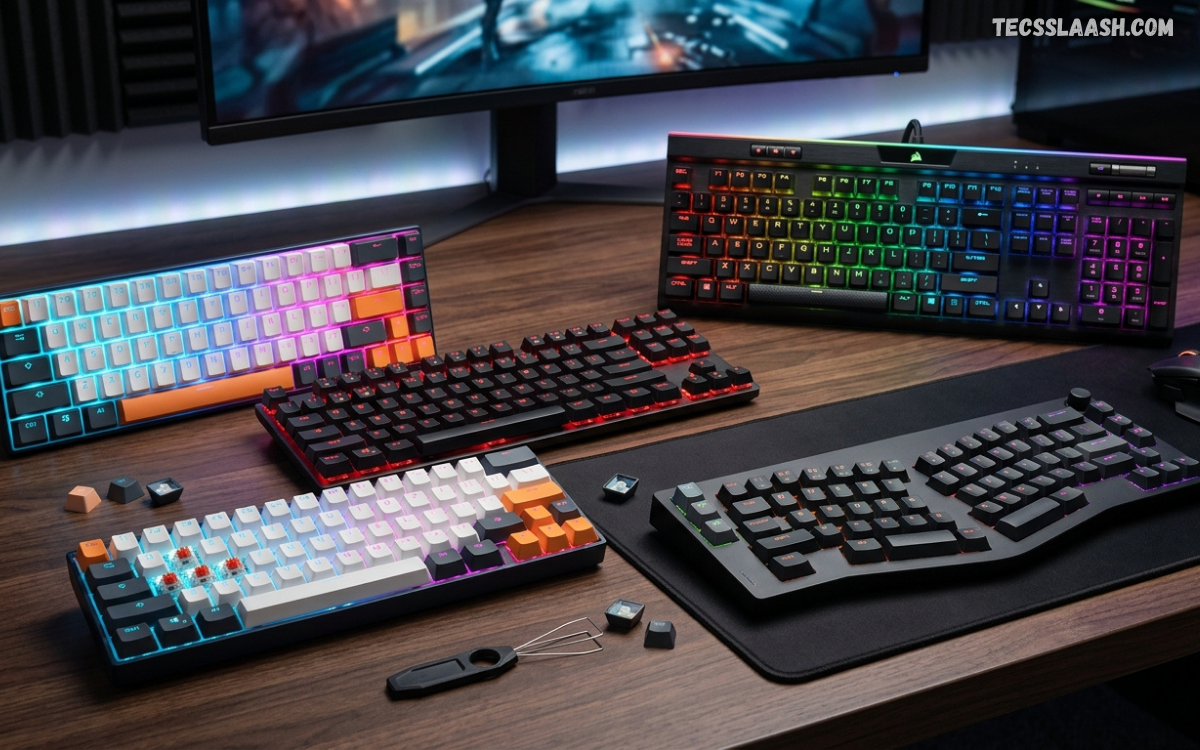
Finding the best mechanical keyboards for gaming can improve the overall gaming experience by providing responsive inputs, consistent key presses, and comfortable controls.
Gamers have different requirements depending on the games they play, desk space, preferred switch type, and budget. A competitive FPS player may prioritize fast actuation and low latency, while an MMO player may prefer additional programmable keys.
What Makes the Best Mechanical Keyboards for Gaming?
The best mechanical keyboards for gaming combine responsive switches, low input latency, reliable construction, comfortable keycaps, and useful customization options. These features can make repeated inputs feel more consistent during long gaming sessions.
Build quality also matters because gaming keyboards often receive thousands of key presses over their lifetime. A strong frame, dependable switches, stable keycaps, and a reliable connection can contribute to a better long-term experience.
Mechanical Switches Explained
Mechanical switches determine how a keyboard feels and responds when you press a key. Linear switches generally provide a smooth keystroke, tactile switches provide noticeable feedback, and clicky switches produce both tactile feedback and an audible click.
There is no single switch type that works perfectly for every gamer. Linear switches are often preferred for rapid repeated inputs, while tactile switches can provide useful feedback when typing and gaming. Clicky switches may appeal to users who enjoy a pronounced mechanical sound.
Linear Switches for Gaming
Linear switches move smoothly from the top of the key press to the bottom without a tactile bump. This consistent movement can make them suitable for games requiring frequent movement inputs, such as first-person shooters and racing games.
Many gamers enjoy linear switches because they provide a predictable feel. However, switch preference is highly personal, so trying different switches before purchasing can help identify the most comfortable option.
Tactile Switches for Gaming
Tactile switches include a noticeable bump during the key press. This feedback can help users recognize when a key has been activated without needing to press it completely to the bottom.
Tactile switches can work well for people who use one keyboard for both gaming and everyday typing. The tactile feedback can make writing feel more controlled while still providing responsive gaming performance.
Clicky Switches for Gaming
Clicky switches combine tactile feedback with an audible clicking sound. Their distinctive sound and feel have made them popular among mechanical keyboard enthusiasts.
They can be enjoyable for gaming and typing, but the noise may not suit shared rooms, offices, or streaming environments. Gamers should consider their surroundings before choosing a loud clicky keyboard.
Wired vs Wireless Gaming Keyboards
Wired keyboards remain popular among competitive gamers because they provide a direct connection between the keyboard and computer. Modern wired gaming keyboards can deliver extremely consistent communication while eliminating concerns about battery life.
Wireless gaming keyboards have improved considerably, with many modern models offering low-latency wireless connections. They can provide a cleaner desk setup and greater flexibility, making them useful for gamers who move between different setups.
Low-Latency Performance
Input latency describes the delay between pressing a key and the computer registering that input. For competitive gaming, minimizing unnecessary latency can be useful because quick actions need to register consistently.
Keyboard latency depends on several factors, including the switch technology, controller, connection method, firmware, and computer configuration. A keyboard with an excellent switch does not automatically guarantee the lowest overall latency.
Polling Rate and Gaming
Polling rate describes how frequently a keyboard reports its input status to the computer. Some modern gaming keyboards advertise very high polling rates designed to improve input responsiveness.
A higher polling rate can be useful in certain gaming situations, but it should not be the only factor considered. Switch quality, firmware implementation, latency, reliability, and overall usability remain important when choosing a keyboard.
Rapid Trigger Technology
Rapid Trigger technology has become increasingly popular in competitive gaming keyboards. Instead of relying on a fixed physical reset point, the technology can detect changes in key movement more dynamically.
This feature can be particularly useful in games where rapid directional changes are important. However, Rapid Trigger is not essential for every gamer, and players should consider whether their preferred games actually benefit from the technology.
Adjustable Actuation
Some advanced gaming keyboards allow users to configure how far a key needs to travel before registering an input. Adjustable actuation can provide additional control over keyboard behavior.
A shorter actuation setting may feel responsive for gaming, while a deeper setting can reduce accidental presses during typing. This flexibility is particularly useful for people who switch between competitive gaming and everyday computer use.
RGB Lighting and Customization
RGB lighting is one of the most recognizable features of modern gaming keyboards. Users can often customize colors, brightness, lighting patterns, and effects through companion software.
Although RGB lighting does not directly improve gaming performance, it can personalize a gaming setup. Some keyboards also allow lighting profiles to be connected with games, applications, or specific keyboard layouts.
Programmable Keys and Macros
Programmable keys allow users to assign specific functions to selected buttons. MMO and strategy gamers may benefit from additional controls because these games can involve numerous abilities, commands, and shortcuts.
Macro functionality can also help with repetitive noncompetitive tasks. However, gamers should always check the rules of their specific games before using automated inputs, because some games or competitive platforms may restrict certain forms of automation.
Key Rollover and Anti-Ghosting
Key rollover determines how many simultaneous key presses a keyboard can recognize correctly. Anti-ghosting technology helps prevent unintended inputs when several keys are pressed together.
These features are especially useful in games where multiple controls may be activated simultaneously. A quality gaming keyboard should provide reliable recognition of normal combinations such as movement, sprinting, jumping, and ability controls.
Keycap Materials
Keycaps influence both appearance and long-term typing feel. ABS keycaps are common and can offer smooth surfaces, while PBT keycaps are generally valued for their durability and resistance to developing a glossy appearance.
The profile and shape of keycaps also affect comfort. Some keyboards use sculpted keycap profiles designed to make different rows easier to distinguish, while others use uniform or low-profile designs.
Full-Size Gaming Keyboards
Full-size keyboards include the traditional number pad, function row, navigation keys, and main typing section. They are useful for gamers who also use their computers for spreadsheets, productivity, or applications requiring numeric input.
The primary disadvantage is desk space. A full-size keyboard occupies more horizontal room than compact alternatives, which may leave less space for a mouse, particularly when using lower mouse sensitivity.
Tenkeyless Gaming Keyboards
Tenkeyless, commonly called TKL, keyboards remove the number pad while retaining the main navigation and function keys. This creates a more compact layout without eliminating many familiar controls.
TKL keyboards can provide additional mouse space while remaining practical for everyday typing. They are a popular middle ground for gamers who want a smaller keyboard without moving to an extremely compact layout.
75% Mechanical Keyboards
A 75% keyboard reduces unnecessary space while keeping many essential keys. It typically includes the function row and navigation controls in a compact arrangement.
This layout can provide a good balance between functionality and desk efficiency. Users who want a modern compact keyboard without giving up important keys may find the 75% format particularly appealing.
65% Mechanical Keyboards
A 65% keyboard removes the function row and number pad while usually retaining arrow keys and several navigation controls. Its smaller footprint leaves additional room for mouse movement.
This format is especially attractive for minimalist gaming setups. The trade-off is that some functions require secondary key combinations, which can take time to learn.
60% Mechanical Keyboards
60% keyboards focus on the primary typing area and remove dedicated function, navigation, and number-pad sections. Their compact design makes them highly portable and leaves substantial desk space.
The smaller layout can be excellent for gamers who rarely use dedicated navigation keys. However, users who frequently rely on function keys or arrow keys may need to adjust to secondary shortcuts.
Low-Profile Mechanical Keyboards
Low-profile mechanical keyboards use shorter switches and keycaps, creating a thinner overall design. Their shorter travel can produce a different typing and gaming experience compared with traditional mechanical keyboards.
Some gamers enjoy the quicker, laptop-like feel of low-profile keyboards. They can also provide an attractive setup for users who prefer a minimalist desk environment.
Hot-Swappable Mechanical Keyboards
Hot-swappable keyboards allow compatible switches to be replaced without soldering. This makes experimentation significantly easier because users can change the switch type without purchasing an entirely new keyboard.
This feature is valuable for enthusiasts who want to test linear, tactile, or different actuation characteristics. It can also make future maintenance and customization more convenient.
Gaming Keyboard Software
Companion software can provide access to lighting controls, macros, key remapping, profiles, firmware updates, and other settings. Good software can make an advanced keyboard easier to personalize.
Before purchasing a keyboard, users may want to check whether its software supports their operating system and preferred customization features. A powerful keyboard can become less convenient if its configuration software is difficult to use.
Best Mechanical Keyboards for FPS Gaming
FPS gamers often prioritize responsive movement, consistent actuation, low latency, and a layout that provides plenty of mouse space. TKL, 75%, and 60% keyboards can all be practical choices depending on the player’s preferences.
Features such as Rapid Trigger and adjustable actuation can also be relevant for competitive FPS players. However, the keyboard should still provide reliable switches, comfortable keycaps, and stable construction.
Best Mechanical Keyboards for MMO Gaming
MMO players can benefit from keyboards with numerous accessible keys and strong customization capabilities. Full-size and larger layouts can provide convenient access to additional controls.
Programmable keys, macros, profiles, and customizable software may be more important for MMO gaming than an extremely compact design. Players should focus on the controls they actually use instead of choosing features solely because they are marketed as gaming features.
Best Mechanical Keyboards for Competitive Gaming
Competitive gaming places greater emphasis on consistent input registration and responsive controls. A keyboard with reliable firmware, low latency, quality switches, and stable construction can provide a dependable foundation.
Competitive players should also consider comfort because gaming sessions can be long. A technically advanced keyboard is less useful if its layout or key feel causes discomfort during extended use.
Read Also: Best Power Banks for Travel: A Complete Buying Guide
Best Mechanical Keyboards for Casual Gaming
Casual gamers have greater flexibility when choosing a mechanical keyboard. Features such as RGB lighting, wireless connectivity, hot-swappable switches, and attractive keycaps may become more important than extreme competitive specifications.
A versatile keyboard can also serve as a daily typing device. For users who play games occasionally, choosing a comfortable keyboard that works well for gaming, schoolwork, browsing, and general productivity can be practical.
Best Mechanical Keyboards for Small Desks
Compact keyboards are particularly useful for small desks. A 60%, 65%, or 75% layout can reduce the keyboard’s footprint while leaving additional room for a mouse and other accessories.
Before buying a compact keyboard, users should consider which dedicated keys they regularly use. A smaller design is helpful only when its layout still supports the user’s gaming and productivity requirements.
Wireless Mechanical Keyboards for Gaming
Wireless mechanical keyboards provide flexibility and can reduce cable clutter. Modern wireless models may support multiple connection methods, such as low-latency wireless and Bluetooth.
Battery life is an important consideration when choosing a wireless keyboard. Users should also check charging options, wireless range, connection stability, and whether the keyboard can continue working while charging.
Build Quality and Durability
A durable gaming keyboard should feel stable when placed on a desk. A rigid frame, reliable stabilizers, quality switches, and strong keycaps can contribute to long-term usability.
Keyboard durability also depends on how the product is used and maintained. Keeping food and liquids away from the keyboard and cleaning accumulated dust can help preserve its condition.
Stabilizers and Larger Keys
Large keys such as the spacebar, Enter key, Shift keys, and Backspace require stabilizers to prevent excessive movement. Poor stabilizers can produce rattling or an inconsistent feel.
Well-tuned stabilizers can make a keyboard feel more refined. Gamers who spend significant time typing as well as playing games may notice stabilizer quality more than someone who primarily uses a few movement keys.
Ergonomics and Gaming Comfort
Ergonomics should not be ignored when selecting the Best Mechanical Keyboards for Gaming. Keyboard height, key spacing, wrist position, and desk arrangement can all affect comfort during extended computer sessions.
A detachable wrist rest can provide additional support for some users, while others prefer a flat setup. The ideal arrangement depends on individual comfort, desk height, keyboard design, and personal preference.
How to Choose the Right Mechanical Keyboard
Start by identifying the games you play most often. FPS players may prioritize compact layouts and responsive switches, while MMO players may prefer additional keys and customization.
Next, consider your preferred switch feel, connection type, keyboard size, software support, and budget. Looking at these factors together makes it easier to narrow down the available choices without being distracted by unnecessary features.
Common Mistakes When Buying a Gaming Keyboard
One common mistake is choosing a keyboard based entirely on RGB lighting. Lighting can look impressive, but it does not determine switch quality, latency, comfort, or durability.
Another mistake is assuming that a more expensive keyboard will automatically provide a better experience. Advanced features can be useful, but buyers should select features that match their actual gaming habits.
Mechanical Keyboard Maintenance
Regular maintenance can help keep a mechanical keyboard functioning properly. Dust and debris can accumulate beneath keycaps, while frequently used keys can collect oils from normal use.
Using appropriate cleaning tools and following the manufacturer’s maintenance recommendations can help preserve the keyboard. Users should avoid exposing electronics to unnecessary moisture and should disconnect the keyboard before performing deeper cleaning.
Mechanical Keyboards and Gaming Performance
A mechanical keyboard can provide a responsive and consistent input experience, but it is only one component of a complete gaming setup. Monitor refresh rate, mouse performance, system responsiveness, network quality, and game settings can also influence the overall experience.
For this reason, buyers should avoid expecting a keyboard alone to transform gaming performance. The goal should be finding a reliable input device that complements the player’s preferred games and setup.
Are Expensive Mechanical Keyboards Worth It?
Premium keyboards can include features such as advanced wireless connectivity, adjustable actuation, Rapid Trigger, high polling rates, customizable switches, premium materials, and sophisticated software.
Whether those features are worthwhile depends on the user. Someone who wants extensive customization may appreciate them, while another gamer may prefer a simpler keyboard that provides dependable switches and comfortable controls at a lower cost.
Frequently Asked Questions
What are the best mechanical keyboards for gaming?
The best mechanical keyboards for gaming depend on your preferred switch type, keyboard size, response time, comfort, and gaming style. Look for reliable switches, low latency, strong build quality, and useful customization features.
Are mechanical keyboards better for gaming?
Mechanical keyboards can provide consistent key presses, responsive feedback, and durable switches. These characteristics make them a popular choice among gamers, although personal preference still matters.
Which mechanical switch is best for gaming?
Linear switches are commonly chosen for gaming because they provide smooth key movement without a tactile bump. However, tactile switches can also be a good option for gamers who prefer noticeable feedback.
Is a 60% keyboard good for gaming?
A 60% keyboard can be excellent for gaming because its compact design leaves more desk space for mouse movement. The main trade-off is the lack of dedicated arrow, function, and navigation keys.
Is a TKL keyboard good for gaming?
Yes, a TKL keyboard can provide a practical balance between compactness and functionality. It removes the number pad while keeping the function and navigation keys available.
Are wireless mechanical keyboards good for gaming?
Modern wireless mechanical keyboards can provide responsive gaming performance when they use a low-latency wireless connection. Battery life, connection stability, and charging options should be considered before buying.
Do mechanical keyboards improve gaming performance?
A mechanical keyboard can provide consistent and responsive inputs, but it does not automatically make someone a better gamer. Gaming performance also depends on skill, hardware, settings, and the type of game being played.
Are RGB mechanical keyboards better for gaming?
RGB lighting does not directly improve gaming performance. It mainly provides customization and visual appeal, although customizable lighting profiles can make a gaming setup more convenient.
How long do mechanical gaming keyboards last?
Mechanical keyboards can last for many years when properly maintained. Their lifespan depends on switch durability, build quality, usage, and maintenance.
What should I look for when buying a mechanical gaming keyboard?
Consider switch type, latency, keyboard size, connection method, keycap quality, build quality, software support, customization, and comfort. Choosing features based on your actual gaming needs can help you find the right keyboard.
Conclusion
A single specification or price category doesn’t define the best mechanical keyboards for gaming. The right choice depends on switch preference, keyboard size, connection type, latency, customization, comfort, and the games you play.
For competitive gaming, responsive switches and low latency can be important. For everyday use, comfort and typing quality may matter more. Compact layouts can maximize desk space, while full-size keyboards provide more dedicated controls.

