


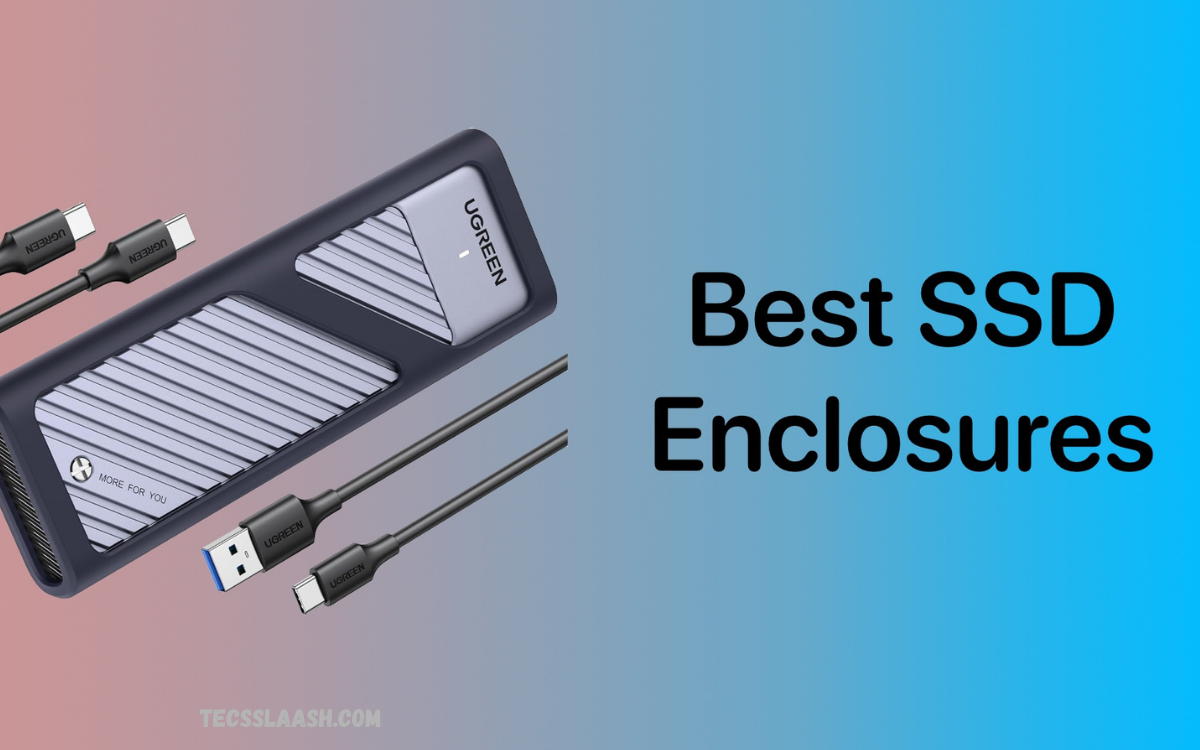
Choosing the Best SSD Enclosure can transform an internal SSD into a fast, portable external storage solution for laptops, desktops, gaming devices, and other compatible systems. A quality enclosure protects the drive while providing high-speed data transfer, efficient heat management, reliable connectivity, and convenient portability.
Modern SSD enclosures are available in several formats, including USB 3.2, USB4, Thunderbolt-compatible, SATA, and NVMe models, making the selection process more complicated than it first appears. The ideal option depends on the SSD type, interface, required transfer speed, device compatibility, cooling requirements, build quality, and intended workload.
What Is an SSD Enclosure?
An SSD enclosure is a protective case containing an interface that allows an internal solid-state drive to operate as an external storage device. After installing a compatible SSD, users can connect the enclosure to a computer or other supported device through USB, USB-C, Thunderbolt, or another compatible connection.
SSD enclosures provide an affordable way to reuse older drives, expand storage capacity, transfer large files, create backups, or build a portable workspace. They also allow users to upgrade storage without purchasing a completely new external SSD.
Types of SSD Enclosures
The two primary categories are SATA SSD enclosures and NVMe SSD enclosures, with each designed for different internal drive technologies. SATA models generally support 2.5-inch SATA SSDs, while NVMe enclosures accommodate compact M.2 drives using PCIe-based interfaces.
M.2 SSDs require additional attention because different M.2 drives can use SATA or NVMe protocols despite having similar physical dimensions. Checking the SSD interface and enclosure specifications before purchasing prevents compatibility problems and ensures the drive can operate correctly.
USB SSD Enclosures
USB SSD enclosures are among the most versatile choices because USB ports are widely available across modern computers and accessories. USB 3.2 Gen 2 enclosures can provide strong performance for everyday file transfers, backups, media storage, and general productivity.
Higher-performance USB 3.2 Gen 2×2 enclosures can provide substantially greater theoretical bandwidth when both the enclosure and host device support the standard. However, actual performance depends on the SSD, controller, cable, host port, operating system, file sizes, and thermal conditions.
USB4 SSD Enclosures
USB4 has become an attractive option for users seeking a modern high-performance external storage setup. Compatible USB4 enclosures can provide impressive bandwidth and are particularly useful for transferring large video files, working with demanding projects, and moving substantial data collections.
The main advantage of USB4 is its combination of high performance and broad USB-C connectivity. Before purchasing, users should verify the specifications of the computer and enclosure because USB-C describes the connector shape rather than guaranteeing a specific transfer standard.
Thunderbolt-Compatible SSD Enclosures
Thunderbolt-compatible enclosures target users who require consistently high external storage performance. They can be particularly useful for professional workflows involving video editing, photography, software development, virtual machines, and large project files.
A Thunderbolt enclosure can deliver excellent performance when paired with a suitable NVMe SSD and compatible computer. However, it may cost more than conventional USB models, making it more appropriate for users who can take advantage of the additional bandwidth.
Best SSD Enclosure for NVMe Drives
An NVMe enclosure is usually the preferred choice for users with an M.2 NVMe SSD. These enclosures connect the PCIe-based SSD to an external USB, USB4, or Thunderbolt interface, allowing users to benefit from much faster storage performance than traditional external hard drives.
When choosing the Best SSD Enclosure for NVMe storage, pay attention to controller quality, supported PCIe generation, interface bandwidth, thermal management, and compatibility with the SSD’s physical dimensions. A good controller can maintain stable performance while minimizing connection and compatibility issues.
Best SSD Enclosure for SATA SSDs
SATA SSD enclosures remain practical for users who already own 2.5-inch SATA drives. Although SATA SSDs are slower than modern NVMe drives, they still provide excellent performance for everyday storage, backups, document libraries, media collections, and portable applications.
A reliable SATA enclosure should feature a stable USB connection, durable construction, efficient power delivery, and broad operating-system compatibility. For users who already have an unused SATA SSD, an enclosure can provide an inexpensive method of turning that drive into useful external storage.
Important Features to Consider
Transfer speed is one of the most important factors when selecting an SSD enclosure. The enclosure’s interface should match the capabilities of the computer and SSD because a high-performance drive cannot reach its potential when connected through a slower port or controller.
Compatibility is equally important because an enclosure designed for NVMe M.2 drives cannot automatically support every M.2 SATA drive. Check the supported form factor, protocol, drive length, interface, operating-system compatibility, and host connection before making a purchase.
Cooling and Thermal Management
Heat management plays a major role in sustained SSD performance. NVMe drives can generate considerable heat during prolonged file transfers, video editing, backups, and other demanding workloads, so an enclosure with an effective thermal design can help maintain consistent performance.
Many performance-focused enclosures use aluminum bodies, thermal pads, heat sinks, or other passive cooling methods. Active cooling can also appear in specialized designs, but users should consider fan noise, moving components, maintenance, and portability before choosing such a model.
Build Quality
A durable enclosure should protect the SSD from everyday handling while maintaining a secure connection. Aluminum enclosures are popular because they can provide a strong structure while also helping transfer heat away from internal components.
The quality of the enclosure’s USB-C port, internal PCB, mounting mechanism, screws, thermal pad, and included cable can affect the overall experience. A well-designed enclosure should hold the SSD securely and prevent unnecessary movement during transportation.
Portability
Portability is another important consideration for users who frequently move large amounts of data between locations. A compact SSD enclosure can fit easily into a laptop bag or backpack while providing considerably faster access to files than many traditional portable hard drives.
For frequent travel, prioritize a lightweight design, durable housing, secure cable connection, and minimal power requirements. A short, high-quality cable can also reduce clutter and make the portable setup easier to manage.
SSD Enclosure Speed
The advertised speed of an enclosure represents its interface capability rather than a guaranteed real-world transfer rate. Actual speeds can vary because of SSD performance, controller efficiency, thermal throttling, cable quality, host-device limitations, filesystem overhead, and the type of files being transferred.
Large sequential files often produce higher transfer rates than thousands of small files. Therefore, users should evaluate enclosure performance according to their actual workload rather than relying solely on the maximum speed printed on the product packaging.
Controller Quality
The controller is one of the most important internal components of an SSD enclosure. It manages communication between the SSD and host device, influences compatibility, affects performance, and can contribute to power efficiency and thermal behavior.
A reputable controller paired with appropriate firmware can provide a more stable experience during demanding workloads. Users searching for the Best SSD Enclosure should therefore consider controller specifications instead of judging an enclosure only by its external appearance or advertised speed.
Cable Quality
The cable connecting an SSD enclosure to a computer can directly affect performance and reliability. A USB-C connector alone does not guarantee maximum transfer speeds because cables support different standards and bandwidth capabilities.
Always use a cable rated for the enclosure’s required interface. If a high-speed enclosure is connected through an unsuitable cable, the system may fall back to a slower connection, reducing performance and potentially causing unnecessary troubleshooting.
Compatibility With Operating Systems
Most modern SSD enclosures support common operating systems, but users should still check compatibility before purchasing. Windows, macOS, Linux, and other platforms may recognize external SSDs differently depending on filesystem configuration, drivers, security settings, and hardware support.
Cross-platform users should also consider how the SSD will be formatted. A filesystem suitable for one operating system may not provide complete read-and-write compatibility across every platform, so selecting an appropriate format is important for shared storage.
SSD Enclosure for Gaming
An SSD enclosure can provide additional storage for compatible gaming systems and computers. Fast external storage can reduce file-transfer times and make managing large game libraries more convenient, although whether games can be installed or launched externally depends on the specific platform.
For gaming applications, an NVMe enclosure with a modern high-bandwidth interface can be an attractive option. Thermal management becomes especially important during long installations, large updates, and repeated transfers involving substantial game files.
SSD Enclosure for Video Editing
Video editors often work with large files that can quickly consume internal storage. A high-performance SSD enclosure can provide portable project storage for footage, editing assets, exports, and backups.
For professional video workflows, prioritize sustained performance, cooling, reliable connectivity, and sufficient capacity. USB4 or Thunderbolt-compatible solutions can be particularly appealing for workloads that involve frequent movement of large media files.
SSD Enclosure for Backup
An SSD enclosure can also serve as part of a dependable backup strategy. Users can install an SSD, connect the enclosure when needed, and copy important documents, photographs, school projects, creative files, and other valuable data.
However, an enclosure itself is not a backup system. Important files should ideally exist in more than one location because an external SSD can still fail, become damaged, or be lost.
Advantages of an SSD Enclosure
One major advantage is flexibility because users can choose the SSD separately from the enclosure. This approach can make upgrading easier and allows an existing internal SSD to be reused rather than discarded.
Another benefit is portability because a compact enclosure can turn an internal drive into external storage. Users can move files between compatible devices, maintain separate project storage, or create a convenient temporary workspace without installing the SSD internally.
Limitations of SSD Enclosures
Despite their advantages, SSD enclosures have limitations. External performance is restricted by the connection interface, and an expensive NVMe SSD may deliver disappointing results when installed inside an enclosure with a slower controller.
Thermal throttling can also reduce performance during sustained workloads. Additionally, some enclosures may have compatibility limitations involving SSD protocols, drive sizes, operating systems, or host ports, making specification checks essential before purchase.
Read Also: Best USB Hubs for 2026: Top Picks, Features & Buying Guide
How to Choose the Best SSD Enclosure
Start by identifying the SSD you already own or plan to purchase. Determine whether it is a 2.5-inch SATA drive, M.2 SATA drive, or M.2 NVMe drive, then select an enclosure specifically designed for that technology.
Next, examine the host device and determine which external interface it supports. Choosing an enclosure with a faster standard than the computer can support may provide future flexibility, but it will not automatically make the current connection faster.
Common Buying Mistakes
One common mistake is purchasing an enclosure based only on the maximum advertised speed. Performance claims can vary significantly from real-world results because multiple hardware and software components influence external storage performance.
Another mistake is ignoring thermal management. A compact enclosure may look attractive, but insufficient heat dissipation can cause performance reductions during long transfers, making cooling an important consideration for demanding users.
Maintenance Tips
Keep the enclosure and its connectors clean and protected from excessive moisture, dust, and physical impact. Avoid disconnecting the drive during active data transfers because unexpected removal can result in corrupted files or filesystem problems.
Use reliable cables and safely eject the external SSD when the operating system provides that option. Regularly check important files and maintain additional backups for data that cannot easily be replaced.
Frequently Asked Questions
What is an SSD enclosure?
An SSD enclosure is a protective case that allows an internal SSD to function as an external storage device. It connects the SSD to a computer through interfaces such as USB-C, USB 3.2, USB4, or Thunderbolt.
What is the Best SSD Enclosure for NVMe?
The Best SSD Enclosure for NVMe should support the SSD’s PCIe protocol, offer a suitable high-speed interface, provide effective thermal management, and include a reliable controller.
Can I use an NVMe SSD in any enclosure?
No. NVMe SSDs require an enclosure specifically designed for NVMe drives. An M.2 SATA enclosure is not automatically compatible with an M.2 NVMe SSD.
Are SSD enclosures fast?
Yes. A quality SSD enclosure can deliver high transfer speeds, especially when paired with an NVMe SSD and a compatible USB4, USB 3.2, or Thunderbolt connection.
Does an SSD enclosure need cooling?
Cooling is important for high-performance NVMe SSDs. Aluminum construction, thermal pads, and heat sinks can help manage temperatures during prolonged data transfers.
Can I use an SSD enclosure for gaming?
Yes. An SSD enclosure can provide additional storage for compatible gaming devices and computers. Performance depends on the gaming platform, SSD, enclosure, and connection interface.
Can an SSD enclosure improve SSD speed?
An enclosure cannot make an SSD faster than its physical capabilities. However, choosing a faster enclosure and compatible connection can help the SSD reach its available external performance.
What cable should I use with an SSD enclosure?
Use a cable rated for the enclosure’s supported transfer standard. A USB-C connector alone does not guarantee maximum bandwidth.
Are SSD enclosures compatible with Windows and Mac?
Many modern SSD enclosures work with both Windows and macOS. However, the SSD’s filesystem and the specific enclosure can affect compatibility, so specifications should be checked before use.
Is an SSD enclosure worth buying?
Yes. An SSD enclosure is useful for converting an internal SSD into portable storage, reusing older drives, transferring files, creating backups, and expanding available storage.
Conclusion
The Best SSD Enclosure depends on the SSD type, required speed, host-device compatibility, cooling requirements, portability, and budget. SATA enclosures remain excellent for older drives and everyday storage, while NVMe, USB4, and Thunderbolt-compatible models are better suited to demanding workloads requiring high external performance.
A well-designed enclosure can extend the useful life of an SSD while creating a flexible portable storage solution. By checking compatibility, interface standards, controller quality, cooling, build quality, and cable specifications before buying, users can select an SSD enclosure that delivers reliable performance and long-term value.

