


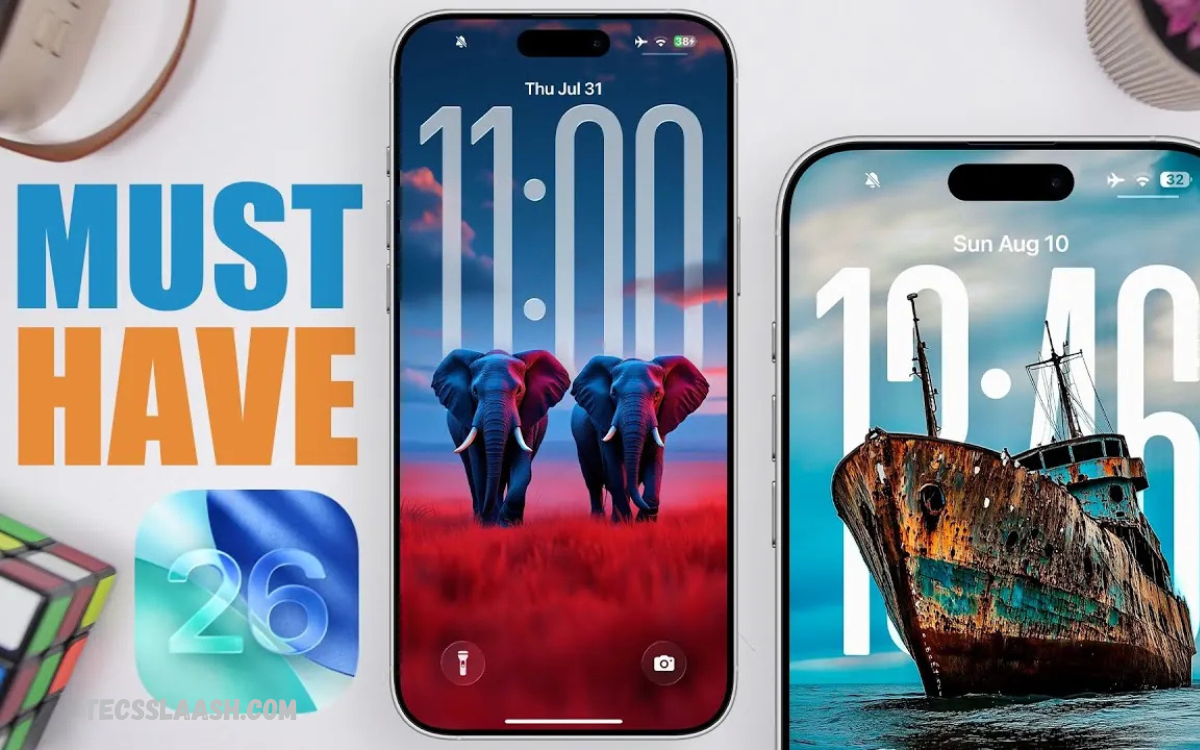
Choosing the right wallpaper can completely change the appearance of a smartphone, tablet, or other personal device. A beautiful background adds personality, improves the visual experience, and can make an ordinary home screen feel more polished and attractive.
The Best Wallpaper Apps for Stunning Device Backgrounds offer much more than simple image collections. Modern wallpaper applications provide HD and 4K images, artistic designs, live backgrounds, automatic rotation, customization tools, and categories for almost every style.
Why Wallpaper Apps Are Worth Using?
Wallpaper apps make it easier to discover high-quality backgrounds without spending hours searching through random images online. Most applications organize content into categories such as nature, technology, abstract art, landscapes, animals, automobiles, space, minimal designs, and photography.
They also provide tools to help users find backgrounds suitable for specific screen sizes. Instead of downloading an image that becomes blurry or poorly cropped, users can choose wallpapers designed specifically for modern smartphone displays.
Zedge for Huge Wallpaper Variety
Zedge remains one of the strongest choices for users who want a wide selection of wallpapers in a single application. Its catalog covers numerous categories and includes standard backgrounds, live wallpapers, personalization content, and additional customization features.
The major advantage of Zedge is variety. Users can explore everything from colorful illustrations and gaming themes to nature photography and abstract designs. It is particularly useful for people who frequently change their device background and want plenty of options.
Backdrops for Clean and Creative Designs
Backdrops is an excellent choice for people who prefer original, modern, and minimalist artwork. Rather than focusing only on a massive collection of generic images, the app emphasizes designed wallpapers and regularly featured artwork.
Its clean visual style makes browsing enjoyable, especially for users who want elegant backgrounds without excessive details. Minimal gradients, geometric patterns, artistic illustrations, and simple compositions can create a professional appearance while keeping icons easy to see.
Walli for Artistic Wallpapers
Walli is designed around artwork created by artists, making it an appealing option for users who want their screens to look more like a digital art gallery. The platform emphasizes illustrations, paintings, creative designs, and artist-focused collections.
Following artists can also make it easier to discover new styles over time. Instead of repeatedly searching for generic keywords, users can find creators whose visual approach matches their personality and build a collection of favorite backgrounds.
Tapet for Automatically Generated Backgrounds
Tapet offers a different approach by generating wallpapers rather than relying entirely on a traditional image library. Its pattern-based designs can create distinctive backgrounds directly for the device, making it useful for people who want something different from commonly downloaded images.
Generated patterns are particularly useful for minimalist setups because they can provide color and texture without overwhelming the screen. Users who enjoy changing their background regularly may also appreciate having fresh designs without manually browsing through thousands of pictures.
Google Wallpapers for Android Users
Google’s Wallpapers application is another strong option, particularly for Android users who want a straightforward and polished experience. Its collections include categories such as landscapes, textures, art, earth, cityscapes, geometric designs, and solid colors.
One of its advantages is its integration with Android’s personalization features on supported devices. A carefully selected wallpaper can complement system colors, icons, and widgets, creating a more consistent home-screen appearance without requiring complicated customization.
Vellum for iPhone Wallpaper Lovers
Vellum is well-suited to iPhone users who prefer carefully curated backgrounds rather than an enormous collection of unrelated images. Its focus on polished designs makes it a strong option for those seeking a refined Lock Screen or Home Screen.
A curated collection can save time because users do not have to filter through countless low-quality images. For people who prefer elegant photography, artistic backgrounds, and clean compositions, this type of wallpaper app can make personalization much easier.
Wallcraft for Live and High-Resolution Wallpapers
Wallcraft is another popular option for users interested in high-resolution and animated backgrounds. Current iPhone app rankings place Wallcraft among the leading wallpaper applications, with support for wallpaper and live-background personalization.
Live wallpapers can make a device feel more dynamic, though the experience depends on the operating system and the device’s capabilities. Users should also consider battery consumption and storage requirements when downloading large collections of animated or high-resolution backgrounds.
Choosing the Right Wallpaper App
The best wallpaper application depends on what you want from your device. Someone looking for the largest possible catalog may prefer Zedge, while a minimalist user could find Backdrops more suitable. Artists and illustration fans may enjoy Walli, while users who prefer automatically generated patterns can consider Tapet.
Device compatibility is equally important. Some features work differently between Android and iPhone, especially live wallpapers and automatic wallpaper-changing functions. Before choosing an app, check whether its most important features are supported by your particular device.
HD and 4K Wallpapers for Better Quality
High-resolution wallpapers can make a noticeable difference on modern smartphones because sharper images preserve details across large, high-density displays. A low-resolution picture may appear stretched, pixelated, or blurry when displayed on a large screen.
However, resolution is not the only factor that matters. Composition, cropping, brightness, and contrast are equally important. A technically sharp image can still look poor if the main subject is hidden behind icons or if the colors make text difficult to read.
Live Wallpapers and Personalization
Live wallpapers add motion and can create a more interactive appearance. They are especially attractive to users who want their Lock Screen or Home Screen to feel different from a standard static background.
Modern device customization is also becoming increasingly connected to wallpaper colors. For example, recent changes in Nothing OS 5.0 include themes and interface elements that can draw colors from the selected wallpaper, showing how backgrounds are becoming an important part of the overall interface design.
Read Also: Best External SSD: Complete Buying Guide for 2026
Minimalist Wallpapers for a Professional Look
Minimal wallpapers remain popular because they provide an attractive background without making the screen look crowded. Simple gradients, solid colors, subtle textures, and clean geometric designs can work especially well with productivity-focused home screens.
Another advantage is improved readability. When a wallpaper contains fewer distracting elements, app names, widgets, notifications, and clock information can remain easier to recognize. This makes minimalist backgrounds practical as well as visually appealing.
Nature and Photography Wallpapers
Nature wallpapers are a timeless choice for smartphones and tablets. Mountains, forests, beaches, oceans, skies, flowers, and wildlife can create relaxing backgrounds while adding natural color to the display.
Photography-based wallpaper apps can also provide realistic images that look impressive on high-resolution screens. When selecting photography, choose images with enough empty space around the main subject so that icons and widgets do not cover important details.
How to Choose the Perfect Wallpaper
Start by considering the purpose of your device. A work phone may benefit from a simple background, while a personal phone can use colorful artwork, gaming themes, photography, or animated designs.
Next, consider your display and icon arrangement. Choose an image that matches your screen orientation and leaves enough visual space for important interface elements. Preview the wallpaper before applying it to see how it works with your complete home screen layout.
Wallpaper Quality and Storage Considerations
High-quality wallpapers can require more storage space than ordinary images, particularly when they are 4K or animated. Downloading large collections can gradually consume available storage, so keeping only your favorite backgrounds is a practical approach.
Users should also be cautious with applications that request unnecessary permissions. A wallpaper application generally should not need access to unrelated personal information. Reviewing permissions and privacy details before installing an application is a sensible part of responsible device customization.
Free and Premium Wallpaper Apps
Many wallpaper apps provide free collections while offering premium subscriptions or paid packages. Free versions can be perfectly adequate for users who only want occasional background changes and do not need advanced features.
Premium versions may provide benefits such as removing advertisements, unlocking exclusive collections, accessing higher-resolution content, or enabling additional personalization tools. Before paying, consider how frequently you change wallpapers and whether the extra features genuinely improve your experience.
Tips for Creating a Beautiful Home Screen
A great wallpaper should complement the entire device interface rather than compete with it. Select colors that work well with your icons, widgets, clock, and system theme to create a balanced visual appearance.
It can also help to maintain separate backgrounds for the Lock Screen and Home Screen. A detailed image may work beautifully on the Lock Screen, while a simpler background can make Home Screen icons easier to identify and use.
Frequently Asked Questions
What is the best wallpaper app overall?
Zedge is a strong all-purpose choice because it combines a broad selection of wallpapers with additional personalization features. However, the best option depends on whether you prioritize artistic designs, minimalism, photography, live backgrounds, or automatically generated patterns.
Are wallpaper apps free to use?
Many wallpaper applications offer free content, though some include advertisements, require subscriptions, or offer premium collections. Users can often find excellent backgrounds without paying, but advanced features may require a purchase.
Which wallpaper app is best for 4K backgrounds?
Several modern wallpaper applications provide high-resolution backgrounds, including Zedge, Walli, Wallcraft, and other specialized services. Always check the actual resolution and how the image fits your particular display before applying it.
Are live wallpapers good for smartphones?
Live wallpapers can create an attractive, dynamic appearance, but their impact on battery life and performance depends on the device and operating system. Static wallpapers are generally simpler and may be preferable for maximum efficiency.
Can wallpaper apps work on both Android and iPhone?
Some applications support both platforms, while others are designed specifically for Android or iPhone. Always check platform compatibility before choosing an application for your device.
What makes a wallpaper look professional?
A professional wallpaper usually has strong composition, suitable resolution, balanced colors, and enough empty space for icons and widgets. Minimalist and carefully designed backgrounds often create a particularly clean appearance.
Should I use the same wallpaper on the Lock Screen and Home Screen?
You can, but using complementary wallpapers can create a more sophisticated setup. A detailed Lock Screen image paired with a simpler Home Screen background can improve both appearance and usability.
Do 4K wallpapers improve screen quality?
A 4K wallpaper cannot increase the physical resolution of your display, but a high-resolution source can help prevent visible pixelation and preserve image detail when the background is cropped or scaled.
How often should I change my wallpaper?
There is no fixed rule. Some people keep one background for months, while others change it daily or weekly. Wallpaper apps with daily selections or automatic rotation can make frequent changes easier.
Are wallpaper apps safe?
Choose applications from reputable app stores and review their permissions, privacy practices, ratings, and developer information. Avoid suspicious applications that request unnecessary access to personal data or device functions.
Conclusion
The Best Wallpaper Apps for Stunning Device Backgrounds make it easier to personalize smartphones and tablets with beautiful, high-quality visuals. From the huge variety of Zedge to the artistic approach of Walli, the minimalist style of Backdrops, and the generated designs of Tapet, different apps serve different personalization needs.
The ideal choice ultimately depends on your preferred style, device, resolution requirements, and interest in features such as live wallpapers or automatic rotation.

