


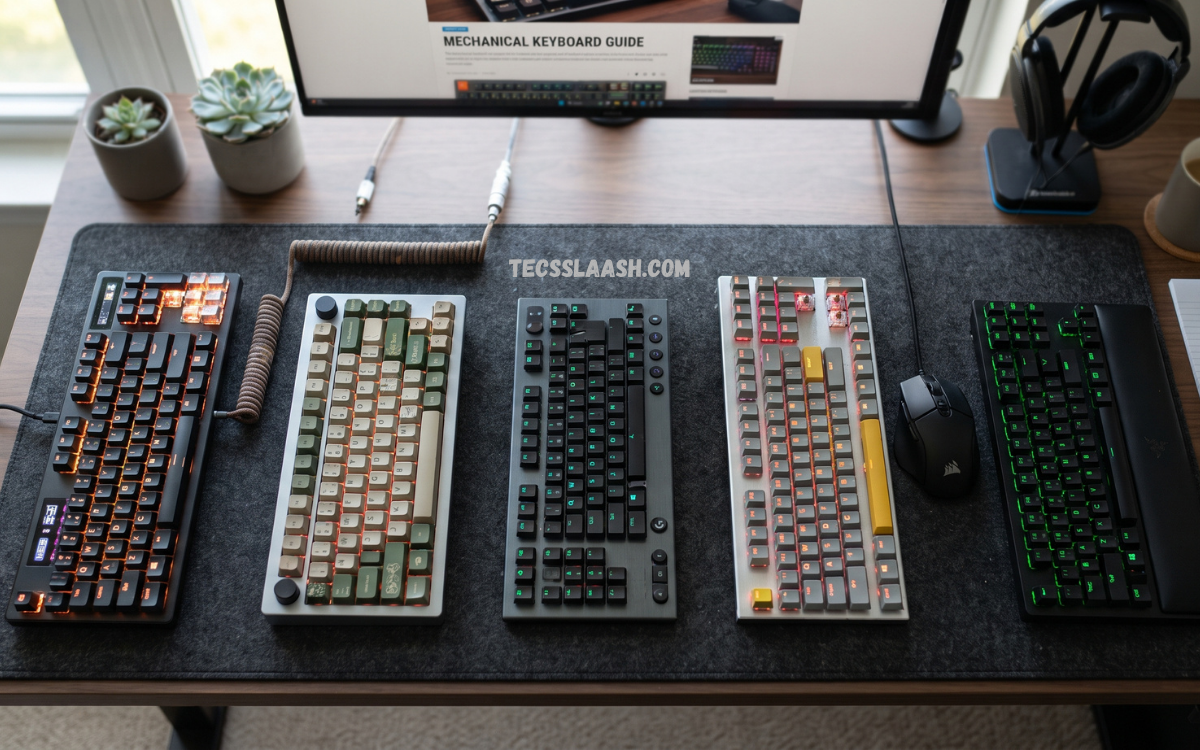
The Best Mechanical Keyboards combine responsive switches, durable construction, comfortable keycaps, and reliable performance for gaming, work, programming, and everyday typing. Unlike conventional membrane keyboards, mechanical models use individual switches beneath each key, creating a distinct typing feel and consistent actuation.
Choosing the right keyboard requires more than selecting a popular model. Switch characteristics, key rollover, polling rate, build quality, stabilizers, software support, wireless performance, acoustics, ergonomics, and customization options can significantly influence the experience.
What Is a Mechanical Keyboard?
A mechanical keyboard uses individual mechanical switches beneath its keycaps. Each switch contains physical components designed to register a keystroke when the key reaches a specific actuation point. This construction provides consistent feedback and allows manufacturers to create different typing characteristics, ranging from smooth linear movement to tactile feedback and audible click responses.
Mechanical keyboards have become popular among gamers, writers, programmers, students, and professionals because they offer a highly customizable experience. Users can select different switches, keycap materials, layouts, stabilizers, and sound profiles.
Why Choose a Mechanical Keyboard?
The primary advantage of a mechanical keyboard is consistency. Individual switches are engineered to provide predictable key presses, which can make extended typing sessions feel more controlled. Many mechanical switches also offer a longer lifespan than traditional membrane designs, making them suitable for heavy daily use.
Mechanical keyboards also provide extensive customization. Users can change switches, keycaps, lighting effects, layouts, and sometimes even the internal mounting system. For gaming, low-latency connectivity and rapid actuation can improve responsiveness, while office users may prioritize quieter switches, ergonomic layouts, and comfortable keycaps.
Best Mechanical Keyboards for Gaming
Gaming keyboards require fast response times, reliable input registration, and high durability. The Best Mechanical Keyboards for gaming typically feature low-latency wired or wireless connectivity, anti-ghosting, N-key rollover, programmable keys, and configurable RGB lighting. A high polling rate can also reduce input delay on supported systems.
Switch selection is equally important for gaming. Linear switches are widely preferred because they provide smooth key travel without a tactile bump. Some gaming-focused keyboards also offer adjustable actuation points, allowing users to customize how far a key must travel before registering an input. This feature can be particularly useful in competitive games.
Best Mechanical Keyboards for Typing
Typing-focused mechanical keyboards prioritize comfort, accuracy, acoustics, and consistent feedback. Tactile switches are popular among writers and professionals because the physical bump helps users recognize actuation without pressing every key all the way down.
Keycap quality can make a noticeable difference during long typing sessions. PBT keycaps generally provide a textured surface and stronger resistance to shine than standard ABS keycaps. A well-designed keyboard should also offer stable keys, comfortable spacing, and an appropriate typing angle to reduce unnecessary hand movement.
Best Mechanical Keyboards for Programming
Programmers often spend several hours each day using their keyboards, making ergonomics and layout flexibility important considerations. Compact 75%, 65%, and tenkeyless layouts can provide additional desk space while retaining essential navigation keys. Full-size keyboards remain useful for developers who frequently work with numerical data.
Programmable layers can significantly improve productivity. A keyboard supporting QMK, VIA, or comparable firmware may allow users to remap keys, create macros, configure layers, and customize shortcuts. These features can reduce repetitive actions and make specialized programming workflows more efficient.
Mechanical Keyboard Switch Types
Mechanical switches generally fall into three major categories: linear, tactile, and clicky. Linear switches move smoothly from top to bottom without a pronounced tactile bump. They are popular for gaming and users who prefer uninterrupted key travel.
Tactile switches provide noticeable feedback during actuation, making them attractive for typing and productivity. Clicky switches add an audible click alongside tactile feedback. They can create an enjoyable typing experience, although their sound may be unsuitable for shared offices, classrooms, or recording environments.
Linear Switches
Linear switches provide smooth key movement with consistent resistance throughout the press. Their predictable operation makes them particularly popular among gamers who need rapid repeated inputs. Users who prefer smooth and relatively quiet keyboards may also enjoy linear switches.
The ideal linear switch depends on spring weight, actuation force, travel distance, and overall tuning. Lightweight switches can feel fast but may cause accidental presses for users with heavier fingers. Heavier switches can provide greater control but may require more effort during long sessions.
Tactile Switches
Tactile switches include a noticeable bump that signals actuation. This feedback can improve typing confidence because users can feel when the key has registered. Many office workers, programmers, and writers prefer tactile switches for this reason.
Tactile switches vary considerably in bump strength. Mild tactile switches provide subtle feedback while stronger switches create a more pronounced sensation. Selecting the right level depends on personal preference, typing technique, and tolerance for resistance.
Clicky Switches
Clicky switches combine tactile feedback with a distinct clicking sound. They can provide an engaging and traditional mechanical typing experience. Users who enjoy audible feedback may find clicky switches particularly satisfying.
The main drawback is noise. A clicky keyboard can become distracting in shared environments, especially during long typing sessions. Users working from home, gaming privately, or using a dedicated office may have more freedom to choose this switch type.
Keyboard Sizes and Layouts
Mechanical keyboards come in several sizes. Full-size models typically include the complete function row, navigation cluster, and numeric keypad. They are useful for spreadsheets, accounting, data entry, and general desktop productivity.
Tenkeyless keyboards remove the numeric keypad, reducing overall width while preserving the function row and navigation keys. Smaller 75%, 65%, and 60% keyboards further reduce the footprint. Compact layouts can provide more mouse space and create a cleaner desk setup, although users may need keyboard shortcuts or function layers for certain keys.
Full-Size Mechanical Keyboards
Full-size keyboards offer the most familiar layout and include a dedicated number pad. This design remains practical for professionals who frequently enter numerical information or use navigation keys.
The larger footprint can be a disadvantage for gaming setups with limited desk space. However, users who need maximum functionality without relying on layers may find full-size keyboards more convenient than compact alternatives.
Tenkeyless Mechanical Keyboards
Tenkeyless keyboards remove the dedicated number pad while retaining the primary navigation cluster. This layout offers an excellent balance between functionality and desk efficiency.
The reduced width provides additional space for mouse movement, which can benefit gamers using low mouse sensitivity. TKL keyboards are also popular in office environments because they maintain a familiar layout without occupying as much desk space as full-size models.
75% Mechanical Keyboards
A 75% keyboard compresses the layout while keeping the function row, arrow keys, and most navigation controls. The keys are arranged more closely together, creating a compact design without removing many essential functions.
This format has become popular among users who want a smaller keyboard without the compromises associated with 60% models. It is particularly suitable for productivity, programming, gaming, and compact desktop setups.
65% Mechanical Keyboards
A 65% keyboard usually removes the function row while retaining arrow keys and several navigation controls. The result is a compact layout that offers a practical balance between size and functionality.
Users transitioning from larger keyboards may need time to adapt to the condensed layout. Once familiar, however, a 65% keyboard can provide excellent desk efficiency without sacrificing commonly used navigation keys.
60% Mechanical Keyboards
60% keyboards remove the number pad, function row, dedicated arrow keys, and navigation cluster from the physical layout. These functions are typically accessed through function-layer combinations.
The compact design leaves substantial desk space for a mouse and other equipment. Competitive gamers and minimalists often appreciate this format, while users who rely heavily on function keys may prefer a larger layout.
Wired vs Wireless Mechanical Keyboards
Wired mechanical keyboards remain popular because they offer stable connectivity and consistent performance without battery concerns. A USB connection is particularly suitable for competitive gaming, professional workstations, and users who rarely move their keyboard.
Wireless keyboards provide a cleaner desk and greater flexibility. Modern wireless mechanical keyboards can offer strong performance through 2.4GHz connections and Bluetooth. Multi-device support can also allow users to switch between a desktop, laptop, tablet, and smartphone.
Hot-Swappable Mechanical Keyboards
Hot-swappable keyboards allow users to replace compatible switches without soldering. This feature is valuable for beginners who want to experiment with different switch types and enthusiasts who regularly modify their keyboards.
A hot-swap socket system also makes maintenance easier. If a switch develops an issue, users can replace the individual switch instead of the entire keyboard. Compatibility varies by socket and switch design, so users should verify specifications before purchasing replacement components.
Keycap Materials
Keycaps influence typing feel, durability, appearance, and sound. ABS keycaps are widely used because they are lightweight, affordable, and capable of supporting detailed legends and vibrant designs.
PBT keycaps are generally more resistant to surface shine and can provide a textured typing experience. Double-shot keycaps can also improve legend durability because the characters are formed using separate plastic layers rather than printed directly onto the surface.
Read Also: Best Screen Protectors for Smartphones: Protection, Clarity & Durability
Build Quality
A keyboard’s internal and external construction strongly influences its overall experience. Aluminum cases can provide a premium appearance and increased rigidity, while high-quality plastic cases can reduce weight and cost without necessarily compromising usability.
Internal components also matter. Stabilizers, plate materials, mounting systems, foam, and PCB construction can influence typing consistency and acoustics. A keyboard with excellent switches can still feel disappointing if the stabilizers rattle or the case produces excessive resonance.
Stabilizers and Large Keys
Large keys such as the spacebar, Enter, Shift, and Backspace require stabilizers to prevent unwanted movement. Poorly tuned stabilizers can create rattling, ticking, or uneven key travel.
High-quality stabilizers should feel stable and consistent across the keycap. Some enthusiast keyboards offer pre-lubed or factory-tuned stabilizers, while customizable keyboards allow users to tune them manually for a smoother and quieter experience.
RGB Lighting and Backlighting
RGB lighting has become a common feature on modern mechanical keyboards. Users can select static colors, animated effects, reactive lighting, or application-specific profiles depending on software support.
Lighting is primarily an aesthetic feature, although it can improve visibility in low-light environments. Users who do not need RGB should consider whether lighting controls influence the keyboard’s overall value, since some productivity-focused models prioritize build quality and typing performance instead.
Software and Customization
Keyboard software allows users to configure lighting, macros, key assignments, profiles, and performance settings. Advanced software can be especially useful for gamers who require different configurations for different games.
Open-source firmware provides another level of customization. Platforms such as QMK and VIA can enable extensive remapping and layer configuration. These options are particularly valuable for programmers, power users, and enthusiasts who want complete control over their keyboard layout.
Ergonomics and Typing Comfort
Ergonomics should be a major consideration when selecting a mechanical keyboard. A comfortable keyboard should allow the hands and wrists to remain in a natural position during extended use.
Adjustable feet, suitable keycap profiles, moderate actuation force, and a comfortable layout can improve the overall experience. Users who spend many hours typing should also consider a separate wrist rest and proper desk height rather than relying exclusively on keyboard design.
Sound Profile
Mechanical keyboards can produce a wide range of sounds depending on switches, keycaps, case construction, plate material, and internal dampening. Some users prefer a deep, muted sound, while others enjoy a sharper and more pronounced acoustic profile.
Foam, lubrication, stabilizer tuning, and switch selection can significantly change keyboard acoustics. Users in shared environments should prioritize quieter switches and dampening features to minimize disruption.
Mechanical Keyboard for Office Work
Office keyboards should balance comfort, reliability, and noise control. Tactile or silent linear switches can provide satisfying feedback without creating excessive sound. A compact or tenkeyless layout can also improve desk organization.
Wireless connectivity is another useful feature in professional environments. A multi-device keyboard can simplify switching between a desktop and laptop, while programmable shortcuts can improve productivity during repetitive tasks.
Mechanical Keyboard for Gaming
Gaming keyboards should provide reliable input registration and low latency. Features such as anti-ghosting, N-key rollover, programmable keys, customizable actuation, and high polling rates can enhance the gaming experience.
Keyboard size also matters for gaming. Compact models leave more room for mouse movement, while full-size keyboards provide dedicated media controls and number pads. The ideal layout depends on game genre, desk size, and personal preference.
Mechanical Keyboard for Content Creators
Content creators often benefit from programmable keys and customizable layers. Dedicated controls can be assigned to editing shortcuts, playback functions, application commands, or frequently used actions.
A comfortable typing experience is equally important for writers, video editors, social media managers, and developers. A well-tuned mechanical keyboard can make long creative sessions more enjoyable while maintaining reliable performance throughout the workday.
How to Choose the Best Mechanical Keyboard
Start by identifying the primary purpose of the keyboard. Gaming users may prioritize latency and actuation, while writers may focus on switch feel and acoustics. Programmers may benefit from compact layouts and programmable layers, whereas office users may prefer quiet operation and wireless connectivity.
Next, consider size, switch type, build quality, connectivity, keycaps, software, and customization. Establishing a realistic budget can also prevent spending money on features that do not provide meaningful benefits for your workflow.
Features Worth Paying For
Premium keyboards can justify their price through better switches, stronger cases, improved stabilizers, wireless performance, hot-swappable sockets, and advanced firmware. These features can provide tangible improvements when they match your requirements.
Not every expensive feature is necessary. RGB lighting, elaborate displays, and decorative materials may have limited practical value for some users. Prioritize features that directly improve typing, gaming, productivity, durability, or customization.
Features You Can Skip
Users with straightforward requirements may not need advanced RGB systems, OLED displays, excessive macro buttons, or premium aluminum construction. A well-built keyboard with reliable switches can deliver an excellent experience without unnecessary extras.
Similarly, wireless connectivity may not be essential for a stationary desktop. If the keyboard remains permanently connected to one computer, a quality wired model can provide excellent reliability at a lower price.
Maintenance Tips
Regular maintenance can extend the life of a mechanical keyboard. Dust and debris should be removed periodically using appropriate cleaning tools, while keycaps can be removed for deeper cleaning when necessary.
Avoid exposing the keyboard to liquids and aggressive cleaning chemicals. If a key begins behaving inconsistently, checking the switch, socket, and surrounding area may identify the problem. Hot-swappable models make individual switch replacement considerably easier.
Common Mechanical Keyboard Buying Mistakes
One common mistake is choosing switches based solely on popularity. A switch that feels excellent to one person may feel uncomfortable to another. Testing different switch types whenever possible is the best way to identify a preferred typing experience.
Another mistake is ignoring keyboard layout. Users who depend on a number pad may regret buying a compact model, while gamers with limited desk space may find a full-size keyboard unnecessarily large. Consider your daily workflow before choosing a form factor.
Are Mechanical Keyboards Worth It?
Mechanical keyboards are worth considering for users who spend significant time typing, gaming, programming, or working at a computer. Their durability, customization potential, switch variety, and consistent feedback can provide meaningful advantages over conventional keyboards.
The value depends on individual needs. A budget mechanical keyboard can already provide an excellent typing experience, while premium models offer additional customization and refined construction. The Best Mechanical Keyboards are not necessarily the most expensive models; they are the keyboards that best match the user’s priorities.
Best Mechanical Keyboards Buying Checklist
Before purchasing, evaluate the switch type, keyboard size, connectivity, keycap material, stabilizer quality, and overall construction. Confirm whether the keyboard supports hot-swappable switches if customization is important.
Also check software compatibility, operating-system support, wireless battery performance, warranty coverage, and replacement-part availability. These details can influence long-term satisfaction as much as the initial typing experience.
Frequently Asked Questions
What are the Best Mechanical Keyboards for beginners?
The best beginner keyboard should offer reliable switches, a comfortable layout, solid construction, and straightforward customization. A hot-swappable model is particularly useful because beginners can experiment with different switches without soldering.
Are mechanical keyboards better for gaming?
Mechanical keyboards can provide fast, consistent input and customizable features that benefit gaming. However, the overall gaming experience also depends on switch characteristics, latency, layout, and personal preference.
Which mechanical switch is best for typing?
Tactile switches are popular for typing because they provide physical feedback during actuation. Linear switches are also excellent for users who prefer smooth movement, while clicky switches suit users who enjoy audible feedback.
Are mechanical keyboards noisy?
Mechanical keyboards can be quiet or loud depending on the switches and construction. Silent linear switches, sound dampening, and well-tuned stabilizers can significantly reduce noise.
Is a 60% keyboard good for gaming?
A 60% keyboard can be excellent for gaming because its compact design provides additional mouse space. Users must become comfortable using function layers for dedicated arrow and navigation keys.
Is a mechanical keyboard good for programming?
Yes. Mechanical keyboards can be excellent for programming because they offer consistent switches, customizable layouts, programmable keys, and multiple compact form factors that can improve desk efficiency.
Are hot-swappable keyboards worth buying?
Hot-swappable keyboards are valuable for users who want to customize their switches. They allow switches to be replaced without soldering, making experimentation and maintenance easier.
Are PBT keycaps better than ABS keycaps?
PBT keycaps generally offer stronger resistance to shine and a textured surface, while ABS keycaps can provide smoother surfaces and more flexible designs. Neither material is universally superior.
Should I buy a wired or wireless mechanical keyboard?
Choose wired connectivity for maximum simplicity and consistent power. Choose wireless if you value a cleaner desk, portability, or multi-device connectivity.
How long do mechanical keyboards last?
A quality mechanical keyboard can remain functional for many years with proper care. Individual switch lifespan varies by model, while keycaps, stabilizers, cables, and other components may eventually require maintenance or replacement.
Final Verdict
The best mechanical keyboards offer a combination of responsive switches, durable construction, comfortable ergonomics, reliable connectivity, and useful customization options. Selecting the right model depends on how the keyboard will be used rather than simply choosing the most expensive or feature-heavy option.
Gaming enthusiasts should prioritize responsiveness and low latency; writers should focus on switch feel and comfort; programmers should consider compact layouts and programmable functions; and office users should pay close attention to noise and ergonomics.

