


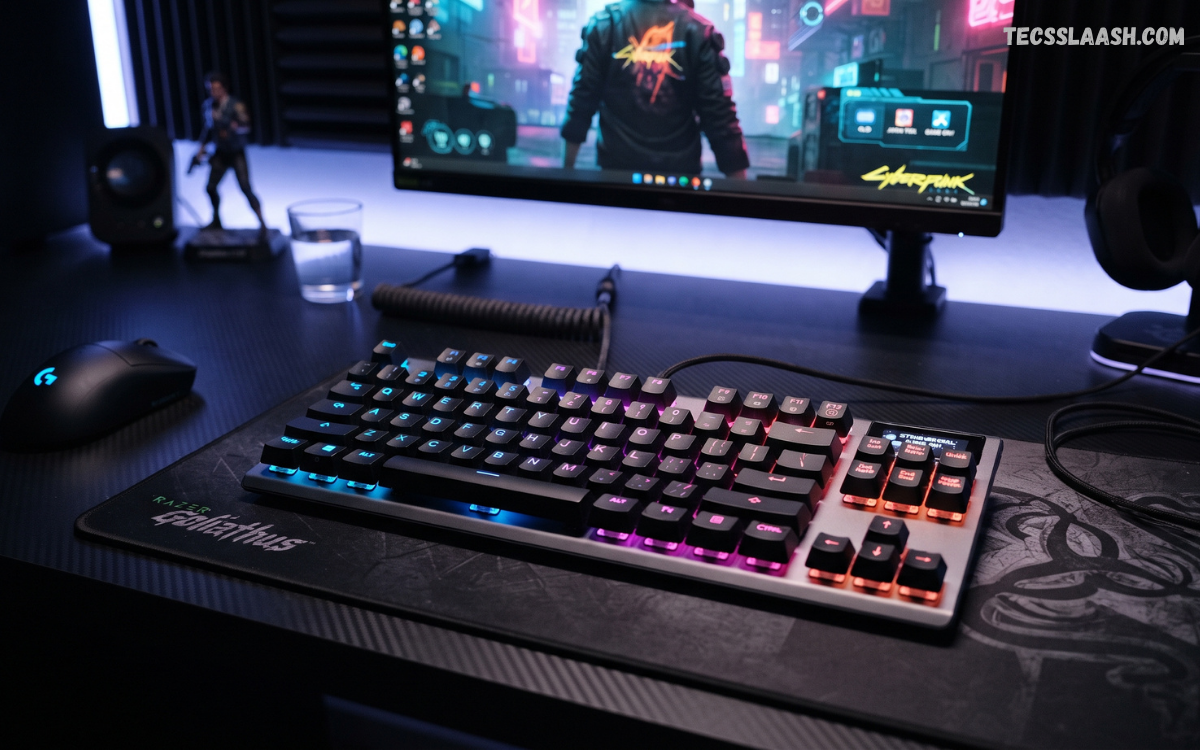
Choosing the best gaming keyboard can significantly improve gaming performance, typing comfort, and overall desktop experience. A quality keyboard provides responsive switches, reliable key registration, comfortable ergonomics, durable construction, and useful customization features.
Gamers have different requirements depending on game genre, playing style, desk setup, budget, and personal preferences. A fast-paced FPS player may prioritize rapid actuation and low input latency, while an MMO player may prefer programmable macro keys and extensive customization.
What Makes the Best Gaming Keyboard?
The Best Gaming Keyboard combines performance, comfort, durability, responsiveness, and useful customization. Mechanical switches remain popular because they provide consistent actuation and distinct feedback. Linear switches suit rapid gaming movements, tactile switches provide noticeable feedback, while clicky switches deliver an audible clicking experience that many typists enjoy.
Input latency also matters during competitive gaming. A keyboard that registers key presses quickly can provide a more responsive experience during fast movements, weapon changes, ability activation, and precise commands.
Mechanical vs Membrane Gaming Keyboards
Mechanical gaming keyboards use individual switches beneath individual keys. Each switch contains its own mechanism, producing consistent actuation and feedback. Mechanical designs usually offer better durability, stronger customization options, and a wider variety of switch types. Many premium models also support hot-swappable switches, allowing users to replace switches without soldering.
Membrane keyboards use pressure-sensitive membrane layers beneath the keycaps. They generally cost less and produce quieter keystrokes. Membrane models can deliver comfortable gaming performance for casual players, though they typically offer fewer customization options than mechanical alternatives. Gamers working with a limited budget can still find capable membrane keyboards with anti-ghosting, RGB lighting, multimedia controls, and dedicated gaming modes.
Linear Switches for Fast Gaming
Linear switches provide smooth key movement without a tactile bump or audible click. This design allows keys to travel consistently from top to bottom. Many competitive FPS players prefer linear switches because rapid repeated inputs can feel smooth and predictable during movement-heavy gameplay.
Popular linear switch designs include red-style mechanical switches and newer low-profile optical or magnetic switches. Actuation force varies between models, so users should consider personal preference before choosing a keyboard. Extremely light switches can feel fast, but accidental key presses may become more common for users accustomed to heavier switches.
Tactile Switches for Gaming and Typing
Tactile switches provide a noticeable bump during key activation. This feedback helps users understand when a key has registered without requiring the key to reach the bottom of its travel. Tactile switches offer a strong balance between gaming and productivity.
Gamers who frequently switch between gaming, writing, programming, and general computer work may appreciate tactile keyboards. The physical feedback can make typing more deliberate and comfortable. Noise levels depend on the specific switch design, so users working around others should consider quieter tactile options.
Clicky Switches for a Distinctive Experience
Clicky switches combine tactile feedback with an audible click. They provide a satisfying mechanical experience that many enthusiasts enjoy. The sound can make typing feel more interactive and responsive, especially for users who appreciate traditional mechanical keyboards.
However, clicky switches may not suit shared offices, bedrooms, streaming environments, or microphones positioned close to the keyboard. The additional noise can become distracting. Users who enjoy tactile feedback without excessive sound should consider tactile or silent mechanical switches instead.
Low-Profile Gaming Keyboards
Low-profile gaming keyboards use shorter keycaps and switches, creating a slimmer overall design. Shorter key travel can produce a fast and responsive sensation. These keyboards often resemble laptop keyboards while retaining mechanical or optical switch technology.
Low-profile models can benefit gamers who prefer minimal hand movement and a compact desktop setup. They also provide a sleek appearance and may feel comfortable during long gaming sessions. However, users accustomed to traditional mechanical keyboards may require an adjustment period.
Hall Effect Gaming Keyboards
Hall Effect keyboards have become increasingly popular among competitive gamers. Instead of relying on conventional mechanical contact points, Hall Effect switches detect changes in magnetic fields. This technology enables adjustable actuation and advanced input customization on compatible keyboards.
Adjustable actuation allows users to configure how far a key must travel before registering. A shallow setting can make movement keys feel extremely responsive, while deeper settings can reduce accidental presses. Some Hall Effect keyboards also provide rapid-trigger functionality, which can alter how quickly keys reset and register subsequent inputs.
Optical Gaming Keyboards
Optical keyboards use light-based detection to register key presses. Optical switches can offer fast actuation, consistent performance, and reduced physical contact between components. Some models are specifically designed for competitive gaming where input responsiveness is a major priority.
Optical technology can also improve switch durability because the detection mechanism does not rely on traditional metal electrical contacts in the same way as conventional mechanical switches. Buyers should still evaluate the entire keyboard rather than selecting a model solely because it uses optical technology.
Keyboard Size and Layout
Keyboard size directly affects desk space, mouse movement, portability, and available controls. Full-size keyboards include the traditional alphanumeric section, function row, navigation keys, and dedicated number pad. They are useful for productivity, data entry, and users who require extensive controls.
Tenkeyless keyboards remove the number pad while retaining the primary gaming keys and function row. This design provides additional mouse space and creates a more compact setup. Competitive FPS players frequently choose TKL layouts because the reduced width allows greater mouse movement.
Compact 75 Percent Keyboards
A 75 percent keyboard retains most essential keys while reducing unnecessary spacing. Function keys, navigation controls, and arrow keys remain available in a compact arrangement. This layout offers an excellent balance between functionality and desk efficiency.
A 75 percent keyboard can suit gamers who want a smaller footprint without sacrificing important controls. It also provides more room for large mouse movements compared with a full-size keyboard. Users may need time to adjust to the compressed key arrangement.
60 Percent Gaming Keyboards
A 60 percent keyboard removes the dedicated function row, navigation cluster, and number pad. These functions remain accessible through secondary key combinations. The compact footprint creates substantial additional mouse space.
This layout is popular among competitive FPS players, minimalists, and gamers who frequently travel with their equipment. The smaller size can make desk organization easier. However, users who frequently use function keys, arrow keys, or dedicated navigation controls may prefer a larger layout.
Wireless Gaming Keyboards
Wireless gaming keyboards have improved considerably through modern 2.4 GHz wireless technology. High-quality wireless models can deliver performance close to wired keyboards while eliminating cable clutter. Many keyboards also support Bluetooth for connecting with laptops, tablets, and multiple devices.
Battery life becomes an important consideration when choosing a wireless keyboard. RGB lighting can consume additional power, while efficient models can operate for weeks or months depending on usage. A keyboard with both 2.4 GHz and Bluetooth connectivity provides greater flexibility for gaming and productivity.
Wired Gaming Keyboards
Wired keyboards remain popular because they provide continuous power and dependable connectivity. There is no need to recharge the battery, and users do not need to monitor wireless connection status. USB connectivity also works across a wide range of gaming PCs and consoles.
Competitive gamers may prefer wired keyboards because of their straightforward setup. A quality USB cable provides stable communication between the keyboard and computer. Detachable USB-C cables also make modern keyboards easier to transport and replace.
Gaming Keyboard Input Latency
Input latency describes the delay between pressing a key and the computer receiving the corresponding input. Lower latency can provide a more immediate response, which becomes particularly important in competitive games requiring fast reactions.
Keyboard latency depends on several factors, including switch technology, scanning rate, firmware, connection method, and USB or wireless implementation. Buyers should avoid judging performance solely by marketing specifications. Independent testing and real-world performance provide a more meaningful assessment.
Polling Rate Explained
Polling rate indicates how frequently a keyboard communicates its input state to the computer. Higher polling rates can reduce the time between input scans. Gaming keyboards may advertise polling rates ranging from conventional levels to extremely high rates on advanced models.
A high polling rate can be beneficial for competitive gaming, but it should not become the only purchasing criterion. Switch behavior, firmware quality, input processing, system performance, and game engine behavior also influence the overall experience.
Anti-Ghosting and N-Key Rollover
Anti-ghosting prevents unintended key presses from being registered when multiple keys are pressed together. This feature is particularly important during gaming because players frequently combine movement, sprinting, crouching, jumping, weapon switching, and ability controls.
N-key rollover allows every key to register independently when multiple keys are pressed simultaneously. A reliable gaming keyboard should provide strong rollover performance. These features help prevent missed commands during complicated input sequences.
RGB Lighting and Customization
RGB lighting has become a standard feature across many gaming keyboards. Users can customize colors, brightness, animations, reactive effects, and lighting profiles. Some software ecosystems synchronize keyboard lighting with mice, headsets, desktop lighting, and other components.
RGB lighting does not directly improve gaming performance, but it can enhance the visual appearance of a gaming setup. Users who prefer a professional desktop aesthetic can select subtle single-color lighting, while enthusiasts may prefer dynamic effects. Per-key RGB provides greater customization than zone-based lighting.
Programmable Keys and Macros
Programmable keys allow users to assign custom commands, shortcuts, macros, or application functions. MMO and strategy players can benefit significantly from additional controls because these games often require numerous abilities and commands.
Macros can also improve productivity by automating repetitive keyboard sequences. However, competitive games may restrict certain macro functions, so users should always follow game-specific rules. A good gaming keyboard provides flexible customization without making the software unnecessarily complicated.
Gaming Keyboard Software
Keyboard software controls profiles, lighting, macros, firmware, key assignments, performance settings, and other features. Strong software should provide a clear interface and reliable device detection.
Cloud profiles can be useful for gamers who move between multiple computers. Onboard memory is even more convenient because settings remain stored directly on the keyboard. Buyers should consider software quality alongside hardware specifications, especially when purchasing a feature-rich keyboard.
Build Quality and Durability
A durable gaming keyboard should withstand thousands or millions of keystrokes. Mechanical switches generally provide strong longevity, although durability depends on switch quality and overall construction.
The keyboard chassis also matters. Aluminum or reinforced frames can provide greater rigidity than lightweight plastic designs. A solid keyboard should resist excessive flex when pressure is applied. Durable keycaps, stable stabilizers, and reliable connectors further improve long-term usability.
Keycap Material and Design
Keycaps affect appearance, texture, durability, and typing feel. ABS keycaps are common because they are affordable and easy to manufacture. High-quality ABS keycaps can still provide an excellent experience, although they may develop a polished surface after extended use.
PBT keycaps are generally more resistant to shine and wear. Double-shot keycaps use multiple layers of plastic to create legends that remain durable over time. Users interested in customization should check keycap compatibility before purchasing replacement sets.
Stabilizers Matter More Than Expected
Large keys such as Space, Enter, Shift, and Backspace require stabilizers to prevent excessive movement. Poor stabilizers can create rattling, uneven movement, or inconsistent sound.
Well-tuned stabilizers provide smoother and more controlled key presses. Enthusiast keyboards often receive additional stabilizer tuning during manufacturing or modification. Buyers seeking a premium typing and gaming experience should pay attention to stabilizer quality rather than focusing exclusively on switches.
Ergonomics and Wrist Comfort
Gaming sessions can last several hours, making ergonomics an important consideration. A keyboard should allow a comfortable wrist and hand position without forcing excessive bending. Adjustable feet can help users find a suitable typing angle.
A detachable wrist rest can provide additional support during extended sessions. Soft wrist rests may feel comfortable for some users, while others prefer firm surfaces. Desk height, chair position, mouse placement, and keyboard angle also influence overall comfort.
Dedicated Media Controls
Dedicated media controls provide quick access to volume, playback, mute, and other functions. A volume wheel is particularly convenient because users can adjust audio without leaving a game or opening software.
Media controls are not essential for competitive gaming, but they can significantly improve everyday usability. Streamers, music listeners, and multitaskers may find these controls especially valuable.
Dedicated Gaming Mode
Gaming mode disables selected keys that could interrupt gameplay, such as the Windows key. Accidentally pressing the Windows key during a competitive match can minimize the game and disrupt concentration.
Some keyboards allow users to configure gaming-mode behavior through software. Advanced models may support different gaming profiles for different titles. This feature is simple but useful for serious gamers.
Best Gaming Keyboard for FPS Games
FPS players generally benefit from fast switches, low input latency, compact layouts, and reliable rollover. A TKL or 60 percent keyboard can create additional mouse space for low-sensitivity aiming.
Linear switches are popular for FPS gaming because their smooth travel suits rapid movement. Hall Effect keyboards can provide additional advantages through adjustable actuation and rapid-trigger functions. However, the best choice depends on the player’s movement style, sensitivity, and preference.
Best Gaming Keyboard for MMO Games
MMO players often require numerous controls for abilities, inventory commands, communication, and shortcuts. Full-size keyboards or models with dedicated macro keys can provide useful additional functionality.
Programmable keys can reduce the need to move fingers across the keyboard during complicated encounters. Comfortable key spacing and reliable switches become especially important during extended MMO sessions. RGB profiles can also help visually identify different control groups.
Best Gaming Keyboard for Competitive Esports
Esports players should prioritize measurable performance features over decorative extras. Low input latency, consistent actuation, reliable firmware, strong rollover, and comfortable ergonomics should remain the primary considerations.
Compact keyboards are common in competitive setups because they maximize mouse space. Magnetic Hall Effect keyboards and high-performance mechanical or optical models can offer advanced input customization. Nevertheless, player familiarity with a keyboard often matters more than small specification differences.
Best Gaming Keyboard for Streaming
Streamers need a keyboard capable of handling gaming, communication, broadcasting controls, and everyday computer tasks. Programmable keys can trigger shortcuts for streaming software, scenes, microphones, or other commands.
A quiet keyboard can also reduce unwanted microphone noise. Linear silent switches, dampened mechanical designs, and carefully tuned stabilizers can create a more recording-friendly environment. Wireless connectivity may also help maintain a cleaner streaming desk.
Best Gaming Keyboard for Work and Gaming
A keyboard used for both gaming and productivity should provide a balanced experience. Tactile mechanical switches can provide useful feedback for typing while remaining suitable for gaming.
A 75 percent or TKL layout can provide enough functionality without consuming excessive desk space. Features such as Bluetooth, multi-device switching, dedicated media controls, onboard profiles, and comfortable keycaps can make a dual-purpose keyboard more practical.
Best Gaming Keyboard for Small Desks
Compact keyboards are ideal for limited desk space. A 60 percent model provides the smallest footprint, while a 65 or 75 percent keyboard retains more navigation functionality.
Small-desk users should also consider wireless connectivity. Removing the keyboard cable can improve desk organization and create more flexibility for mouse movement. A compact keyboard paired with a lightweight mouse can create an efficient gaming workstation.
Read Also: Best Gaming Mouse: Complete Guide to Choosing the Right Gaming Mouse
Best Gaming Keyboard for Beginners
Beginners should avoid paying for features they do not need. A reliable mechanical keyboard with anti-ghosting, decent switches, comfortable keycaps, and basic customization can provide an excellent starting point.
Switch selection should be based on personal preference rather than popularity alone. Linear switches offer smooth movement, tactile switches provide feedback, and clicky switches provide audible confirmation. Testing different switch types before purchasing can prevent an unsuitable choice.
Best Gaming Keyboard on a Budget
Budget gaming keyboards can deliver impressive performance without premium pricing. Buyers should prioritize reliable switches, anti-ghosting, durable construction, comfortable keycaps, and dependable connectivity.
RGB lighting should remain secondary to performance. A keyboard with excellent switches and reliable firmware is generally a better investment than a visually impressive model with poor input consistency. Mechanical keyboards are increasingly available at affordable prices, giving budget-conscious gamers more choices.
Best Gaming Keyboard for Long Gaming Sessions
Comfort becomes increasingly important during extended sessions. A suitable keyboard should provide consistent key travel, stable keycaps, comfortable spacing, and a suitable typing angle.
Users should also evaluate wrist position and desk height. Even the Best Gaming Keyboard cannot compensate for poor workstation ergonomics. Regular breaks, proper seating posture, and a comfortable wrist position can contribute significantly to long-session comfort.
Wireless vs Wired: Which Is Better?
Wired keyboards provide simple connectivity and uninterrupted power, while wireless models offer cleaner desk organization and greater flexibility. Modern 2.4 GHz wireless technology can provide excellent gaming performance.
The choice depends on priorities. Competitive players who want maximum simplicity may prefer wired connectivity. Users who value portability and a clean desktop may prefer wireless. Dual-mode keyboards offer the best flexibility by supporting both wired and wireless operation.
How to Choose the Best Gaming Keyboard
Start by identifying the primary games you play. FPS players may prioritize compact layouts and rapid switches, while MMO players may require programmable controls. Productivity users should consider typing comfort and layout functionality.
Next, establish a realistic budget. Compare switch technology, latency, build quality, connectivity, software, keycaps, and ergonomics. Avoid paying extra for features that will not improve your actual experience. The Best Gaming Keyboard is the model that matches your specific requirements rather than the keyboard with the longest specification list.
Common Mistakes When Buying a Gaming Keyboard
One common mistake is selecting a keyboard based only on RGB lighting. Lighting looks impressive, but it does not determine input quality. Another mistake involves choosing switches without considering personal typing preferences.
Buyers should also avoid assuming that higher polling rates automatically guarantee better gaming performance. Build quality, firmware, latency, switch consistency, and ergonomics all contribute to the final experience. Reading detailed reviews and testing keyboards whenever possible can help avoid an expensive mismatch.
Gaming Keyboard Maintenance Tips
Regular cleaning can extend keyboard life. Dust, hair, crumbs, and other debris can accumulate between keycaps and switches. A soft brush or compressed air can help remove loose particles.
Users should avoid spilling liquids around the keyboard. If a keyboard supports removable keycaps, occasional keycap cleaning can restore its appearance. Firmware updates should also be installed when manufacturers release important stability, security, or performance improvements.
Are Mechanical Keyboards Worth It?
Mechanical keyboards are worth considering for gamers who value responsive switches, durability, customization, and tactile variety. Their individual switches provide a distinct experience compared with conventional membrane keyboards.
However, mechanical does not automatically mean better. A poorly designed mechanical keyboard can provide a worse experience than a well-designed membrane model. Overall construction, switch quality, firmware, stabilizers, keycaps, and ergonomics remain important.
Is a 60 Percent Keyboard Good for Gaming?
A 60 percent keyboard can be excellent for gaming, particularly FPS gaming. Its compact footprint provides additional mouse space and makes the keyboard easy to transport.
The main compromise is the absence of dedicated navigation and function keys. Users can access many functions through key combinations, but this can require adjustment. Players who frequently use function keys may prefer TKL or 75 percent layouts.
Should Gamers Buy a Wireless Keyboard?
Wireless gaming keyboards can now deliver strong performance. Modern 2.4 GHz connections can provide low-latency gaming without the inconvenience of a permanent cable.
Battery life and charging remain important considerations. A dual-mode keyboard with wired, 2.4 GHz, and Bluetooth connectivity provides excellent versatility. Such models can transition between gaming PCs, laptops, tablets, and other devices
Frequently Asked Questions
What is the best gaming keyboard for competitive gaming?
The best gaming keyboard for competitive gaming should offer low input latency, reliable key registration, consistent switches, strong rollover, and comfortable ergonomics. Compact TKL, 60 percent, and 65 percent designs are especially popular among competitive players.
Are mechanical keyboards better for gaming?
Mechanical keyboards can provide excellent gaming performance because they offer consistent actuation, multiple switch choices, strong durability, and customization. However, overall keyboard quality matters more than mechanical technology alone.
What keyboard size is best for FPS games?
TKL, 65 percent, and 60 percent keyboards are popular for FPS games because they provide additional mouse space. The ideal size depends on whether the player needs dedicated function and navigation keys.
Are Hall Effect keyboards good for gaming?
Hall Effect keyboards can be excellent for gaming because they may provide adjustable actuation and rapid-trigger functionality. These features are particularly attractive to competitive players who want precise control over key activation and reset behavior.
What switches are best for gaming?
Linear switches are popular for fast gaming because they provide smooth key travel. Tactile switches suit players who prefer physical feedback, while clicky switches appeal to users who enjoy audible confirmation.
Is wireless gaming keyboard performance good?
Modern wireless gaming keyboards can provide excellent performance through 2.4 GHz connections. High-quality models can offer low latency, reliable connections, and long battery life.
Does RGB improve gaming performance?
RGB lighting does not directly improve gaming performance. It primarily provides visual customization. Performance should remain the priority when choosing a gaming keyboard.
How long does a gaming keyboard last?
A quality gaming keyboard can last for many years when properly maintained. Mechanical switches often support very high keystroke counts, while chassis, keycaps, stabilizers, and electronic components also influence overall lifespan.
Is a gaming keyboard useful for work?
Yes. A good gaming keyboard can provide excellent productivity performance. Tactile switches, comfortable layouts, programmable keys, media controls, and multi-device connectivity can make a gaming keyboard highly practical for work.
How much should I spend on the best gaming keyboard?
Budget requirements vary according to features and priorities. Affordable models can provide strong gaming performance, while premium keyboards add advanced switches, better materials, wireless connectivity, extensive customization, and enthusiast-level construction.
Conclusion
The best gaming keyboard should deliver responsive performance, comfortable ergonomics, durable construction, dependable connectivity, and useful customization. There is no universal keyboard that suits every gamer, as preferences vary across game genres, layouts, switches, desk sizes, and budgets.
Competitive FPS players may prefer compact Hall Effect or fast mechanical keyboards, while MMO players may benefit from programmable controls. Streamers can prioritize quiet switches and customization, while productivity-focused gamers may prefer tactile switches and a 75 percent or TKL layout. Evaluating actual requirements before purchasing ensures better value and a more satisfying long-term experience.

