


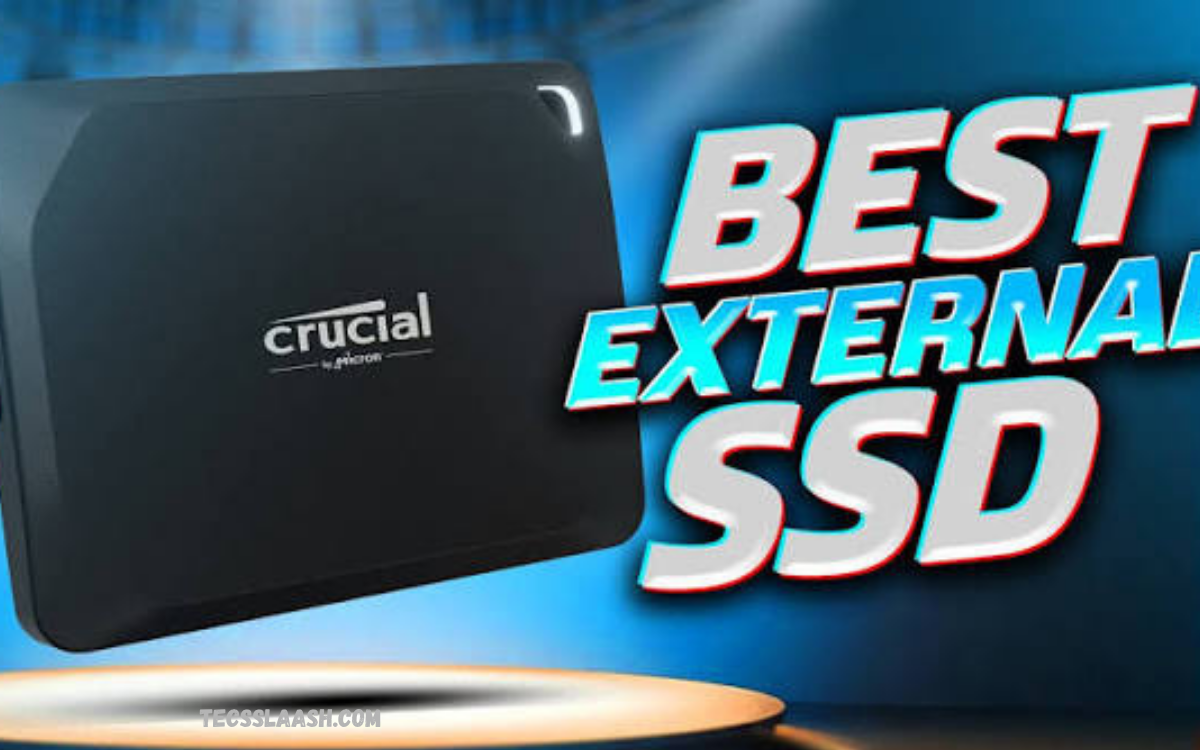
Choosing the Best External SSD can significantly improve file transfers, backups, gaming performance, media editing, and everyday storage. Unlike traditional external hard drives, solid-state drives use flash memory without moving mechanical components. This design delivers faster transfer speeds, lower noise, improved durability, and compact portability.
External SSD technology has advanced rapidly, giving users access to high-speed USB connections, larger capacities, rugged designs, and improved thermal management. Whether you need additional storage for a laptop, desktop, gaming console, camera workflow, or professional workstation, selecting the right SSD requires attention to speed, capacity, compatibility, durability, and price.
What Is an External SSD?
An external SSD is a portable storage device that connects to computers, gaming systems, tablets, and compatible devices through interfaces such as USB-C or USB-A. It stores data using NAND flash memory, allowing rapid access without the moving parts found inside traditional hard disk drives.
Modern external SSDs are available in capacities ranging from compact 500GB models to high-capacity 4TB and larger versions. Their small dimensions make them convenient for travel, while high-performance interfaces allow users to move large files quickly.
Why Choose an External SSD?
Speed remains the biggest advantage of an external SSD. A quality model can transfer large files substantially faster than a conventional external hard drive, reducing waiting time during backups, software transfers, video projects, and game installations.
Durability represents another major benefit. Because SSDs contain no spinning platters or mechanical read/write heads, they generally tolerate movement better than traditional hard drives. This makes portable SSDs particularly useful for students, photographers, content creators, travelers, and professionals working across multiple locations.
Best External SSD for Overall Performance
A high-performance external SSD should combine fast sequential speeds, dependable construction, broad compatibility, and consistent performance during extended workloads. Premium models commonly feature USB 3.2 Gen 2×2 or USB4 connectivity, depending on the product and host device.
For general users, a USB-C SSD offering speeds around 1,000MB/s can provide an excellent balance between performance and practicality. Users handling large video files, professional photography projects, or demanding workloads may benefit from drives capable of considerably higher speeds.
Best External SSD for Gaming
Gaming libraries continue to increase in size, making external storage increasingly useful. An SSD can reduce file-transfer times and provide responsive storage for supported games. Compatibility varies between platforms, so users should verify the requirements of their console or gaming device before purchasing.
For PC gaming, an external SSD with fast USB connectivity can provide convenient additional storage. A 1TB or 2TB capacity often offers a practical balance for players who maintain several large games while still needing space for updates, recordings, and other files.
Best External SSD for Video Editing
Video editors need storage capable of handling large media files, project libraries, previews, and exports. High-speed external SSDs can make media management more efficient, particularly when working with high-resolution footage.
For professional editing, prioritize sustained performance rather than relying only on advertised peak read speeds. A drive with strong thermal management can maintain more consistent performance during lengthy transfers and demanding workloads. A 2TB or 4TB model can also provide useful workspace for large video projects.
Best External SSD for Photographers
Photographers often need fast storage for RAW images, catalogs, exports, and backups. A portable SSD provides a convenient way to transfer large collections between a camera workstation, laptop, and desktop computer.
A compact 1TB or 2TB SSD can serve as a portable photography workspace, while rugged models provide additional protection for outdoor shoots. Features such as dust resistance, water resistance, and shock protection can be valuable when storage devices are regularly transported between locations.
Best External SSD for Backup
An external SSD can serve as an important component of a broader backup strategy. Fast storage makes routine backups easier because large folders can be copied without lengthy waiting periods.
However, an SSD should not be considered the only backup location for important information. A reliable backup strategy should maintain multiple copies, preferably across different storage locations. Important files can be protected through a combination of local external storage and secure cloud or secondary-device backups.
Storage Capacity
Capacity should match your workload rather than simply choosing the largest available drive. A 500GB SSD may suit basic documents, applications, and smaller media collections, while 1TB provides considerably more flexibility.
A 2TB SSD is a strong option for gamers, photographers, and content creators who manage larger libraries. Users handling extensive video archives or professional project collections may prefer 4TB or larger storage. Remember that usable capacity is slightly lower than the advertised figure because of formatting and system requirements.
Read and Write Speeds
Read speed determines how quickly information can be accessed from the drive, while write speed determines how quickly data can be stored. Both specifications matter when choosing an external SSD for demanding workloads.
Manufacturers often advertise maximum sequential speeds measured under specific conditions. Real-world performance can vary depending on the computer, USB port, cable, file sizes, operating system, thermal conditions, and drive capacity. For this reason, interface compatibility should be evaluated alongside advertised speed.
USB Connectivity
USB connectivity plays a major role in external SSD performance. USB-C is increasingly common on modern laptops, desktops, tablets, and mobile devices, but the physical connector does not automatically determine transfer speed.
Users should check the exact USB standard supported by both the SSD and host device. Connecting a high-speed SSD to a slower port can limit performance. The included cable also matters because some cables support higher data rates than others.
Portability and Design
One of the primary reasons to purchase an external SSD is portability. Compact drives can fit easily into a laptop bag or backpack without adding significant weight.
Design quality also matters. A strong enclosure can help protect the internal storage from everyday impacts. Rugged SSDs may include reinforced construction and resistance against environmental conditions, making them suitable for outdoor work and frequent travel.
Thermal Management
High-performance SSDs can generate heat during intensive transfers. Excessive temperatures may cause the drive to reduce performance temporarily to protect its components. This behavior, commonly known as thermal throttling, can become noticeable during extended workloads.
Users who regularly transfer hundreds of gigabytes should consider models with effective thermal designs. Larger enclosures, heat dissipation materials, and optimized controllers can help maintain stable performance during demanding operations.
Compatibility
Before purchasing the Best External SSD, confirm compatibility with your operating system and devices. Windows, macOS, Linux, gaming consoles, cameras, smartphones, and tablets can have different requirements.
File-system support is another consideration. Some drives may require reformatting for specific devices or workflows. Reformatting can erase existing data, so important files should always be backed up before changing a drive’s file system.
External SSD Security
Security features can become important when an SSD stores personal, business, educational, or professional information. Some external drives support hardware-based encryption or password protection, while others depend on software-based security solutions.
Users should select a security approach appropriate for their needs. Sensitive files should also be protected through strong account credentials, device security, and reliable backups rather than relying on a single storage device.
External SSD vs External HDD
External SSDs generally provide faster performance, quieter operation, smaller designs, and better resistance to physical movement. External HDDs, however, can offer more storage capacity for the money and remain useful for large archives where maximum speed is not essential.
For frequently accessed files, gaming libraries, active creative projects, and portable workflows, an SSD is often the more convenient choice. For inexpensive long-term storage of very large collections, an HDD can remain a practical option.
Read Also: Best SSD Enclosure: Complete Guide to Choosing the Right One in 2026
How to Choose the Best External SSD
Start by identifying your primary workload. Office users may prioritize affordability and portability, while gamers and creators may need higher speeds and larger capacities. Once the workload is clear, compare interface compatibility, storage capacity, sustained performance, durability, warranty coverage, and security features.
Avoid choosing a drive based solely on its advertised maximum speed. A balanced SSD that matches your computer’s connectivity can provide better real-world value than a faster model whose performance cannot be fully utilized by your existing hardware.
Common Mistakes to Avoid
One common mistake is purchasing a high-speed SSD without checking the computer’s USB capabilities. The drive may support impressive transfer rates, but the host port can become the performance bottleneck.
Another mistake is choosing insufficient capacity. SSD prices can make larger models attractive when purchased strategically, and additional space can prevent frequent file management. Users should also avoid storing their only copy of important files on an external drive.
Maintenance Tips
External SSDs require relatively little maintenance, but good storage practices can extend their useful life. Always eject the drive properly when required, keep firmware and operating-system software updated, and avoid disconnecting the device during active transfers.
Maintain adequate free space for normal operation and periodically check the drive’s health using compatible monitoring software. Keep the SSD away from excessive heat, moisture, and unnecessary physical impacts, particularly during long-term travel.
Best External SSD for Different Users
For everyday users, a compact 1TB SSD with USB-C connectivity provides a practical combination of speed and capacity. Students can use an SSD for assignments, multimedia files, software projects, and backups without carrying a bulky storage device.
Gamers may prefer 1TB or 2TB models with fast interfaces, while photographers and video editors can benefit from 2TB, 4TB, or larger capacities. Travelers should prioritize rugged construction, compact dimensions, and dependable cables for reliable mobile workflows.
Frequently Asked Questions
What Is the Best External SSD for Everyday Use?
The best external SSD for everyday use should offer fast transfer speeds, reliable performance, adequate storage capacity, and broad device compatibility. A 1TB or 2TB model is suitable for most users.
Is an External SSD Better Than an External HDD?
Yes, an external SSD generally provides faster data transfers, quieter operation, lower weight, and better resistance to physical movement than an external HDD.
What Storage Capacity Should I Choose?
A 1TB SSD works well for general storage and backups. Gamers and content creators may prefer 2TB, while professionals managing large video libraries can consider 4TB or higher.
Are External SSDs Good for Gaming?
External SSDs can be useful for expanding storage and transferring games quickly. Performance depends on the gaming platform, USB interface, and compatibility requirements.
What Is a Good External SSD Speed?
For everyday tasks, an SSD delivering around 1,000MB/s can provide strong performance. Professional users may benefit from drives supporting higher transfer speeds through faster USB standards.
Can I Use an External SSD With a Laptop?
Yes. Most modern external SSDs work with laptops through USB-C or USB-A connections. Always check the drive’s connector, cable, and supported interface before purchasing.
Are External SSDs Reliable for Backup?
External SSDs are excellent for backups, but important files should not exist in only one location. Maintaining multiple copies provides better protection against accidental deletion or hardware failure.
Is 1TB Enough for an External SSD?
For many users, 1TB provides enough space for documents, photos, applications, and general backups. Users with large gaming or video libraries may need 2TB or more.
Do External SSDs Get Hot?
High-performance external SSDs can become warm during large or extended transfers. Models with effective thermal management can help maintain stable performance during demanding workloads.
How Long Does an External SSD Last?
An external SSD can remain usable for many years under normal conditions. Lifespan depends on factors such as write activity, drive quality, operating temperature, and usage patterns.
Conclusion
The Best External SSD depends on your specific storage requirements, device compatibility, performance expectations, and budget. There is no single model that delivers the perfect combination for every user. A suitable SSD should provide enough capacity, appropriate connectivity, reliable performance, and durability for your daily workload.
For most users, a 1TB or 2TB USB-C SSD offers an excellent starting point. Professionals working with large media files may benefit from higher-capacity, high-speed models, while users focused on basic backups can prioritize affordability and reliability. By evaluating capacity, interface, sustained speed, durability, security, and compatibility together, you can select an external SSD that delivers dependable performance for years of everyday use.

