


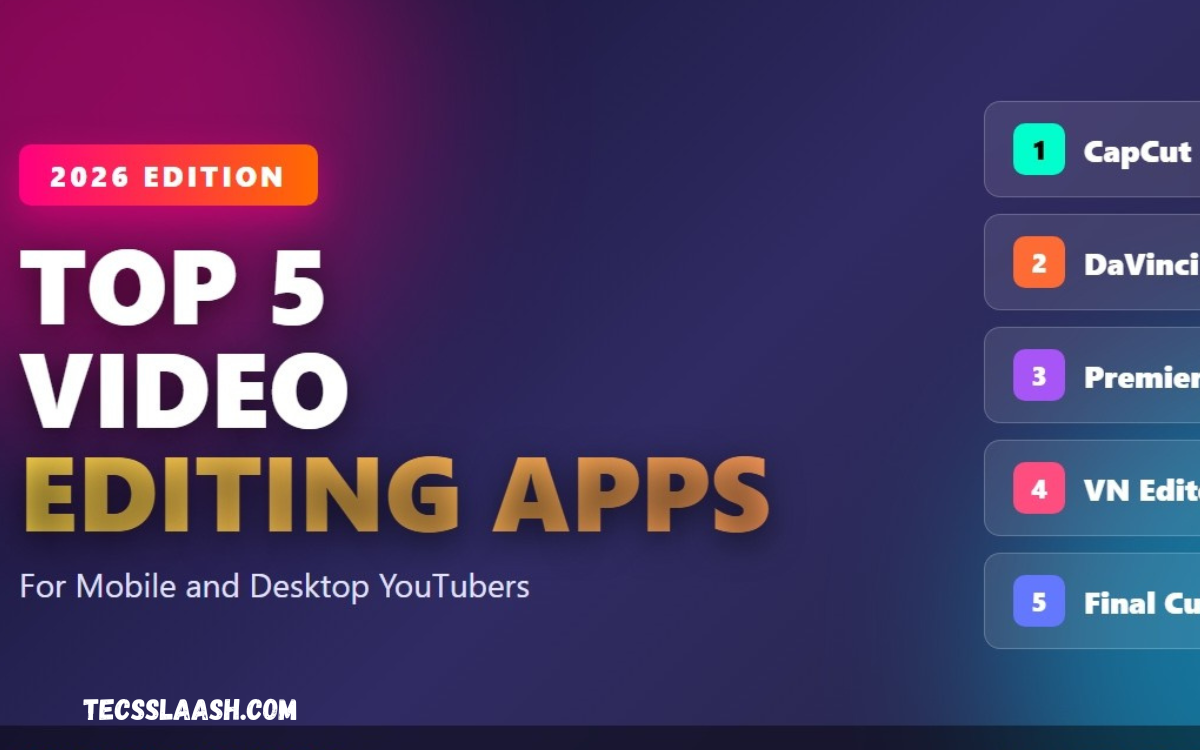
Video content has become one of the most effective ways for creators to connect with audiences, build personal brands, and grow online businesses. From YouTube videos and Instagram Reels to TikTok clips and short tutorials, creators need reliable editing tools that can turn raw footage into polished content quickly.
The Best Video Editing Apps for Creators 2026 offer a wide range of features, including multi-layer timelines, transitions, filters, audio controls, captions, speed adjustments, background removal, and high-resolution exports. Modern mobile editors have also become much easier to use, allowing creators to produce professional-looking videos without relying on expensive desktop software.
Why Video Editing Apps Matter for Creators
A good editing app can save hours of work by making common tasks such as trimming clips, adding music, adjusting colors, and creating captions simple. Creators can record footage on a smartphone and complete the entire editing process from the same device.
The right application also helps maintain a consistent visual style. Fonts, colors, transitions, sound effects, logos, and reusable templates can make videos look more professional and recognizable across different social media platforms.
CapCut for Fast Social Media Content
CapCut remains one of the strongest choices for creators who focus on short-form content. Its editing environment combines traditional timeline controls with templates, effects, captions, transitions, and tools designed around social media production.
For creators producing TikTok videos, Instagram Reels, and YouTube Shorts, CapCut is particularly useful because it supports fast workflows. Recent 2026 comparisons continue to place it among the leading options for social creators because of its broad feature set and beginner-friendly interface.
VN Video Editor for Flexible Editing
VN Video Editor is an excellent choice for creators who want more manual control while keeping the editing process straightforward. Its multi-track timeline allows users to work with video, audio, text, overlays, and other elements in a more organized workspace.
The application is especially attractive to creators looking for advanced editing without immediately moving to complicated desktop software. Current comparisons highlight VN for its balance between professional controls, accessibility, and watermark-free editing options.
InShot for Beginners and Social Creators
InShot is designed around simplicity, making it suitable for beginners who want to edit videos without spending a long time learning complicated tools. Trimming, merging, cropping, music, text, transitions, slow motion, and social-media-friendly aspect ratios are among its useful capabilities.
Creators can use InShot for vlogs, Instagram posts, Reels, YouTube Shorts, and promotional clips. Its official app listing also highlights features such as smart tracking, background removal, slow motion, and high-resolution export support.
KineMaster for Advanced Mobile Editing
KineMaster is a strong option for creators who want a more advanced mobile editing environment. It provides tools for multi-layer editing, keyframe animation, chroma key, blending, transitions, and detailed timeline adjustments.
This makes KineMaster suitable for YouTubers, vloggers, gaming creators, and anyone who wants more control over individual elements in a project. The learning curve can be higher than simple editors, but the additional control can be valuable for detailed productions.
PowerDirector for Professional Features
PowerDirector is another powerful choice for creators who need advanced editing capabilities on mobile devices. It combines a relatively accessible interface with features designed for more demanding projects, including multi-track editing, stabilization, effects, and advanced adjustment tools.
It is particularly useful for creators who produce longer YouTube videos, tutorials, reviews, and professional social media content. Current 2026 guides continue to position PowerDirector as an option for intermediate and advanced users who need greater editing control.
LumaFusion for Professional Mobile Workflows
LumaFusion is aimed at creators who want a professional editing experience on mobile and tablet devices. Its interface is designed around a more traditional editing workflow, making it suitable for projects that require precise control over timelines, audio, and multiple video layers.
For filmmakers, journalists, travel creators, and professional video producers, LumaFusion can be a compelling choice when mobile editing needs to feel closer to a desktop production environment. It is generally better suited to experienced users than people making their first video.
Adobe Premiere Rush for Adobe Users
Adobe Premiere Rush is designed for creators who want a straightforward editing workflow while remaining connected to the broader Adobe ecosystem. It can be useful for people who already work with Adobe products and want a familiar approach to creating social media and online video content.
Premiere Rush can make sense for creators who value Adobe integration and cross-device workflows. However, comparisons in 2026 note that creators who are not already invested in Adobe may find alternatives such as CapCut or VN more attractive for basic mobile editing.
Canva for Branded Video Content
Canva is not traditionally known as a dedicated video editor, but it has become useful for creators who combine video with graphics, presentations, promotional material, and branded content. Its template-driven approach can simplify the creation of visually consistent videos.
It works particularly well for business owners, influencers, educators, marketers, and social media managers. Creators can combine video clips with text, animated graphics, brand elements, and other visual assets without requiring advanced editing knowledge.
Filmora for Creative Effects
Filmora is another option for creators who want a combination of accessible editing and creative effects. It is designed to help users produce visually engaging content without requiring the technical knowledge associated with high-end professional editors.
Its range of effects, transitions, text tools, and creative features can be useful for YouTube videos, social media campaigns, tutorials, and entertainment content. It is a practical choice for creators who want to experiment with different visual styles.
YouTube Create for YouTube Creators
YouTube Create is designed specifically around content creation for YouTube and short-form video. Its simple workflow can be appealing to creators who want to record, edit, and prepare content without moving between multiple complicated applications.
For new YouTubers, a straightforward editor can reduce the technical barrier to publishing. The best choice still depends on the type of content being produced, but dedicated YouTube-focused tools can be useful for creators who mainly publish on that platform.
Important Features to Look For
When choosing among the Best Video Editing Apps for Creators 2026, start by considering the editing features you actually need. A simple editor may be better than an advanced application if your main goal is producing several short videos every week.
Look for features such as multi-track editing, precise trimming, transitions, audio controls, captions, speed adjustment, keyframes, color correction, background tools, and high-resolution export. The most useful application is the one that improves your workflow rather than simply offering the largest number of features.
Best Apps for YouTube Videos
YouTube creators often need more than simple trimming because long-form videos require stronger organization, audio control, transitions, titles, and detailed storytelling. Applications such as PowerDirector, KineMaster, LumaFusion, Filmora, and other advanced editors can provide greater flexibility.
For beginners, however, starting with a simpler application can be more productive. Learning how to cut unnecessary footage, improve pacing, balance audio, and structure a story is usually more important than using the most complicated software.
Best Apps for Instagram Reels
Instagram Reels require fast editing, vertical video support, engaging opening moments, readable text, music, transitions, and quick export. Apps such as CapCut, InShot, and VN are particularly suitable for creators who produce frequent short-form content.
A good Reel editor should make it easy to work in a vertical 9:16 format and quickly adjust clips for mobile viewing. Social-first editing tools can help creators maintain a faster publishing schedule without sacrificing basic production quality.
Best Apps for TikTok Creators
TikTok creators often need fast workflows because trends, sounds, formats, and editing styles can change quickly. An editor with templates, effects, captions, speed controls, and easy trimming can help creators respond to trends without spending excessive time on each project.
CapCut is widely associated with short-form creation, while VN and InShot provide useful alternatives for creators who prefer different editing interfaces. The best choice depends on whether speed, manual control, or simplicity is the creator’s biggest priority.
Read Also: Best Webcam for Streaming: Complete Buying Guide for Professional Streamers
Best Apps for Beginners
Beginners should avoid choosing an editor solely because it has professional-sounding features. An application that is easy to understand can help new creators develop editing skills faster and publish consistently.
InShot, CapCut, and VN are strong starting points because they provide accessible interfaces while still offering room to learn more advanced techniques. As editing skills improve, creators can move toward applications with deeper timeline and color-control features.
Best Apps for Professional Creators
Professional creators usually need more control over video layers, audio, color, transitions, keyframes, and project organization. For this reason, advanced applications such as LumaFusion, PowerDirector, KineMaster, and professional desktop editors may be more suitable.
Professional editing is also about workflow efficiency. A powerful application should make it easier to organize footage, maintain consistent quality, manage audio, and produce multiple versions of a project for different platforms.
How to Choose the Right Video Editing App
Start by identifying your content type, device, editing experience, and publishing platform. A creator making daily Shorts has different requirements from a filmmaker producing twenty-minute YouTube documentaries.
Next, consider export quality, available storage, device performance, pricing, templates, audio tools, captions, and the level of manual control. Testing two or three applications can help you discover which interface feels fastest and most comfortable.
Free vs Paid Video Editing Apps
Many modern editing apps offer free versions, but their features and limitations vary. Some may restrict certain effects, exports, templates, storage options, or advanced tools, while paid plans can unlock additional capabilities.
Before paying, creators should determine whether the premium features actually improve their workflow. For someone producing simple social videos, a strong free editor may be enough, while professional creators may benefit from investing in advanced tools.
Video Editing Tips for Creators in 2026
Good editing starts with strong footage. Record clear video, use suitable lighting, capture clean audio, and avoid unnecessary camera movement whenever possible. Better source material reduces the amount of correction required during editing.
During the editing process, focus on pacing and storytelling instead of adding effects everywhere. Remove repetitive moments, keep important information clear, use transitions only when they serve a purpose, and make text large enough for viewers watching on smartphones.
Frequently Asked Questions
What is the best video editing app for creators in 2026?
There is no single application that is perfect for every creator. CapCut is a strong all-around choice for social content, VN is excellent for flexible free editing, InShot is beginner-friendly, and LumaFusion is better suited to advanced mobile workflows.
Which video editing app is best for YouTube?
The best choice depends on the type of YouTube content you produce. PowerDirector, KineMaster, LumaFusion, Filmora, and other advanced editors can be useful for longer and more detailed projects.
Which app is best for Instagram Reels?
CapCut, VN, and InShot are strong options for Instagram Reels because they support fast editing and vertical content workflows. Your choice should depend on your preferred interface and the features you use most.
Which video editor is easiest for beginners?
InShot is one of the easiest applications for beginners because its tools are simple to understand. CapCut and VN are also good choices when a beginner wants more room to develop advanced editing skills.
Is VN Video Editor good for professional creators?
Yes, VN can be useful for professional creators who want multi-track editing and greater manual control without using a complicated desktop editor. It is especially useful for social media and mobile-first workflows.
Is CapCut good for YouTube Shorts?
CapCut is well suited to YouTube Shorts because it supports quick editing, captions, effects, templates, and vertical video workflows. It is particularly useful when creators need to produce short videos quickly.
Which app is best for advanced mobile editing?
LumaFusion is a strong choice for advanced mobile editing, while KineMaster and PowerDirector also provide extensive editing controls. The right option depends on the device and the complexity of the project.
Can beginners create professional videos with mobile apps?
Yes, beginners can create high-quality videos with modern mobile editing applications. Good storytelling, clear audio, proper lighting, strong footage, and thoughtful editing usually matter more than using expensive software.
Should creators use free or paid editing apps?
Free applications can be sufficient for many creators, especially those producing Shorts, Reels, and simple YouTube videos. Paid versions become more valuable when premium features, advanced controls, additional assets, or professional workflows are required.
How do I choose the best video editing app?
Choose an application based on your content type, device, experience, budget, and publishing platforms. Test the editing workflow and focus on whether the application helps you produce better videos faster.
Conclusion
The Best Video Editing Apps for Creators 2026 offer more flexibility than ever, allowing creators to produce polished content directly from smartphones, tablets, and computers. CapCut, VN, InShot, KineMaster, PowerDirector, LumaFusion, Filmora, Canva, and other editors each serve different creative needs.
The best application is not necessarily the one with the most features. It is the one that fits your workflow, supports your content style, performs well on your device, and helps you publish consistently.

